 TrickExprt Android Apps, Games, Software & Tech Guides

Last updated: 22 November 2026
Subway Surfers download is one of the most searched game downloads in India and Pakistan — and for good reason. This free endless runner from SYBO Games has been a top-chart regular for over a decade: it ranked among the most-downloaded iPhone games in Pakistan in November 2026 and sits at the top of the free-games charts in India too. In this Subway Surfers download guide, you will learn how to get the official Google Play version on your Android phone safely, what the game offers, which characters and power-ups matter most, and how to score higher — with no risky shortcuts and no unofficial sources involved.
Quick answer: The only safe way to do a Subway Surfers download on Android is through the official Google Play Store listing by SYBO Games. The game is free, contains ads, and offers optional in-app purchases. Tap the download button at the end of this article for a direct Subway Surfers download, or search “Subway Surfers” in the Play Store and install the app published by SYBO Games. The whole process takes about two minutes on a decent connection.
Subway Surfers Download: About the Game
Subway Surfers is a 3D endless runner game developed by SYBO Games, a Danish studio based in Copenhagen, and co-developed with Kiloo. It was first released in 2012, and SYBO took over publishing in 2020. The story is simple and instantly likeable: Jake, a young graffiti artist, is caught painting a subway yard by a grumpy inspector and his dog. The chase never stops — and neither does the game.
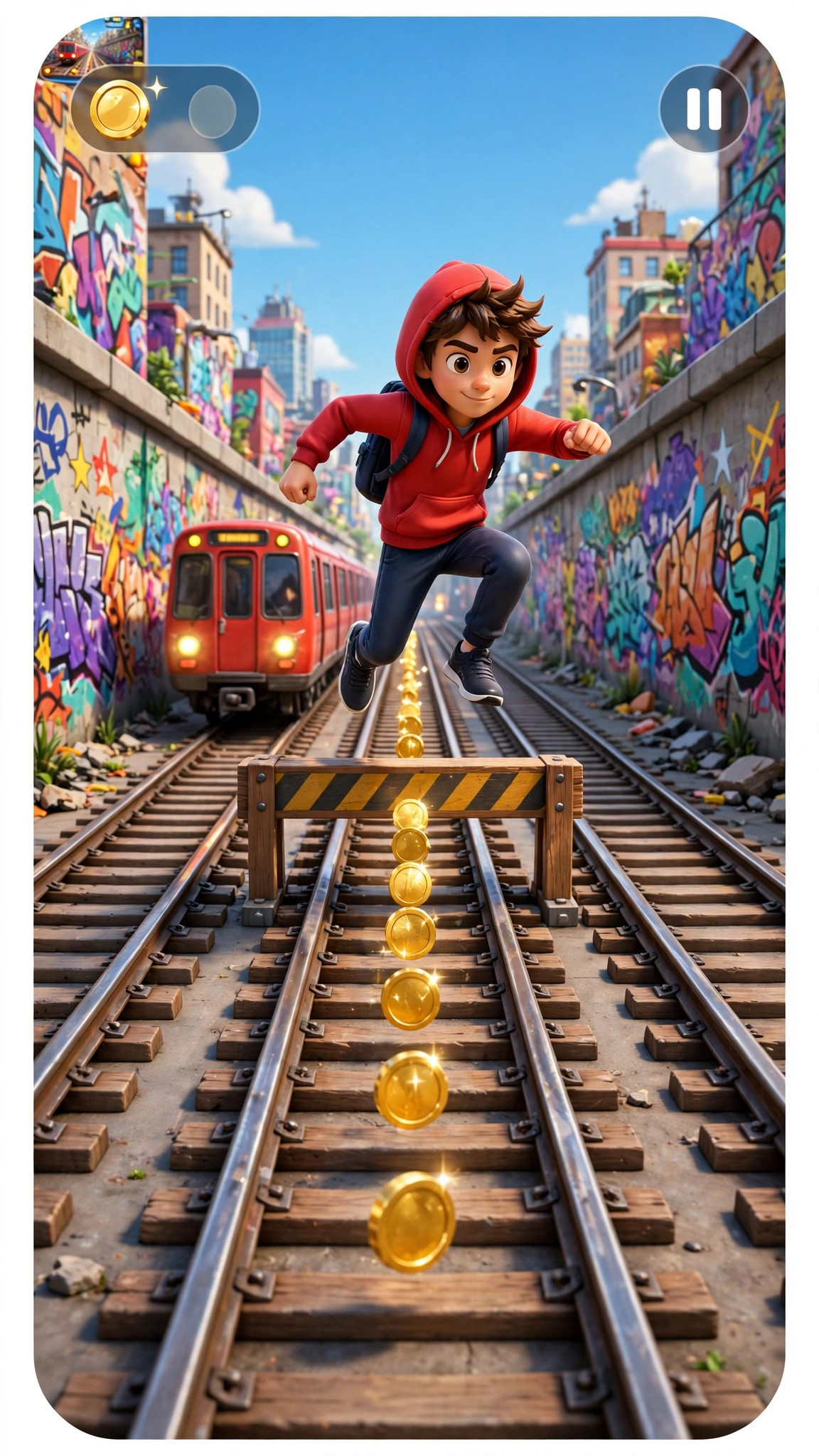
You play as Jake (or one of many earnable characters), sprinting along three railway tracks. You swipe left and right to change lanes, swipe up to jump over barriers, and swipe down to roll under low obstacles. Trains — some parked, some moving — block your path, and the speed keeps rising the longer you survive. There is no finish line. Your only goal is to run as far as you can, collect as many coins as possible, and beat your own high score. It is that simple loop that has made the Subway Surfers download a habit for millions of players.
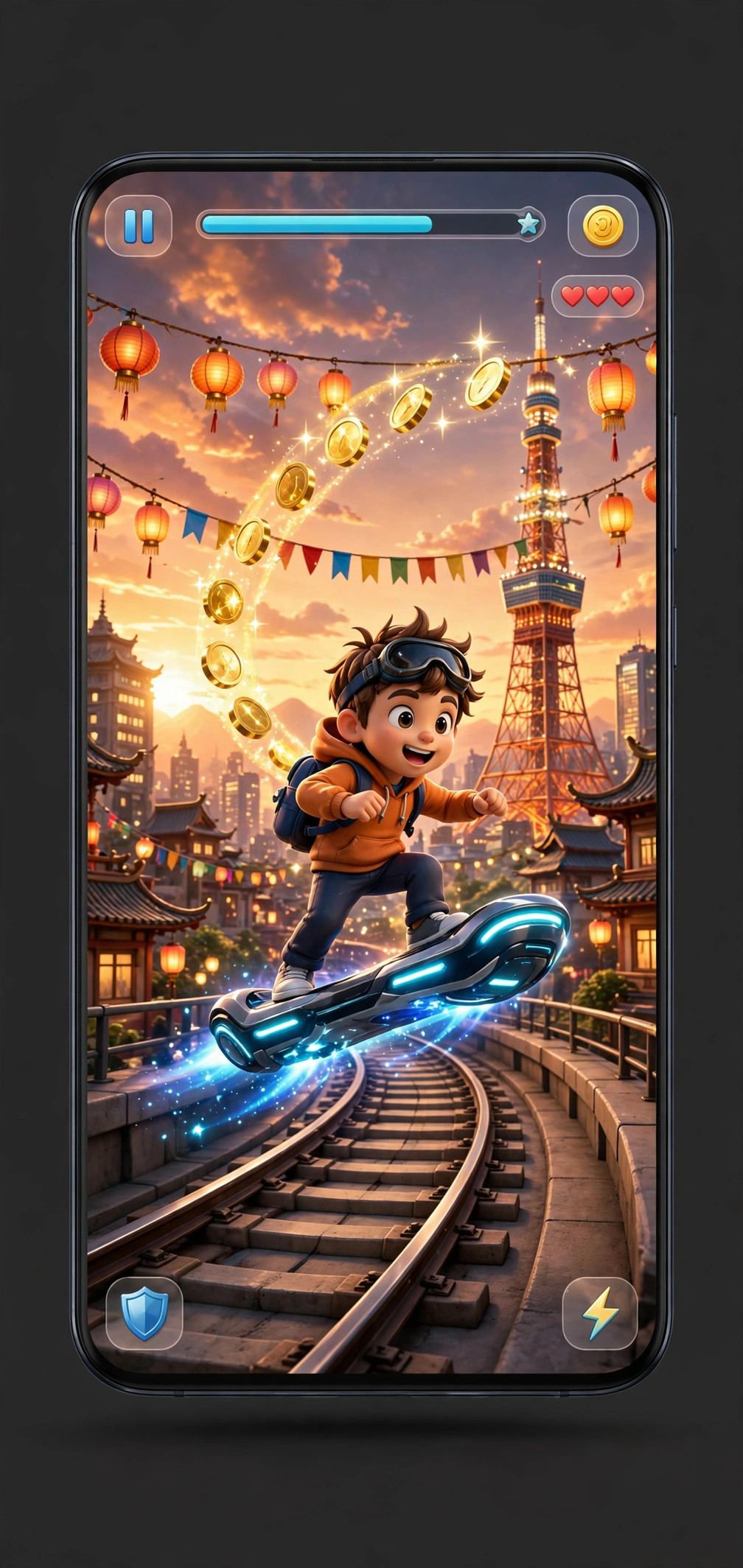
What makes a Subway Surfers download worth it in 2026, fourteen years after launch, is how alive the game still feels. The developers refresh the game with a World Tour event every few weeks, moving the action to a new city with a new theme, new characters, and limited-time rewards. Past tours have visited New York, Tokyo, Paris, Rio, and Cape Town, among many others. Seasonal events — Halloween, winter holidays, and more — add themed outfits, boards, and challenges on top.
The numbers explain the staying power. On Google Play the game sits in the 1-billion-plus installs bracket, with a rating of around 4.6 stars from more than 41 million ratings (Google Play listing, November 2026). AppBrain estimates total installs across all stores at roughly 3 billion, with around 10–11 million downloads in the most recent 30-day period it tracked. In short: this is not a forgotten classic. Millions of people still install and play it every single month, including a huge audience across India and Pakistan. That lasting popularity is why a Subway Surfers download still trends every time a new World Tour city arrives.
Another reason the game works so well for this audience is that it plays offline. Once installed, you can run without an internet connection — useful on the metro, on a flight, or anywhere with weak mobile data. (Some features, such as online leaderboards and certain events, do need a connection, but the core game does not.)
Subway Surfers Download: Key Features
A Subway Surfers download gives you far more than a simple running game. Here are the features that keep players coming back:
Endless runner gameplay that anyone can learn. There are only four moves — switch lane, jump, roll, and hoverboard — and the game teaches them in the first minute. A child can pick it up, but surviving past the first few thousand points takes real reflexes, which is why adults keep playing too.
The World Tour. Every few weeks the game moves to a new city. Each tour brings a new visual theme for the tracks and the city skyline, plus a featured character and hoverboard that you can earn by collecting event tokens during your runs. Because the destination keeps changing, the game never looks the same for long.
Daily challenges and missions. The game refreshes its goals every day. Missions ask you to do things like collect a set number of coins in one run or jump over a certain number of barriers, and completing mission sets raises your score multiplier permanently. A Daily Word Hunt asks you to collect specific letters during runs to earn daily prizes. These small goals are the main reason players open the game every day.
Mystery Boxes and rewards. During runs you will pick up Mystery Boxes that hand out coins, keys, and other rewards. Keys are valuable: they let you revive a run after a crash, and they can also get you new characters and hoverboards. Note that the key cost of reviving doubles with each use inside a single run, so saving keys for a genuinely great run is smarter than spending them early.
Characters, boards, and outfits to collect. Beyond the three starter characters there are dozens of earnable surfers, hoverboards with special abilities, and outfits. Most are earned with coins and keys you collect by playing, or with event tokens during World Tour events. Nothing in the game requires a purchase to enjoy — purchases only speed up earning them.
Leaderboards and friends. You can connect and compare weekly scores with friends, which turns a solo chase into a friendly competition. If you would rather play alone, you can ignore this entirely — the game never forces social play.
Colourful 3D graphics and smooth performance. The cartoon art style has aged well, and a Subway Surfers download runs smoothly even on budget and older Android phones. It is a light, cheerful game that looks good on almost any screen.
Free to play, with ads and optional purchases. The game itself costs nothing. It contains ads, and it offers in-app purchases ranging from about $0.99 to $99.99 per item (Play Store listing, read November 2026). Purchases are entirely optional — every character and power-up can be earned by playing.
Subway Surfers Download: Characters and Power-Ups
The three starter characters
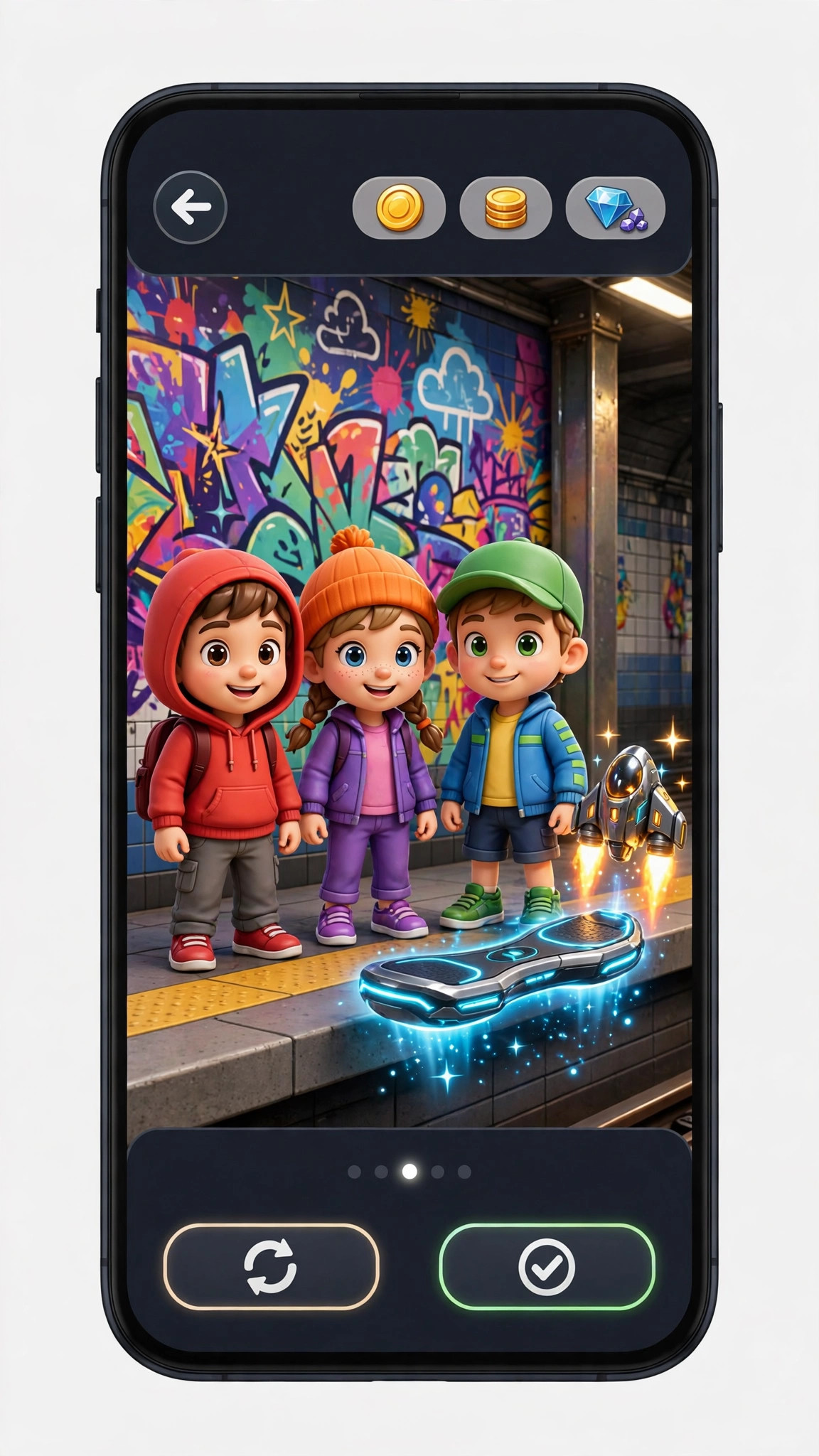
Every Subway Surfers download starts with Jake, the original graffiti artist in the red hoodie. He is the default character, balanced, and free from the very first run. After your Subway Surfers download, two friends join him early:
- Tricky — Jake’s friend, recognisable by her orange beanie and ponytail. You earn her by collecting her character tokens during play.
- Fresh — the cool, music-loving surfer with a green cap, also earned through his own character tokens.
Beyond these three, the roster grows constantly. Each World Tour city usually introduces one or two themed characters — for example, Diego arrived with the Rio tour, Coco with New Orleans, and Zoe with Paris. You earn characters by collecting a set number of their specific tokens (earned through missions, Mystery Boxes, and event progress) or by spending coins or keys in the in-game store. Characters are cosmetic in the sense that none of them changes your speed or abilities — pick the one you like the look of.
Power-ups that save your run
After your Subway Surfers download, four power-ups appear on the tracks during a run. Each one can be upgraded with coins to last longer:
- Jetpack — lifts you above the tracks so you fly over every obstacle for a few seconds while collecting a trail of coins in the air. It is the most exciting power-up in the game and the best way to grab a big coin line safely.
- Super Sneakers — gives you a much higher jump, enough to clear whole trains and reach high platforms. With upgrades, the jump boost lasts longer.
- Coin Magnet — pulls every nearby coin toward you across all three lanes while it is active. It is the best power-up for farming coins to earn new characters.
- 2x Multiplier — doubles the score you earn while it is active. Upgrading this early is one of the fastest ways to push your high score up.
On top of these, the Hoverboard is your safety net. Tap to ride it and it absorbs one crash — instead of ending your run, the board breaks and you keep going. A board also protects you for a limited time once activated. Different boards have special abilities, such as Double Jump (jump a second time in mid-air), Stay Low (automatically roll under low obstacles), and Super Jump (jump even higher). Boards are bought with coins or keys, and the right board can rescue a run that would otherwise end in a crash.
How coins and keys actually work
Coins are the main currency: you collect them on the tracks and spend them on hoverboards, power-up upgrades, headstarts, and Mystery Boxes. Keys are rarer and more valuable — they revive a run after a crash and earn you premium characters and boards. After a Subway Surfers download, the honest way to earn both is simply to play: finish daily challenges, complete mission sets, open Mystery Boxes, and collect event tokens during World Tours. There is no legitimate shortcut to a pile of free coins, and any website or video promising one is not worth your trust — stick to the official game and your own runs.
How to Download and Install Subway Surfers from Google Play
A Subway Surfers download on Android takes about two minutes. Follow these steps exactly — they use only the official store, so your phone stays safe:
- Open the Google Play Store on your Android phone or tablet.
- Search for “Subway Surfers” in the search bar at the top.
- Check the developer name. The correct listing is published by SYBO Games. If the developer name is anything else, it is not the official game — do not install it.
- Tap Install. The game is free. On a Wi-Fi connection the download finishes quickly; the install size is roughly 227 MB according to AppBrain’s November 2026 reading, but the exact size varies by device and version, so make sure you have at least 500 MB free for the game plus its updates and cache.
- Wait for the install to finish, then tap Open — or find the Subway Surfers icon on your home screen or app drawer. At this point your Subway Surfers download is complete and the game is ready.
- Play the first run. The game opens with a short tutorial that teaches the four moves. You can play as a guest straight away; signing in is optional.
- Optional: turn on auto-updates. In the Play Store, open the game’s page, tap the three dots, and enable auto-update so each new World Tour arrives without you having to check.
If the Play Store shows a “Download pending” message or the download seems stuck, the problem is almost always the store itself rather than the game. Our guide to fixing the Google Play download pending error walks through the usual fixes, such as clearing the Play Store cache and checking your connection. If the game itself crashes after installing, see our guide on fixing apps that keep crashing on Android.
Subway Surfers Download: How to Play — Beginner Tips for a High Score
A Subway Surfers download is easy to start, but a big score needs a plan. These beginner tips are the ones that actually move your score:
Stay in the middle lane when you can. The centre track gives you the fastest escape to either side. New players who hug one edge get trapped when a train appears on their only exit.
Look ahead, not at your character. Your eyes should be on the top half of the screen, where obstacles appear first. Reacting to what is already beside you is usually too late once the speed rises.
Learn the jump-then-roll rhythm. Many barrier pairs are designed so that you jump one and immediately roll under the next. Practising this two-move combination is the single biggest skill jump for new players.
Upgrade the 2x Multiplier first. Of the four power-ups, the multiplier raises your score the fastest for the coins you spend. After that, most experienced players upgrade the Coin Magnet, then the Jetpack, and finally the Super Sneakers — though the best order is genuinely debated among players, so treat this as a starting point rather than a rule.
Use the Jetpack with the Coin Magnet together. If you grab a Jetpack while the magnet is active, you vacuum up the whole coin trail in the air. This combination is one of the best coin-earning moments in the game.
Save your hoverboard for the fast sections. Do not ride the board at the start of a run when the speed is low and crashes are easy to avoid. Deploy it once the speed gets uncomfortable — that is when one mistake ends the run, and the board’s free save is worth the most.
Complete missions on purpose. Missions are not decoration: finishing a full mission set raises your score multiplier permanently, up to a large bonus. Check the mission list before a session and aim for one or two targets per run instead of running aimlessly.
Do the daily challenges. The Daily Word Hunt and other daily goals pay out coins and keys for very little effort. A few minutes a day adds up to enough currency for a new board or character within a couple of weeks.
Do not waste keys on early revives. Reviving costs keys, and the cost doubles with each revive inside the same run. Spend keys only when you are deep into a personal-best run — reviving a 5,000-point run is a waste, reviving a run that would beat your record is not.
Play in short sessions. The speed rises the longer a single run lasts, and tired reflexes crash more often. Two or three focused runs beat one long, sloppy session for both score and enjoyment.
The best part is that none of this needs spending: a patient Subway Surfers download and a few weeks of daily play will earn you the boards and characters that matter most.
If you enjoy this style of game, you may also like our tips for other popular Android games — for example, our Block Blast tips and tricks and our guide to playing GTA 5 on Android. And if you play Roblox too, our guide on fixing Roblox not opening on Android covers the most common launch problems.
Subway Surfers Download: System Requirements
Subway Surfers is a light game by modern standards, which is part of why a Subway Surfers download works on so many phones in India and Pakistan. The exact requirements shift slightly with each update, so treat the following as a guide rather than a guarantee — the Google Play Store checks your device automatically and will warn you if the game is not compatible.
- Operating system: Android — recent versions of the game list Android 6.0 or newer on some app-data sites, but Google Play decides compatibility per device, so the listing on your own phone is the final answer.
- Storage: about 227 MB for the install according to AppBrain’s November 2026 reading, with the real figure varying by device and version. Before your Subway Surfers download, keep at least 500 MB free so updates and cache have room.
- RAM and processor: the game runs well on most phones sold in the last several years, including budget devices. If your phone can run a modern browser and YouTube smoothly, it can almost certainly run Subway Surfers.
- Internet: not required for the core game — you can play offline. A connection is needed for the initial download, updates, leaderboards, and some events.
- Age rating: Everyone 10+ on Google Play (listing read November 2026), with ads and optional in-app purchases. Parents should note that the game includes purchase prompts; consider turning on purchase approval in the Play Store if a child plays on your phone.
What’s New in Subway Surfers (2026)
Subway Surfers updates every few weeks, so anything written about “the latest version” goes out of date fast. Every Subway Surfers download gets the newest tour automatically once you update the game from the Play Store. Rather than naming a version number that will be wrong within days, here is what is stable about the update pattern in 2026:
- A new World Tour city every few weeks, each with a themed character, hoverboard, and outfit to earn with event tokens.
- Seasonal events around Halloween, the winter holidays, and other festivals, with limited-time rewards.
- New characters and boards arriving with almost every tour — the roster has grown into the dozens.
- Regular performance and bug-fix updates from SYBO Games.
The most recent version number and the current tour city change too often to state reliably in an article. Check the “What’s new” section on the official Play Store listing before you install — it always shows the current version and the current event. (For reference, app-tracking sites recorded versions in the 3.71 range during October–November 2026, but those snapshots disagree with each other by a few builds, so we do not present any of them here as the current version.)
Subway Surfers Download: FAQs
Is Subway Surfers download free on Android?
Yes. The game is free to download and free to play from the official Google Play Store. It contains ads and offers optional in-app purchases (about $0.99 to $99.99 per item), but no purchase is needed to play the full game or to earn characters over time.
Is Subway Surfers safe to download?
Yes — if you get it from the official Google Play Store listing published by SYBO Games. That is the only source we recommend. Do not install the game from random websites or links shared on social media, even if they promise extras. The official version is checked by Google Play Protect; copies from elsewhere are not.
How big is the Subway Surfers download?
Around 227 MB for a standard Subway Surfers download, according to AppBrain’s November 2026 reading of the Play Store listing. The exact size varies by device and by version, and the game downloads extra data after the first launch, so keeping at least 500 MB free is sensible.
Can I play Subway Surfers offline?
Yes. Once your Subway Surfers download is installed, the core endless-runner game works without an internet connection. You only need a connection for the initial download, for updates, and for online features such as leaderboards and some events.
Who made Subway Surfers?
SYBO Games, a Danish studio based in Copenhagen, developed the game with Kiloo and first released it in 2012. SYBO took over publishing in 2020 and still develops and updates the game today. That long history is one reason the Subway Surfers download count keeps growing year after year. The official website is subwaysurfers.com.
What is the best character in Subway Surfers?
There is no single best character — characters do not change your speed or abilities, so the choice is cosmetic. Jake is free from the moment your Subway Surfers download finishes, and he is perfectly good. Earn Tricky, Fresh, or a World Tour character you like the look of, and spend your coins on hoverboards and power-up upgrades first, since those genuinely change how long you survive.
Why is my Subway Surfers download stuck on pending?
If a Subway Surfers download is stuck on pending, this is a Play Store issue, not a game issue. It is usually caused by a weak connection, a full storage, or a stuck Play Store cache. Our guide to fixing the Google Play download pending error covers the step-by-step fixes. If the game installs but then crashes on launch, also check our guide on fixing apps that keep crashing on Android.
Download Subway Surfers on Android
Ready to play? Your Subway Surfers download starts here — get the official version, free, safe, and always up to date:
Download Subway Surfers on Google Play
Button text: “Download on Google Play — Free”
The button above opens the official Google Play Store listing published by SYBO Games. Tap Install, wait for the Subway Surfers download to finish, and your first run starts in about two minutes. If the Play Store asks you to confirm anything, read it before tapping — the official game never asks for unusual permissions or payments outside the store.
More Android Games on TrickExprt
If you like fast arcade games, these guides in the same Android Games series may also help:
- PUBG Mobile Download: Play on Android (2026 Guide) — battle royale with 100-player Erangel matches, Metro Royale and Arena modes.
- Clash of Clans Download: Play on Android (2026 Guide) — base-building strategy with Town Hall 19, Clan Wars and troop upgrades.
- Candy Crush Saga Download: Play Free on Android (2026) — match-3 puzzle with 20,000+ levels, striped and wrapped candies, and boosters.
- 8 Ball Pool Download: Play Online on Android (2026) — online pool with 1v1 matches, tournaments and cue collection.
Sources
- Google Play Store listing for Subway Surfers (SYBO Games) — official listing, package com.kiloo.subwaysurf: https://play.google.com/store/apps/details?id=com.kiloo.subwaysurf
- Subway Surfers official website (SYBO Games): https://subwaysurfers.com/
- AppBrain — Subway Surfers for Android: installs, rating, size, and version tracking, data read November 2026 (appbrain.com)
- Australian eSafety Commissioner — Subway Surfers safety guide (esafety.gov.au)
- Game guides and wiki pages for power-up, character, and World Tour details, cross-checked against each other in November 2026 (gamers.wiki, playgames.co.com, runsubway.com)
- Trend note: Pakistan most-downloaded iPhone games chart, 8 November 2026; India App Store top free chart, November 2026 (as supplied with this assignment, verified 21 November 2026)