Mobile Tips & Tricks

Well Played Soccer Latest Version: How to Check Updates and What’s New

Well Played Soccer Latest Version – How to Check Updates

Well Played Soccer Latest Version: How to Check Updates and What’s New When a mobile game receives an update, players naturally want to know what has changed and whether they should install it. The same applies to Well Played Soccer. New releases may include gameplay adjustments, bug fixes, interface improvements, or changes to online features. However, the exact changes depend …
Read More »

Well Played Soccer APK Not Installing? 8 Fixes for Android

Well Played Soccer APK Not Installing? 8 Fixes for Android

You have found Well Played Soccer, downloaded the game, and are ready to play. But instead of opening the game, your Android phone displays an installation error, the download gets stuck, or nothing happens when you tap the APK file. It is frustrating, especially when you simply want to get into a match. The good news is that installation problems …

Read More »

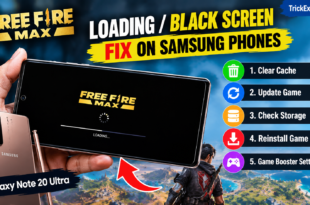
Free Fire MAX Black Screen on Samsung: 5 Tested Fixes

Free Fire MAX loading or black screen problem on a Samsung Galaxy phone.

Device Tested: Tested on Galaxy Note 20 Ultra Is Free Fire MAX stuck on the loading screen or showing a black screen on your Samsung phone? Try these five fixes: clear the cache, update the game, free up storage, reinstall the game, and check Game Booster settings—with screenshots from a Galaxy Note 20 Ultra. Use the official Free Fire MAX …

Read More »

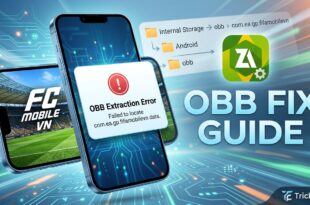
How to Fix FC Mobile VN OBB File Extraction Error on Android

How to Fix FC Mobile VN OBB File Extraction Error on Android

Quick Fix: For the safest fix, install or update FC Mobile VN through its official Google Play listing. If you are troubleshooting a separately supplied archive, first confirm that it is a complete, compatible package from a legitimate source. Do not create an OBB folder using an unverified package name. Check the official app listing and install the game through …

Read More »

Meowdoku Brain Puzzle Games: Features and Android Guide

If you enjoy logic puzzles, Sudoku-style challenges and cute cat characters, Meowdoku: Brain Puzzle Games offers a different kind of mobile puzzle experience. The game combines grid-based logic with rules about placing cats in different regions. Instead of relying entirely on quick reactions, players need to examine the board and eliminate impossible placements. What Is Meowdoku? Meowdoku is a puzzle …

Read More »

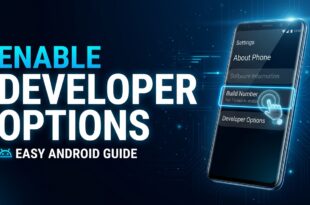
How to Enable Developer Options on Android (2026 Guide)

Introduction Android smartphones include many advanced features that are hidden from regular users. One of these features is Developer Options, a special menu that provides additional controls for testing apps, troubleshooting problems, and customizing certain system behaviors. Learning how to enable Developer Options on Android is simple and does not require rooting your phone or installing third-party applications. In this …

Read More »