 TrickExprt Android Apps, Games, Software & Tech Guides

Looking for a safe Well Played Soccer APK download for Android? The recommended option is the official Google Play listing, because it provides the developer’s current release, checks device compatibility and delivers updates through Google Play. Well Played Soccer is an online, team-based football game in which you control one footballer rather than switching between an entire squad. Its official game description lists 3v3, 4v4 and 5v5 matches against real opponents, with AI-controlled goalkeepers and a retro-inspired 2.5D presentation.
This guide explains the game’s confirmed features, first-time setup, Android installation, update process and common problems. It also explains how to evaluate a third-party APK safely if the official listing is unavailable in your country. An APK catalogue is not the same as the developer’s official download, so check the publisher, package name and file details before installing anything outside Google Play.
Related Android football guides: You can also read our eFootball 2027 Android guide and FC Mobile VN installation guide for more mobile football options.
Before You Download
- Use the official Google Play listing first and confirm that the developer is Mateusz Szafraniec.
- Check the compatibility message shown for your own phone; availability can vary by country, account and device.
- Do not install files promising hacks, unlimited currency or unlocked paid items.
- If you use a third-party APK, compare the package name with the official listing and scan the file before opening it.
Well Played Soccer: Quick Game Information
| Detail | Information |
|---|---|
| Game | Well Played Soccer |
| Developer | Mateusz Szafraniec |
| Platform | Android |
| Package name | wellplayed.soccer.mobile |
| Gameplay | Online cooperative football |
| Match formats | 3v3, 4v4 and 5v5 (as listed by the developer) |
| Visual style | 2.5D, retro-inspired |
| Goalkeepers | AI-controlled |
| Availability | Check Google Play for current device and regional availability |
| Connection | Internet required for the main online multiplayer experience |
Version and file size: Google Play lists Well Played Soccer version 1.7.1, updated on 18 November 2026, at approximately 66 MB for compatible devices, with Android 7.0+ required. The Play Store can provide a device-specific package, so the download size can vary by device; check the live listing on your phone before installing.
Download Well Played Soccer for Android
Download Well Played Soccer on Google Play
The safest and simplest way to get the game is through its official Google Play page. The listing lets you confirm the developer, check whether your phone is supported and receive updates through the Play Store.
Check availability and compatibility for your device.
Official links: Well Played Soccer website and the developer’s official support page.
What Is Well Played Soccer?
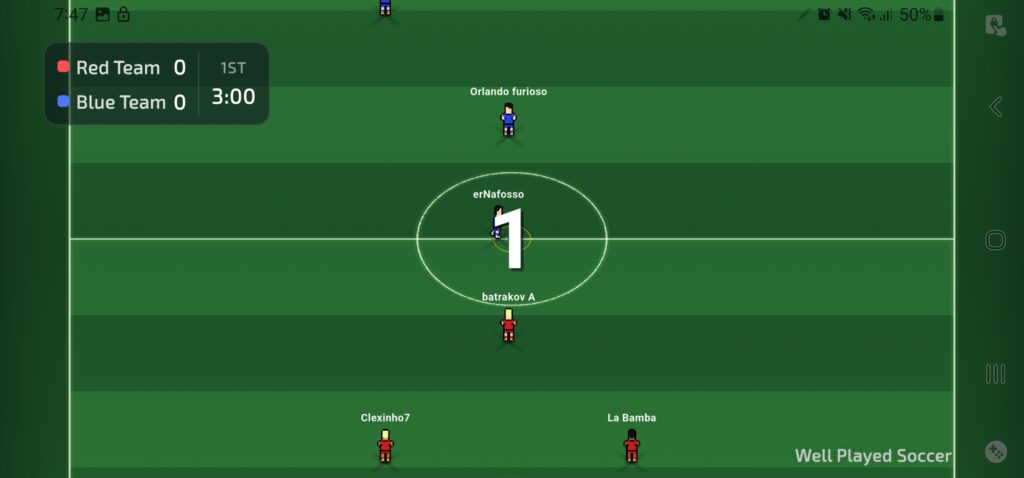
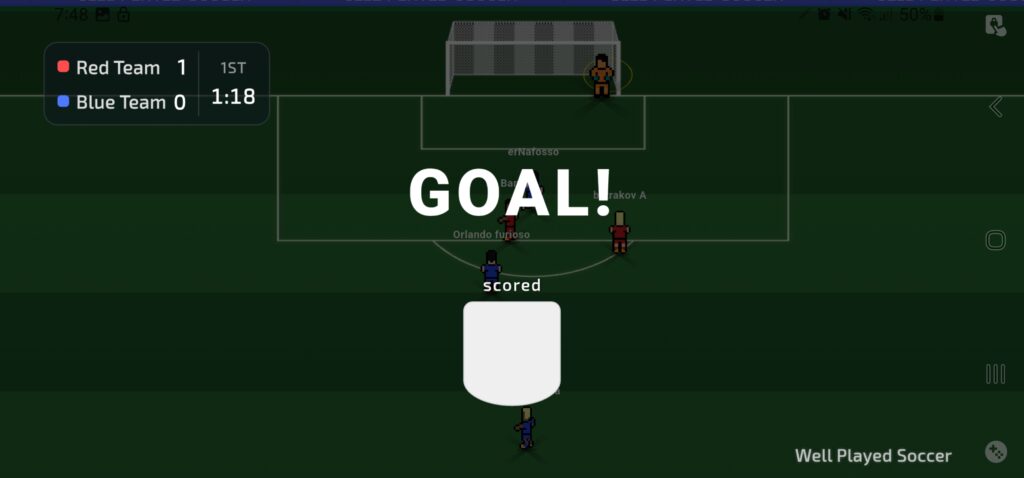
Well Played Soccer is built around cooperative online football. Instead of controlling every player on the pitch, each human participant focuses on an individual footballer. The idea is to work with other players, make useful passes, move into space and help the team create scoring chances.
The official description highlights matches against real opponents in 3v3, 4v4 and 5v5 formats. It also describes AI-controlled goalkeepers. As the game is still being developed, modes, balance and other details may change with future updates.
Main Features of Well Played Soccer
1. Control One Footballer
You focus on your own player’s movement and decisions instead of managing an entire team. This makes positioning, timing and supporting teammates important parts of each match.
2. Small-Sided Online Matches
The developer lists 3v3, 4v4 and 5v5 formats. Smaller teams can make every player’s contribution noticeable, so rushing forward alone is not always the best choice.
3. Cooperative Multiplayer
The main experience is designed for playing with and against real people online. Communicating, passing and covering useful spaces can help a team play more effectively than everyone chasing the ball.
4. Competitive Ranking
The official description refers to ranking points and competitive team play. Ranking systems and progression rules can be adjusted during development, so check the current in-game information for the latest details.
5. Retro-Inspired 2.5D Presentation
Its 2.5D visual approach gives the game a different feel from mobile football titles that focus on realistic stadiums and full-squad simulation.
6. AI-Controlled Goalkeepers
The developer describes the goalkeepers as AI-controlled. Human players therefore concentrate on their own outfield roles and team coordination.
First-Time Setup: Screenshots and Steps
The screenshots below show the onboarding screens available when these images were captured. Button names and setup options may look different after an update.
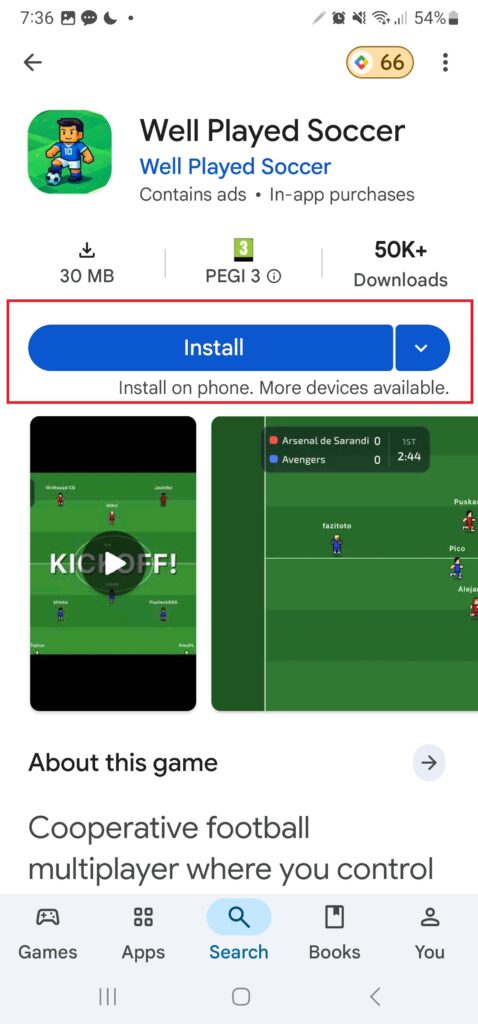
1. Install and Open the Game
Install the game from Google Play, open it and follow the sign-in prompt shown on your device.
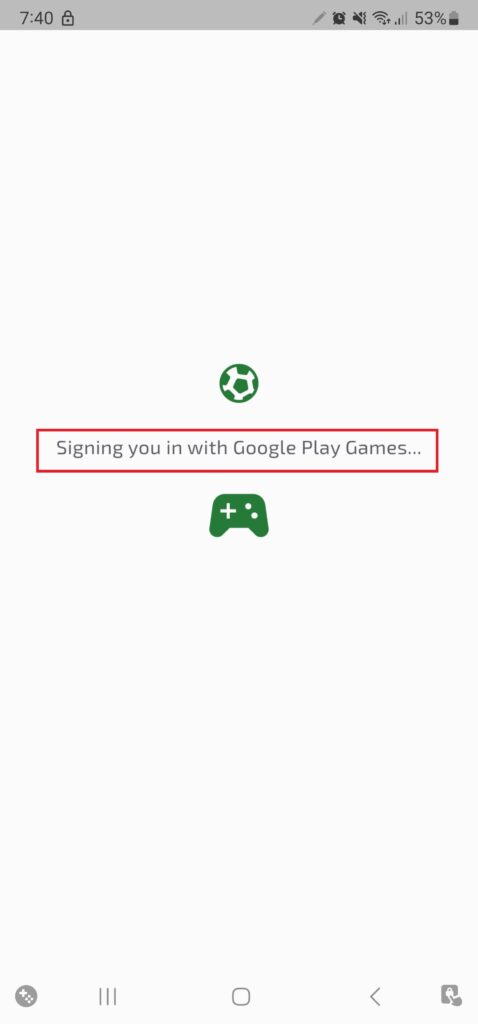
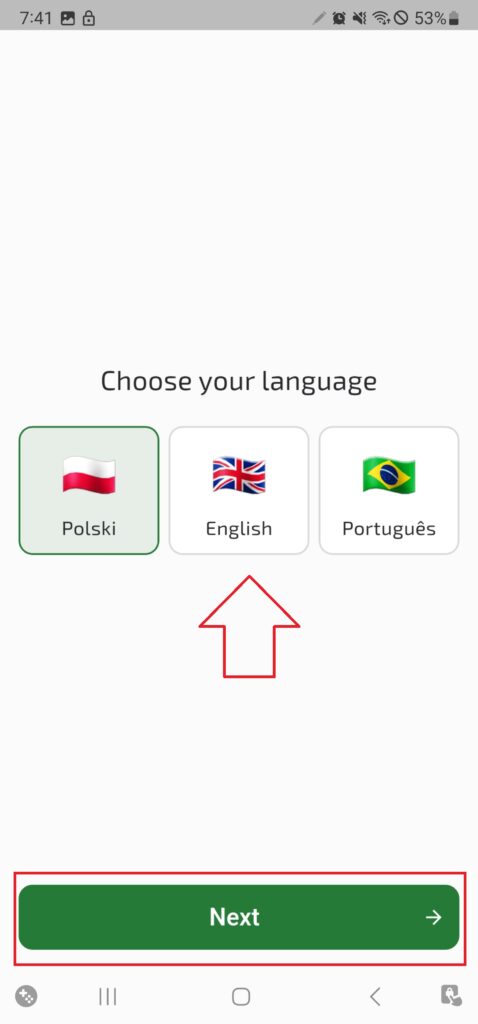
2. Sign In and Select a Language
Continue with the sign-in option presented in the app. Choose your preferred language if the language-selection screen appears.
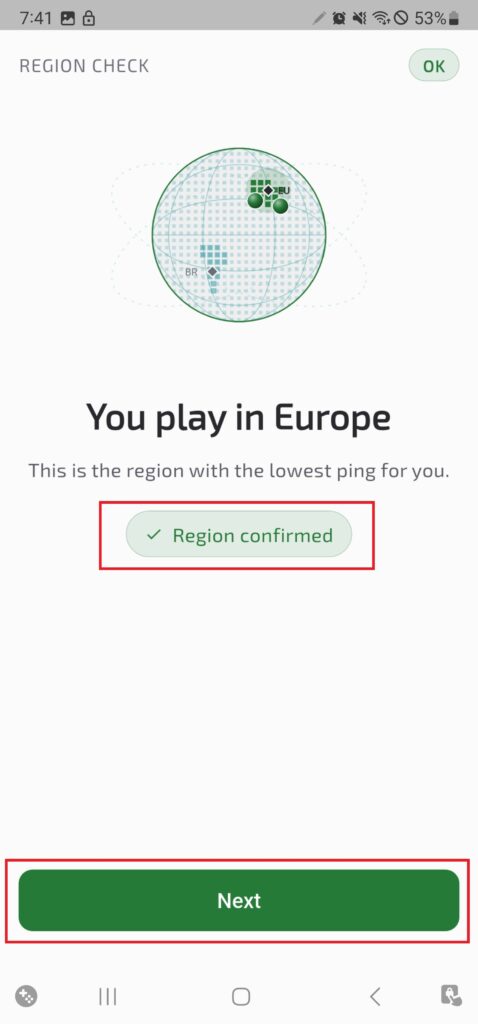
3. Confirm Your Region and Player Appearance
Review the region shown by the game, then follow the appearance options. The next screens in the captured setup include player appearance and customisation choices.
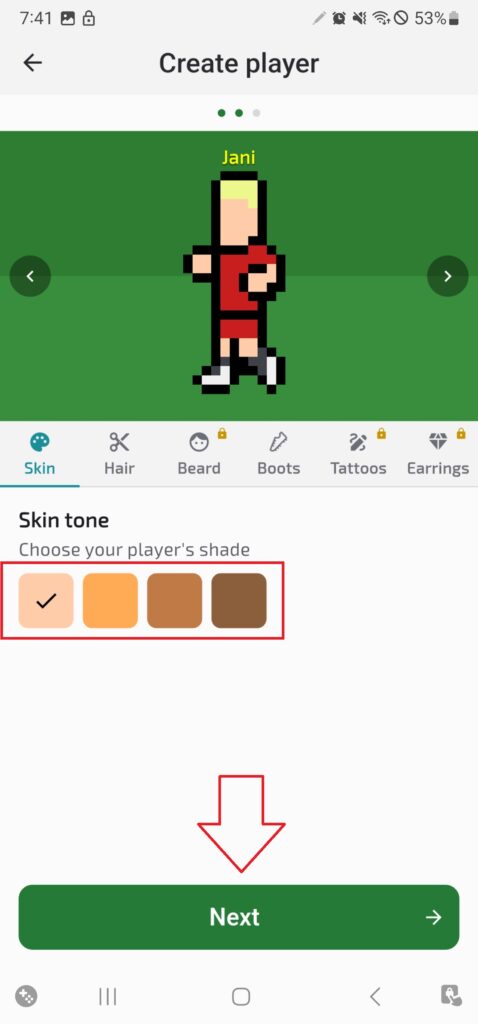
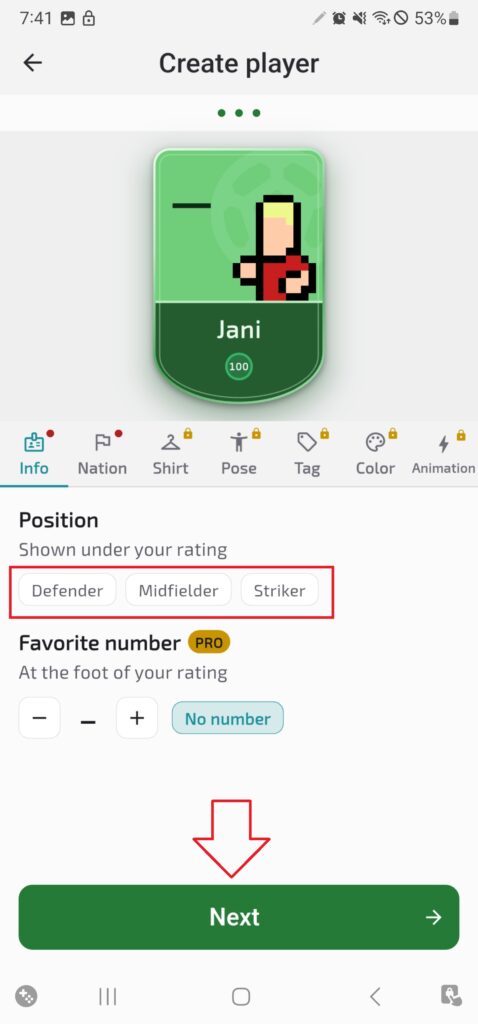
4. Choose a Playing Position
Select the position that suits how you want to contribute. The captured screen shows Defender, Midfielder and Striker choices. Read the in-game descriptions before confirming.
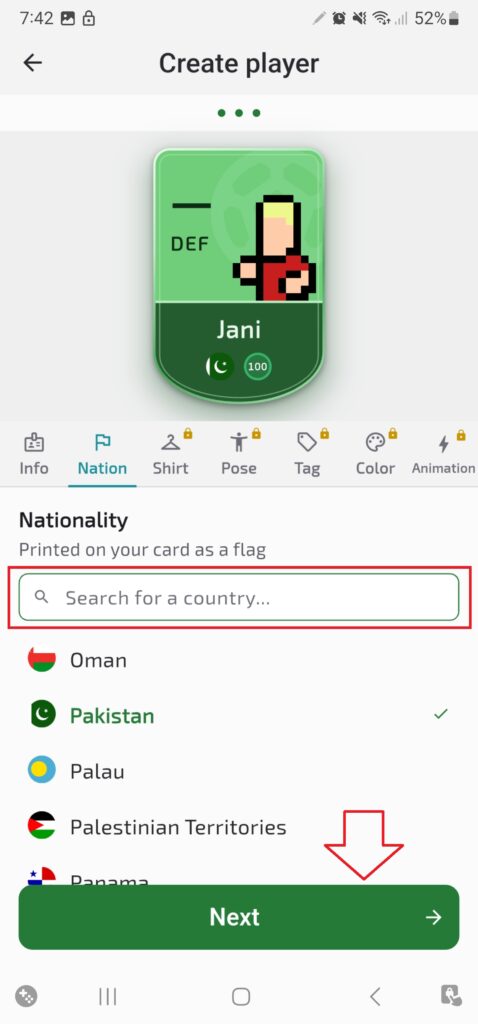
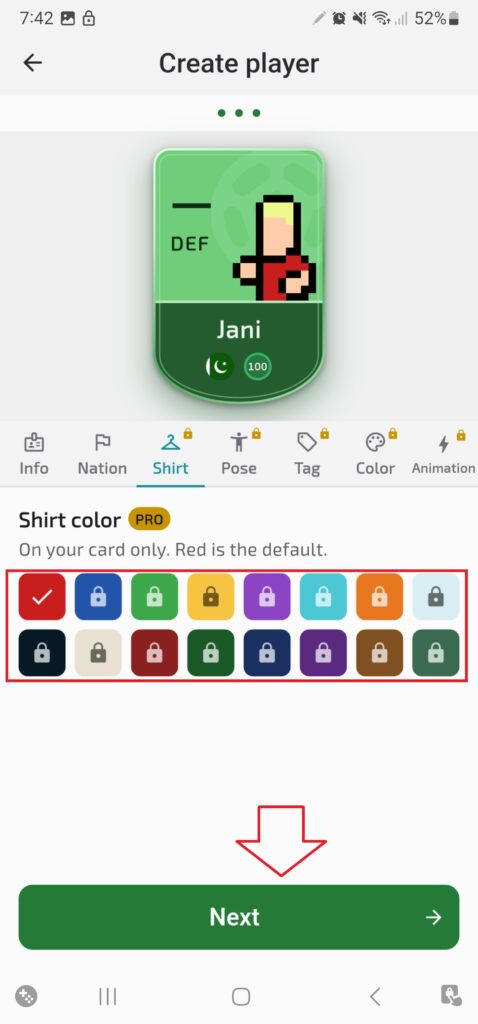
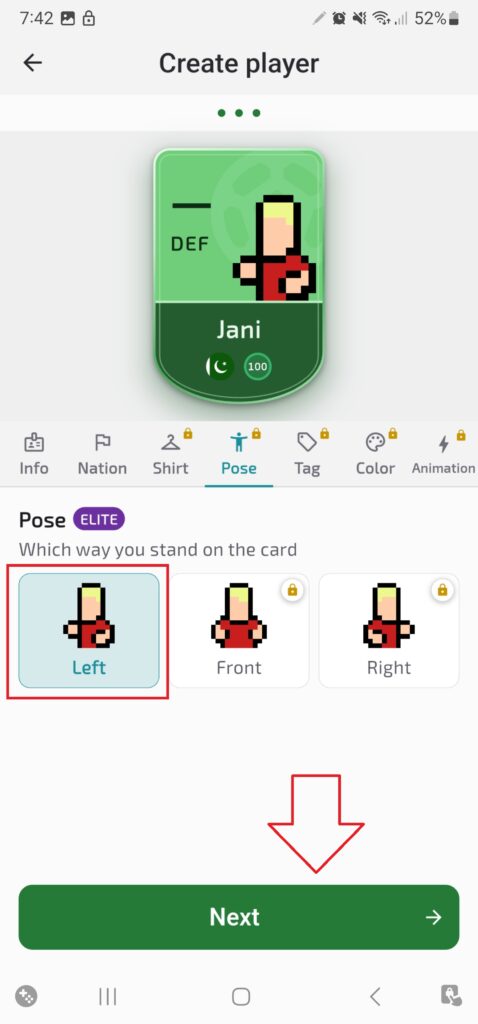
5. Select Nationality, Shirt Colour and Player Pose
Continue through the available player-card customisation screens. Options and any purchase requirements should be checked inside the current version before you spend money.
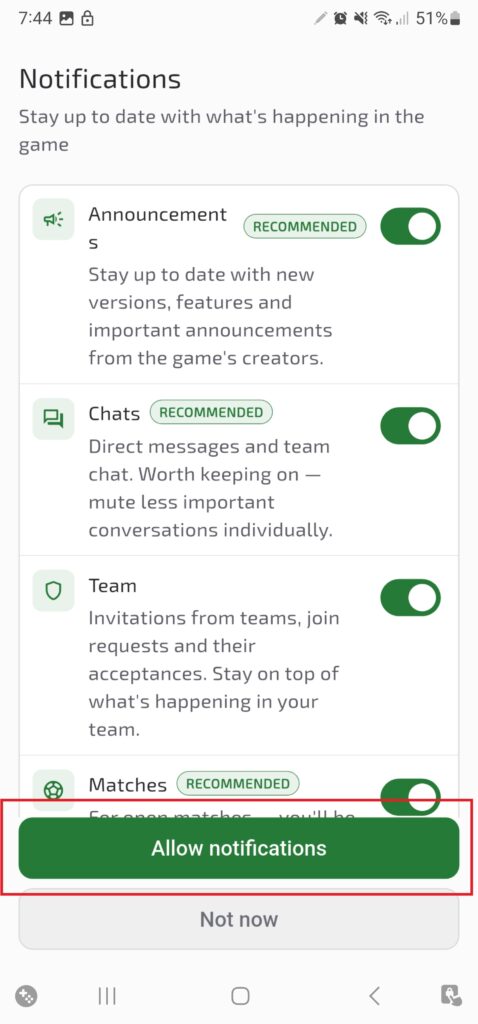
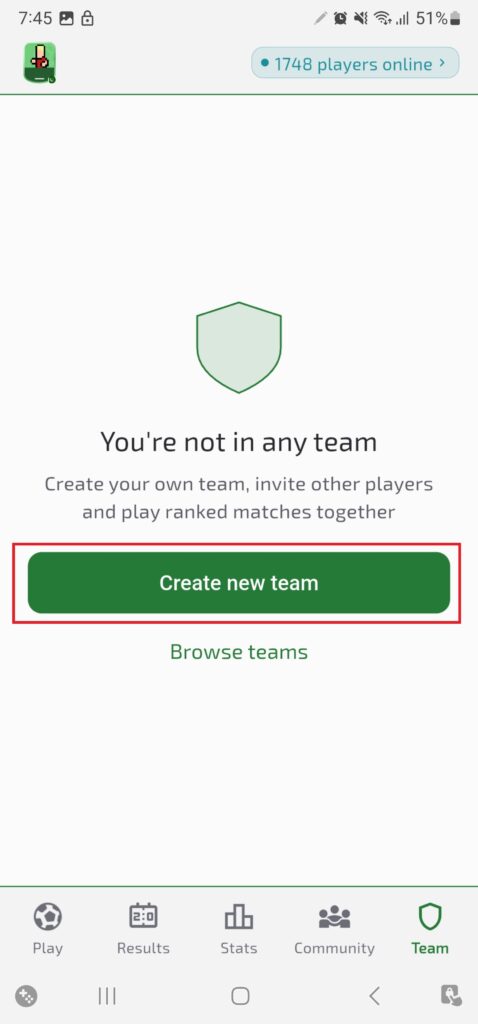
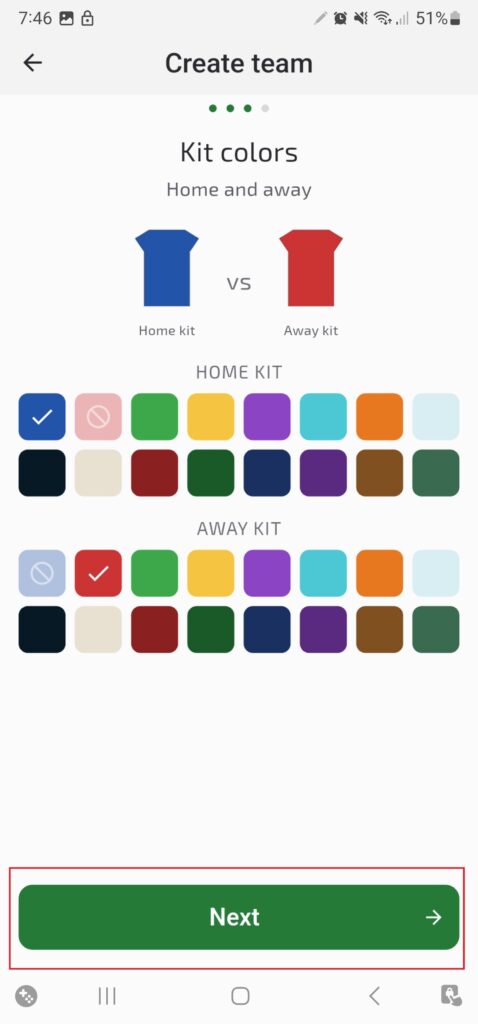
6. Review Notifications and Finish Team Setup
If the game requests notification permission, read the prompt and choose whether you want alerts. You can usually manage app notifications later in Android settings. Continue through the team and kit screens to complete the setup.
Beginner Tips for Better Team Play
- Keep your position: avoid following the ball everywhere; leave useful space for teammates.
- Pass when covered: if an opponent closes you down, look for a teammate in a better position.
- Support the player with the ball: move into an open passing lane instead of standing behind a defender.
- Defend as a team: track opponents and protect space rather than chasing every tackle.
- Learn your role: a Defender, Midfielder and Striker may need to make different decisions during a match.
- Expect online variation: connection quality and other players’ decisions can affect each match.
Android Compatibility and Internet Requirements
There is no single file-size figure or compatibility statement that should be assumed for every Android phone. Google Play checks the version and device information available for your handset. Open the official listing while signed in to the account you use on that phone and review the compatibility message before installing.
Because the main game is online multiplayer, use a stable Wi-Fi or mobile-data connection. Keep enough free storage for the initial download and future updates. If the store says your device is not compatible, do not force installation from an unknown package.
How to Update Well Played Soccer
- Open Google Play Store.
- Search for Well Played Soccer or open its official listing.
- If an Update button is available, tap it.
- Wait for the update to finish before launching the game.
- If no update appears, check again later; releases can roll out at different times.
Using Google Play helps you receive the version intended for your device. Avoid replacing a working installation with an APK from an unfamiliar website.
Is It Safe to Download a Well Played Soccer APK?
An APK is an Android app installation file. Third-party websites may list APK or XAPK packages, but a download page’s title does not prove that a file is authentic, unmodified or safe. TrickExprt does not independently verify every package hosted by external download sites, so we recommend the official Google Play listing whenever it is available.
- Check the publisher and package details against the official listing.
- Be cautious with files that promise cheats, unlimited currency or unlocked paid items.
- Do not disable Android security protections to install an untrusted file.
- Scan files from outside the Play Store with a reputable security tool, while remembering that a scan cannot guarantee safety.
- Do not enter your Google password on an unrelated download website.
Common Well Played Soccer Problems and Fixes
The Game Is Not Installing
Check the compatibility message on Google Play, confirm that your internet connection is working and free up storage if your phone is nearly full. If the download is stuck, pause and resume it or restart the phone. See our guide to fixing Google Play download pending if that issue applies.
I Cannot Join a Match
Check your Wi-Fi or mobile data, close and reopen the game, and install any available update. Matchmaking can also be affected by temporary server maintenance or Early Access downtime. If the issue continues, check the developer’s official website and store update notes.
The Game Lags or Disconnects
Move to a more stable connection, close downloads running in the background and restart the app. If other online apps also disconnect, troubleshoot your network before assuming the game itself is the cause.
The APK File Will Not Open
Confirm whether the downloaded file is an APK or an XAPK and whether it came from a source you trust. If you cannot verify its origin, delete it and use Google Play instead. For more help, see our Android App Not Installed troubleshooting guide.
The Game Is Not Available in My Country
Availability can vary by country, account and device. Check the official listing for your region and consult the developer’s website for current information. An unofficial APK is not a guaranteed or recommended way to bypass regional restrictions.
Well Played Soccer vs Traditional Mobile Football Games
Well Played Soccer’s main difference is its focus on controlling one footballer in cooperative online matches. Many other mobile football games offer different formats, such as controlling a full team, playing offline modes or managing a squad. The right choice depends on the style of football gameplay you prefer.
| What you prefer | What to look for |
|---|---|
| Playing one role with teammates | Well Played Soccer’s individual-player approach |
| Online cooperation | Its real-opponent multiplayer focus |
| Full-squad control | A football game that lets you switch between team members |
| Offline play | Check another game’s offline modes; the main Well Played Soccer experience is online |
More Installation and Update Fixes
If Android shows “App not installed” or the game will not open, the cause can be the file format, device compatibility, storage or an existing installation. Try these extra checks.
Check the Package Type and the Download
Some Android games are distributed as split APKs or XAPK packages, which contain several components rather than one installable file. If a file ends in .xapk, do not rename it to .apk; changing the filename does not make it a compatible installer. An interrupted download can also leave a damaged file, so delete the incomplete file from your Downloads folder, switch to a reliable connection and download it again from the original trusted source instead of collecting copies from several websites.
Allow Installation From One Trusted Source Only
If Android blocks a file whose source you have already verified, you can permit installs from the app you used to open it:
- Open Settings and go to Apps or Security and privacy.
- Find Special app access or Install unknown apps.
- Select the browser or file manager you used.
- Enable the permission only if you trust the file and its source.
- Return to the downloaded file and try again.
Menu names differ between Samsung, Xiaomi, Redmi, Oppo, Vivo and other phones. Check that the file is intended for your Android version and device architecture, and switch the permission off again once installation is finished.
Conflict With an Existing Installation
If you installed the game earlier from a different source, a new package may conflict with it. Check Google Play for an update first. Uninstalling may remove locally stored information, so confirm that your progress or account can be recovered before removing the game, and never uninstall it just to test an unfamiliar file.
More Google Play Download Checks
If the download still fails in Google Play, set the date and time to automatic, close and reopen Google Play, and check for Android system updates. If other apps also fail to download, the problem may be related to Google Play or the phone rather than Well Played Soccer.
Update Not Showing or Unsure Which Version You Have
If Google Play shows Play or Open instead of Update, a newer version may not currently be available for your device; availability can vary by device, region or rollout. Restart Google Play, restart the phone and wait if the developer is rolling the update out gradually. Do not clear app data or uninstall the game as a first step, because this can affect locally stored information.
To see which version is installed, open Settings, tap Apps, select Well Played Soccer and look for the app information or version details. Compare it with the release information on the official listing.
Frequently Asked Questions
Is Well Played Soccer available on Android?
Yes. It has an Android listing on Google Play. Whether you can install it depends on current device compatibility and regional availability.
Is Well Played Soccer free to download?
Check the Google Play listing in your region for current pricing. The listing may also show ads or in-app purchases, so review those details before installing.
Can I play Well Played Soccer offline?
The main experience described by the developer is online multiplayer and requires an internet connection for those matches.
Which match formats does the game support?
The official game description lists 3v3, 4v4 and 5v5 matches. Available modes can change as the game is updated.
Who develops Well Played Soccer?
The Google Play listing identifies Mateusz Szafraniec as the developer.
Is Well Played Soccer still in development?
The official store information identifies it as an Early Access game. Features, balance and availability may change as development continues.
What is the package name?
The Android package name shown in the official Google Play URL is wellplayed.soccer.mobile.
Related Android Football Games and Guides
- Football League 2026
- Dream League Soccer 2026
- FC Mobile VN download and installation guide
Sources and Editorial Note
Game features and developer information in this guide are based on the official Google Play listing, the official Well Played Soccer website and the developer’s official support page. Version and file-size references from third-party catalogues are identified as third-party information, not official guarantees.
The setup images in this article illustrate the onboarding screens captured for this guide. We do not claim independent device-performance testing or guarantee that every screen is identical in later versions. Always check the current in-game prompts and official store details.
Final Verdict
Well Played Soccer is worth considering if you enjoy online football built around individual player roles and cooperation with teammates. Its 3v3, 4v4 and 5v5 formats, AI-controlled goalkeepers and 2.5D style give it a different focus from full-squad mobile football games.
Before downloading, check compatibility and availability on Google Play. For security and reliable updates, use the official listing rather than an unverified APK mirror. For more Android game guides and practical mobile tips, visit TrickExprt.com.
Related guides: Games Like Summertime Saga, Yalla Ludo, and eFootball 2027.

5 comments
Pingback: Well Played Soccer APK Not Installing? 8 Fixes
Pingback: Well Played Soccer Latest Version: How to Update
Pingback: Cat Collector: Catch Real Cats APK Download (Android 2026)
Pingback: FC Mobile VN APK Download 2026 for Android
Pingback: Drag Bike 201m Sunmori: Features, Modes & Safe Install Guide (2026)