 TrickExprt Android Apps, Games, Software & Tech Guides

Looking for eFootball 2027 APK download for Android? KONAMI’s football game continues through seasonal updates rather than a completely separate Android app for every football year. The official mobile listing is still named eFootball™, so check the developer and current update information before downloading a file labelled “eFootball 2027”.
This guide explains the current 2026/27 season status, the confirmed Android requirements, the latest official mobile patch found in KONAMI’s announcements, safe download steps, gameplay features and fixes for common installation problems. Information was checked on 11 November 2026.
eFootball 2027 APK Download Details
| Detail | Information |
|---|---|
| Official app name | eFootball™ |
| Developer | KONAMI |
| Season covered by this guide | 2026/27 |
| Latest confirmed mobile patch found | v6.1.1 (15 October 2026) |
| Platform | Android and iOS |
| Game category | Sports / Football Simulation |
| Price | Free to play; in-app purchases are available |
| Android minimum | Android 7.0+, 2 GB RAM, 64-bit Arm quad-core CPU at 1.5 GHz or higher |
| Storage guidance | Allow around 3.1 GB free for the seasonal update; the full game and future data may need additional space |
| Official Android download | Google Play Store |
Version note: “eFootball 2027” is a common search phrase for the 2026/27 season. KONAMI’s official mobile app listing uses the name eFootball™, while its update announcements identify seasonal releases by version numbers such as v6.1.1. Do not assume that a third-party APK filename is an official KONAMI release name.
Download eFootball for Android Safely
The safest starting point is the official Google Play listing. It identifies KONAMI as the developer and shows whether the game is available for your device and region.
Official Google Play Store • Android • Developer: KONAMI
The Play Store shows the version currently offered to your device and region.
If the Play Store button does not show an Install or Update option, check regional availability, device compatibility and available storage. Avoid websites promising unlimited coins, unlocked players or a special 2027 build that KONAMI has not announced.
What Is New in the 2026/27 eFootball Season?
KONAMI’s 2026 season update introduced changes to the mobile game. The official v6.0.0 information described additions and improvements including Custom Tournament, Fluid Formations, Playing Styles, Dynamic Volley and other gameplay updates. The later v6.1.0 update introduced Select Skill Tokens and Select Position Tokens. These are official update details, not a claim that every feature is exclusive to Android.
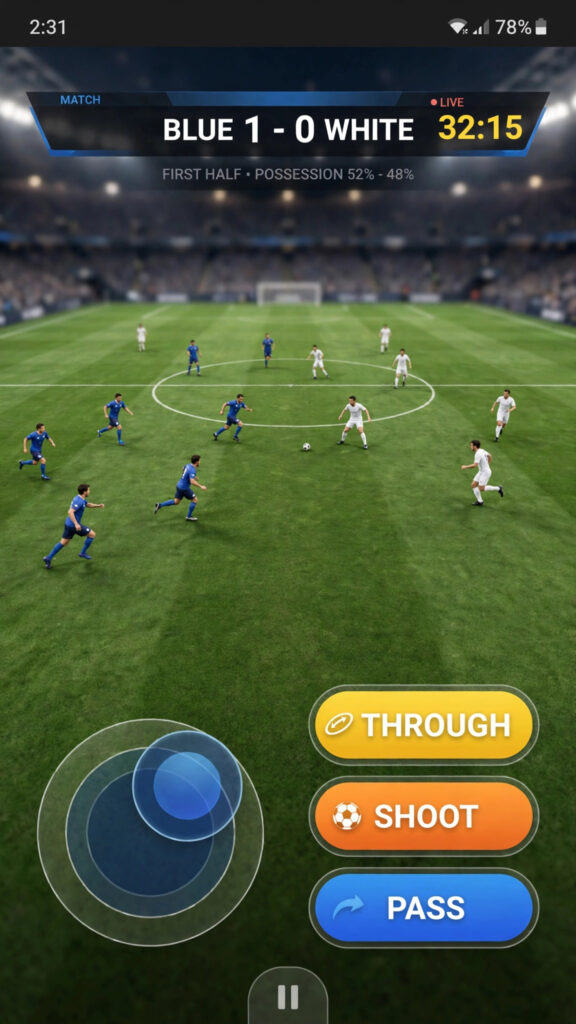
Custom Tournament
Custom Tournament gives players a way to organise their own tournament structure. Check the in-game mode description and current availability because event and mode access can change between updates.
Fluid Formations and Tactical Choices
Formation and player positioning are important parts of building a competitive team. Review your formation, player roles and available tactical options rather than relying only on individual player ratings. The options shown in your game may depend on the current version and team setup. If you prefer a smaller-team online football format, compare it with our Well Played Soccer Android guide.
Playing Styles and Dynamic Volley
Playing Styles affect how footballers behave on the pitch. Dynamic Volley is among the gameplay features highlighted in the season update information. Spend time in practice or lower-pressure matches to understand the timing and controls before using new mechanics in competitive games.
Player Development Items
The v6.1.0 update information introduced Select Skill Tokens and Select Position Tokens. These items let players choose certain skill or position-proficiency development options. Check the in-game notices for current rules, token availability and conversion details.
Latest Confirmed eFootball Android Update
In KONAMI’s official notice dated 15 October 2026, patch v6.1.1 became available for iOS and Android. The notice describes a fix for an online PvP issue where the Power Gauge might not appear when an opponent using Smart Assist took a shot. This is the latest mobile patch confirmed in the official notices checked for this guide; check KONAMI’s news page or Google Play for any newer release after that date.
Useful official references:
- KONAMI: v6.1.1 patch details (15 October 2026)
- KONAMI: v6.1.0 update information
- KONAMI: official eFootball website and Android requirements
- Google Play: eFootball™ by KONAMI
Black Friday Campaign in eFootball (November–December 2026)
KONAMI is running a Black Friday campaign in eFootball from 12 November 2026 at 02:00 UTC until 3 December 2026 at 01:59 UTC. The campaign is built around Arsenal FC, with Thierry Henry making his Big Time debut and Epic cards for former Arsenal stars.
- Platinum Ticket: the ticket gives players a chance at up to 5,000 eFootball coins — the coins are not guaranteed.
- Login rewards: 1x Highlight: Arsenal FC Chance Deal, 2 Random Skill Tokens, 2 Random Position Tokens, 110,000 GP and 60,000 Exp.
- New players: Thierry Henry makes his Big Time debut, joined by Epic versions of Sol Campbell, Dennis Bergkamp, David Seaman, Emmanuel Petit and Giovanni van Bronckhorst.
- New managers: Arsène Wenger and Mikel Arteta.
- Objectives: Round 1 from 19 November, Round 2 from 26 November.
- Events: London Clubs, Team Effort (19 November – 3 December) and English Clubs (26 November – 3 December).
Looking ahead, KONAMI has said the v6.2.0 update is planned for December 2026, adding Custom Tournaments and a My League reset. No exact release date has been announced.
eFootball Android System Requirements
KONAMI’s official product page lists these minimum Android requirements:
| Requirement | Official minimum |
|---|---|
| Operating system | Android 7.0 or above |
| Memory | 2 GB RAM or above |
| Processor | 64-bit Arm-based quad-core, 1.5 GHz or above |
| Storage | Keep at least around 3.1 GB free for the seasonal update; more may be needed for the installed game and additional data |
| Connection | Internet connection required |
Meeting the minimum requirements does not guarantee smooth performance. Actual frame rate and loading times depend on the phone’s chipset, graphics capability, temperature, background activity and game settings. If your phone is close to the minimum specification, close unused apps and avoid playing while the device is overheating.
How to Install or Update eFootball on Android
- Open Google Play on your Android phone.
- Search for eFootball and confirm that the developer is KONAMI.
- Open the listing and check device compatibility and the available update.
- Tap Install for a new installation or Update if the game is already installed.
- Use a stable Wi-Fi connection for the download and additional game data.
- Keep enough free storage available until the in-game data download is complete.
- Launch the game and follow the on-screen setup instructions.
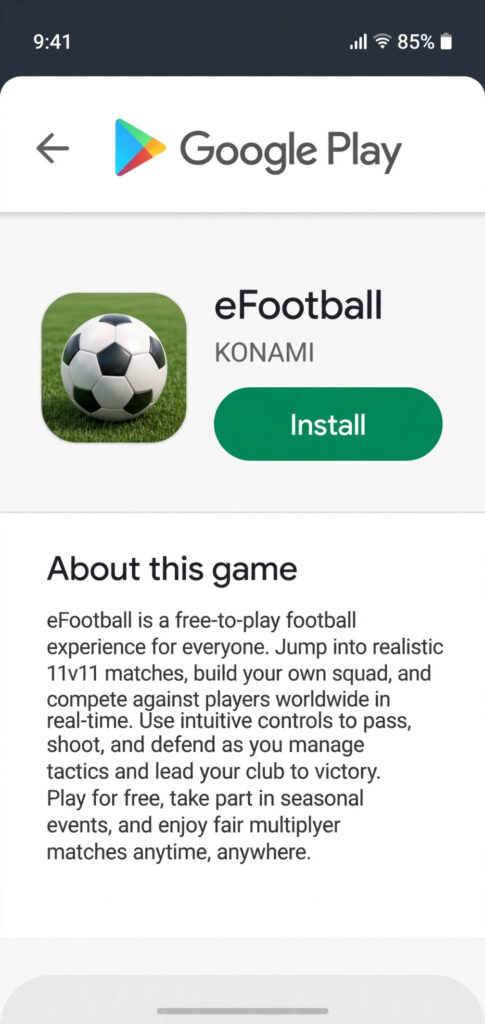
KONAMI has advised Android users to keep approximately 3.1 GB of free space for the v6.0.0 seasonal update. This is update storage guidance, not a promise that the complete installed game will always occupy exactly 3.1 GB. Check the current Play Store listing and your phone’s storage screen before updating.
Should You Install an eFootball 2027 APK From a Third-Party Website?
For most Android users, the official Google Play version is the recommended choice. A file labelled “eFootball 2027 APK” is not automatically genuine just because its filename, screenshots or description use KONAMI’s branding.
Be especially careful with modified APKs that claim to provide unlimited coins, free premium players, unlocked features or removed restrictions. Such files may contain harmful code, steal account details, fail to update correctly or violate the game’s terms. TrickExprt.com does not provide a modified or cracked eFootball APK.
If you are considering an APK or app bundle from outside Google Play, verify that the source is genuinely authorised by the developer and that the app signature and package are legitimate. Do not disable Play Protect or Android security features to force an unknown file to install. If you cannot verify the source, do not install it.
Common eFootball Download and Gameplay Problems
eFootball Is Not Available in My Country
App availability can vary by country and device. Open the official Play Store listing from your phone and check whether Google marks the app as unavailable. Do not use an unrelated APK mirror to bypass a regional restriction without checking the developer’s official guidance.
The Download Is Stuck or Will Not Finish
Check your Wi-Fi connection, available storage and Google Play download queue. Pause other large downloads, restart the phone and try again. If the download remains stuck on “Pending”, use our Google Play Store Download Pending guide. If Google Play Services is repeatedly stopping, follow our Google Play Services troubleshooting guide.
The APK Shows “App Not Installed” or a Parsing Error
The file may be incomplete, incompatible with your Android version, incorrectly packaged or signed differently from an existing installation. Delete the untrusted file and use the official Play Store listing. For the general Android “App Not Installed” error, see our App Not Installed troubleshooting guide. Do not uninstall a working game before checking whether your account progress is backed up or linked as recommended by KONAMI.
eFootball Is Lagging or Dropping Frames
Close unnecessary apps, let the phone cool down, check for system and game updates, and reduce graphics settings if the game offers that option. A stable connection also matters for online matches: high latency can feel like gameplay lag even when the phone itself is running smoothly. For general phone optimisation, see our Android performance and battery tips.
The Game Crashes After an Update
Restart the phone, confirm that the update completed, and check the official KONAMI notices for known issues. Make sure the device has free storage. Avoid clearing game data or reinstalling until you understand how your game account and progress are saved.
Online Matches Disconnect
Use a reliable Wi-Fi or mobile data connection, stop large background downloads and avoid switching networks during a match. If the problem affects multiple players or starts after maintenance, check KONAMI’s official service notices before changing your phone settings.
eFootball 2027 FAQs
Is eFootball 2027 available for Android?
KONAMI’s Android game is listed as eFootball™. The 2026/27 season is delivered through updates to this app, rather than requiring users to assume that a separate app named “eFootball 2027” exists. Check the official listing for the version currently offered in your region.
What is the latest confirmed eFootball mobile update?
The latest mobile patch confirmed in the KONAMI notices checked for this article is v6.1.1, released on 15 October 2026. Check the official news page for later announcements.
Is eFootball free to download?
Yes. KONAMI describes eFootball as free to play, with in-game purchases available. Check the Play Store listing for the current details in your region.
Can I play eFootball offline?
An internet connection is required to play eFootball on mobile according to the official Google Play listing. Do not rely on claims that the complete mobile game can be played offline.
How much storage does eFootball need?
KONAMI advised users to have approximately 3.1 GB of free space for the v6.0.0 season update. The complete installation and later game data may require additional storage, so check your device and the current Play Store information.
What Android version is required for eFootball?
KONAMI lists Android 7.0 or above, at least 2 GB RAM and a 64-bit Arm-based quad-core CPU running at 1.5 GHz or above as the minimum requirements. Meeting these minimums does not guarantee smooth performance on every phone.
Is an eFootball unlimited coins APK safe?
No unofficial modified APK can be treated as safe just because it promises unlimited coins. It may put your device or account at risk. Use the official game and its supported in-game purchase and reward systems.
Final Verdict
If you are searching for eFootball 2027 APK download for Android, start with the official eFootball™ app by KONAMI. The 2026/27 season is supported through updates to the existing mobile game, and the latest mobile patch confirmed in the official notices checked for this guide is v6.1.1 from 15 October 2026.
Check your phone against KONAMI’s minimum requirements, keep enough storage free for large updates, and download through Google Play whenever possible. Avoid modified APKs and unofficial coin tools. For more Android football games and mobile gaming guides, explore our Football League 2026 guide and other Android game articles on TrickExprt.com.





One comment
Pingback: FC Mobile VN APK Download 2026 for Android