 TrickExprt Android Apps, Games, Software & Tech Guides
Last updated: 22 November 2026
If you want to know how to download Lil’ Guardsman on Android, the short answer is simple: open the Google Play Store, search for Lil’ Guardsman, check that the publisher is Plug In Digital, and buy it once for $5.39 USD at the launch price (the regular price is $5.99). There are no ads, no in-app purchases and no virtual currency — one payment opens the whole adventure, and the game plays fully offline after it is installed. Lil’ Guardsman is a comedy puzzle adventure in which you play Lil, a 12-year-old left in charge of a fantasy kingdom’s gate while her dad is away. Every visitor who walks up to your guard shed is a puzzle: you question them, check their story with tools such as Truth Spray and an X-Ray device, and then decide whether to admit them, turn them away, or throw them in the dungeon. The mobile version launched on Google Play and the App Store on 10 November 2026, and Pocket Gamer put it at number two in its “5 new mobile games to try this week” list on 19 November 2026. This guide covers everything you need before you install it — what the game is, how a shift at the gate works, the tools, the exact download steps, beginner tips, system requirements, and the answers to the questions new players ask most.
About Lil’ Guardsman
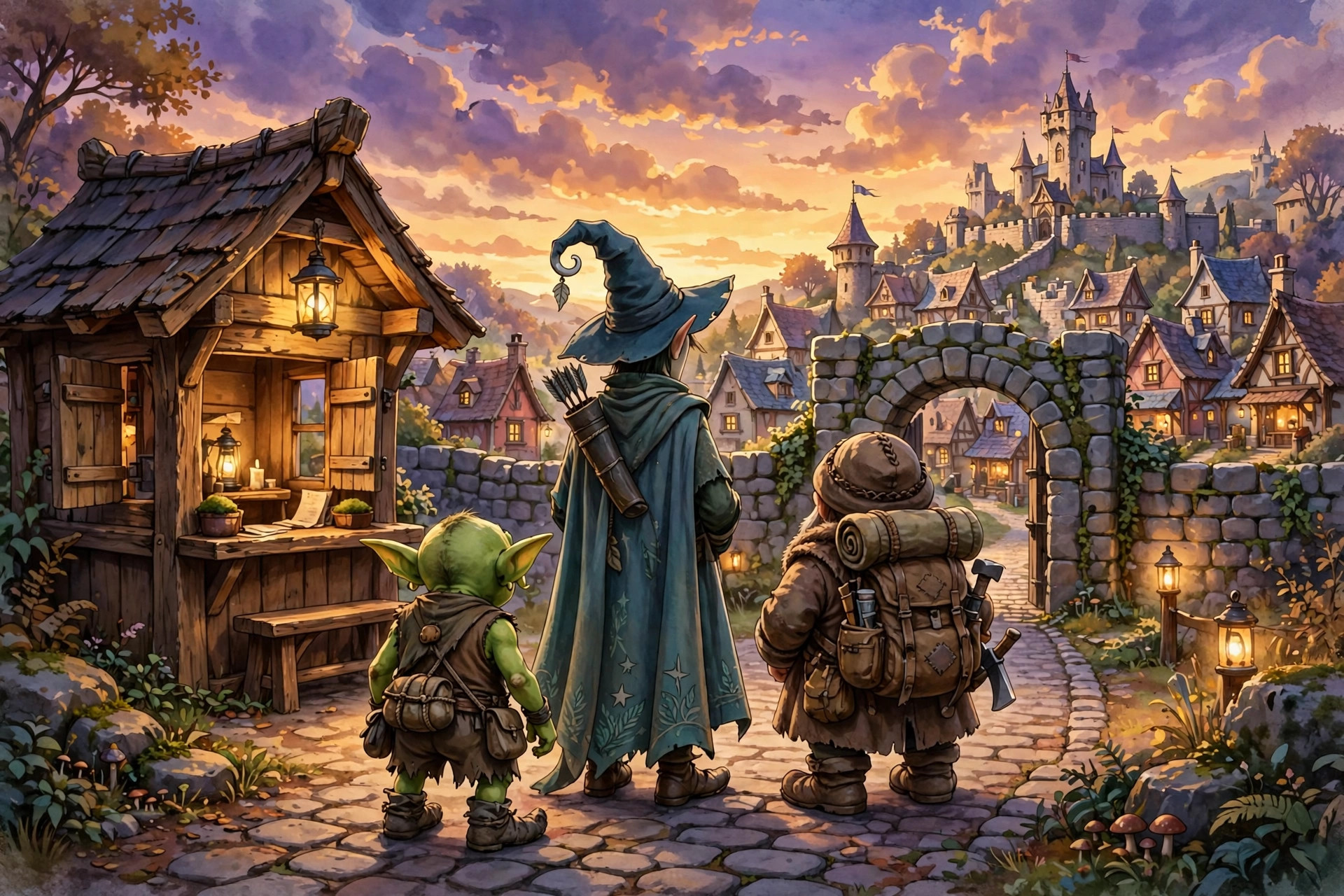
Lil’ Guardsman is a comedic fantasy deduction game — a lighter, funnier take on the border-control idea made famous by Papers, Please. You are Lil, a 12-year-old girl whose father, the regular guard of the city of the Sprawl, has left her to cover his shift at the gate. Goblins, elves, dwarves, cyclopes, vampires and — most suspicious of all, according to Lil — humans line up outside your wooden guard shed, and every one of them wants to come inside. Your job is to work out who is telling the truth and who is hiding something, and your decisions shape the story across twelve levels, a royal wedding, and a war that you can end up starting yourself.
The game was developed by Hilltop Studios and first released on PC and consoles in January 2024, where it earned strong reviews — 93% positive from more than 1,200 Steam user reviews, according to iXBT — and a shelf of indie awards, including Best Performance at the IndieCade Festival for its voice cast, the Studio Award at the Game Development World Championship, and the Critics’ Choice Award at Indie Cup. The original PC and console release was published by Versus Evil, with tinyBuild also involved; the mobile version is published by Plug In Digital. That history matters for players wondering how to download Lil’ Guardsman on Android safely: this is not a quick cash-in port of an unknown game, but an award-winning adventure that has already been tested on PC and consoles for almost three years before coming to phones.
What makes the game different from most mobile puzzle games is that there is no single right way to play a shift. The kingdom gives you a set of entry rules each day, and you can choose to follow them strictly or break them when your gut says otherwise. Let the wrong person in and a smuggler, a spy or a monster slips into the city; send an innocent person to the dungeon and the story turns against you. Every decision ripples forward — characters you admit or jail show up again later, alliances shift, and the ending changes based on the calls you made at the gate. Between shifts you can also walk around the town, visit the tavern and talk to the people you have met, which is how the wider story about corruption and intrigue in the Sprawl unfolds.
For players in Pakistan and the Gulf, the most practical thing about this game is that it is a complete, offline, single-player experience. There is no daily login grind, no energy timer, no server to connect to and no competitive ladder. You buy it once, play it at your own pace on the bus or at home, and finish it when you finish it.
Quick facts
| Detail | Verified information |
|---|---|
| Game | Lil’ Guardsman |
| Developer | Hilltop Studios |
| Mobile publisher | Plug In Digital (original PC/console publisher: Versus Evil, with tinyBuild) |
| Google Play package | com.pid.lilguardsman |
| Price on Google Play | $5.39 USD at launch (10% off the regular $5.99), checked 21 Nov 2026 |
| Google Play rating | 4.5 stars (343 ratings, checked 22 Nov 2026) |
| Content rating | Everyone — mild fantasy violence, mild language (reported) |
| Mobile release | 10 November 2026 (Google Play and App Store) |
| First released | January 2024 (PC and consoles) |
| Levels | 12 levels, including a wedding and a war |
| Characters | Over 100 unique characters to meet and question |
| Ads / in-app purchases | None — pay once, no ads, no in-app purchases, no virtual currency |
| Internet needed | No — 100% playable offline after installation |
| Download size | Around 1 GB (reported — see Editor’s Notes) |
| Updated on Google Play | 12 November 2026 (crash-fix update, per the listing) |
Key Features of Lil’ Guardsman on Android
A full premium game — pay once, play everything
Every Lil’ Guardsman download on Android is the complete game. The Play Store listing states it plainly: pay once to open the entire adventure, with no ads, no in-app purchases and no virtual currency. That is the whole business approach — there is nothing to buy after you install it, and no timer or paywall waiting in a later level. For players tired of games that are free to start and expensive to finish, this is the main selling point.
Over 100 characters to interrogate
The game features more than 100 unique visitors, from nervous goblins and haughty elves to princes, dwarves, magicians, werewolves and a very suspicious duchess travelling with her entourage. Each one is a small puzzle with their own personality, story and secrets, and the PC version’s voice cast won Best Performance at the IndieCade Festival. The writing is the heart of the game: funny, warm and full of jokes that land because the characters feel like people rather than cardboard cut-outs.
Deduction tools with limited uses
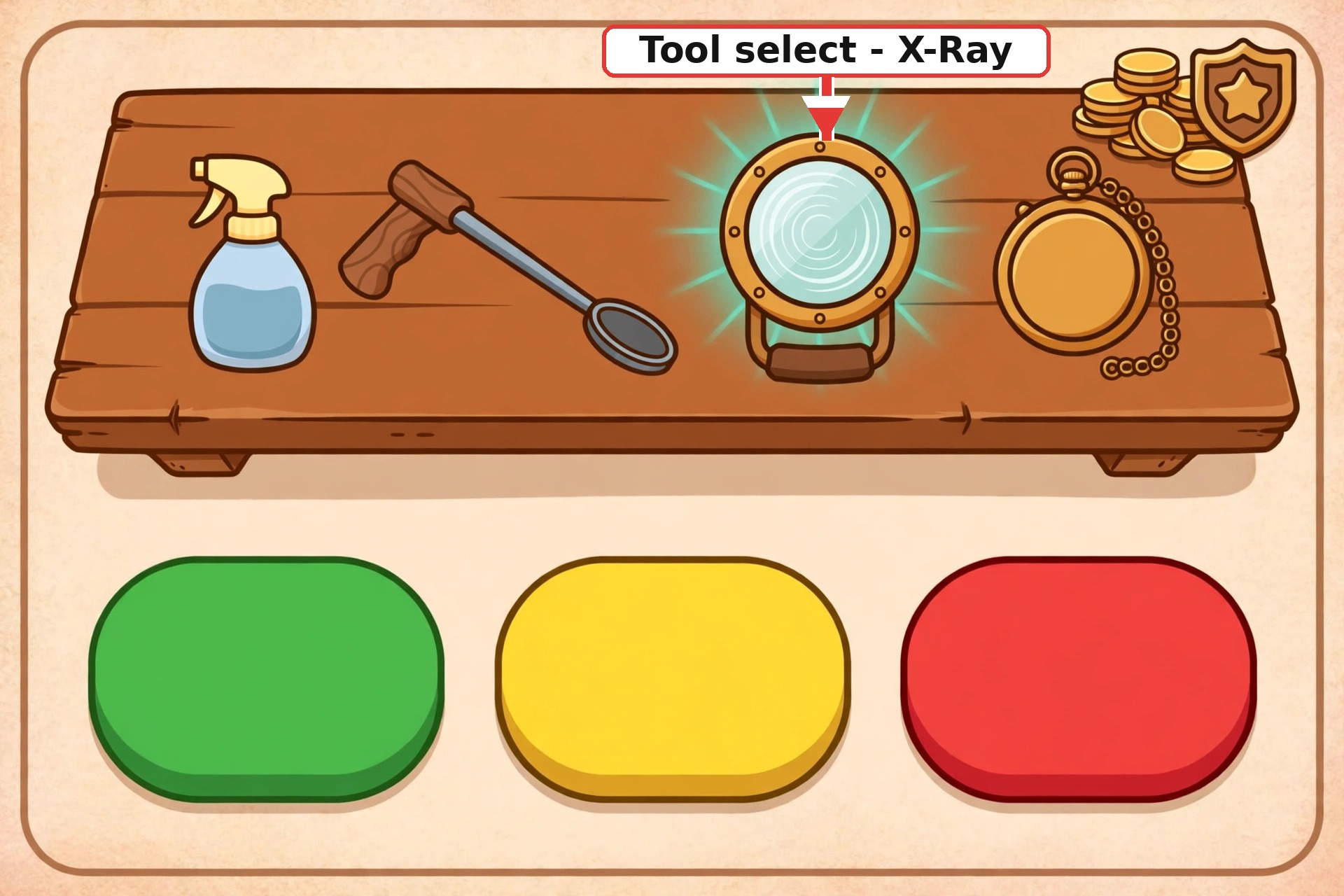
You do not just ask questions — you investigate. Your toolkit includes Truth Spray, which forces a straight answer; a Metal Detector for hidden objects; an X-Ray device for seeing what is inside bags and boxes; a Whip for revealing disguises; a Decoder Ring for coded messages; and the Chronometer3000, which lets you rewind time and try a different decision. Every tool has limited uses per day, so the real puzzle is deciding who is worth checking and who you can judge on their answers alone. Tools can be upgraded with the gold you earn, which makes saving gold for the right upgrade part of the strategy.
Dialogue choices that matter
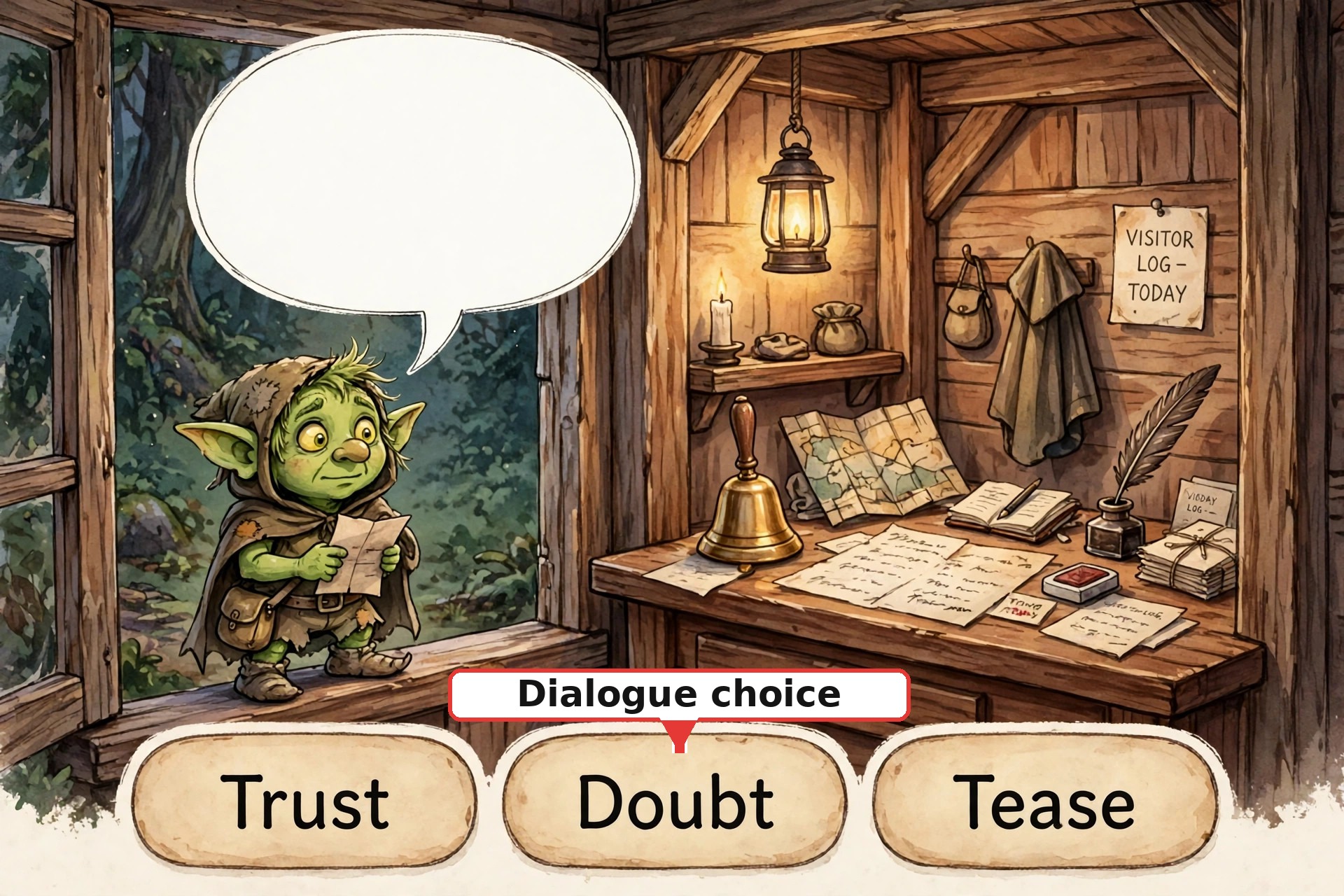
Each interrogation gives you three kinds of response — Trust, Doubt and Tease — and the visitor reacts differently to each. Trusting the wrong person can open up a confession; doubting the right person can shut them down; teasing can reveal a crack in a liar’s story or ruin a friendly conversation. The skill is reading the visitor and choosing the tone that gets you the information you need. Some visitors need two or three rounds of questioning before the truth comes out, and ending a conversation too early is one of the most common beginner mistakes.
Admit, Deny, or Jail — and later, Draft
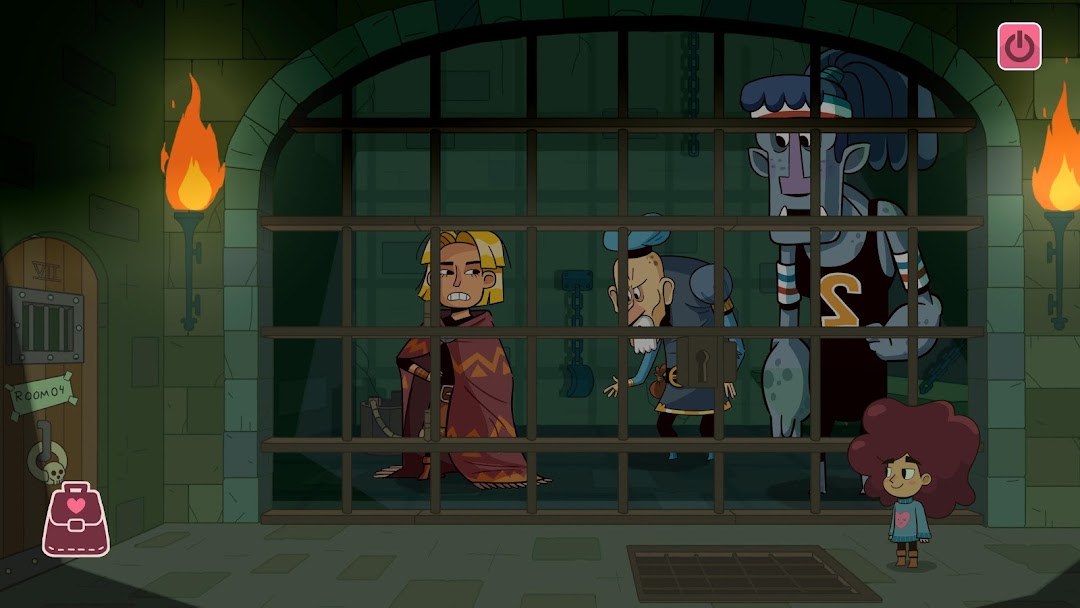
Every visitor ends with a decision: Admit them into the Sprawl, Deny them entry, or send them to Jail. In the later war levels, a fourth option appears — Draft — when the army is looking for recruits and you must judge who would make a good soldier. Wrong calls have consequences that play out across the story, and a perfect decision earns you a 4-star rating for that visitor plus a gold reward. Getting a 4-star rating for every visitor on a level earns a bonus, so careful players are rewarded for thoroughness, not speed.
A branching story across twelve levels
Your gate decisions shape the fate of the main characters, the kingdom of the Sprawl and the game’s ending. The story runs through a royal wedding — with two rival kingdoms, Petrard and Marvagh, competing for the alliance — and then into a war, and the game begins with the war already looming before flashing back to how it started. Because decisions carry forward, the game is worth replaying: a different call at the gate in level 2 can mean a different wedding, a different war and a different ending.
Fully offline and touch-optimised
The mobile version is a solo experience built for touch screens, and the listing says it is 100% playable offline — no internet connection is needed after the initial installation. That makes it ideal for travel, load-shedding hours, or anywhere with weak mobile data. Your progress stays on your own phone, and there is no account or server sign-in standing between you and the game.
How to Download Lil’ Guardsman on Android in Pakistan — Gameplay First
Before the steps, it helps to know what a shift actually feels like, because that decides whether the game is worth the one-time price for you. Once you understand how to download Lil’ Guardsman on Android, the game itself is easy to pick up — the depth is in the decisions, not the controls.
A day at the gate
Each level is one shift. You start by reading the day’s entry rules — for example, who is allowed in today, what documents are required, and what is banned. Then the visitors arrive one by one. A visitor steps up to the window, states their business, and shows you whatever papers or items they are carrying. You can question them, inspect their belongings, use a tool, or call one of the royal advisors — Councilwoman Ashe, Malcolm the Jester, or Stryker — to verify a claim. When you are ready, you make the call: Admit, Deny, or Jail.
The first visitor of the game is a gentle tutorial: Mrs. Abernathy, an elderly woman who walks you through the basics and even gives you a loaf of bread that turns out to matter later — a good early lesson that items and favours in this game are rarely throwaway details. From there the visitors get trickier. A pair of identical dwarf guards, a prince with a hidden bottle, a goblin with a sick companion, a group claiming to be a duchess and her staff — each one needs a different approach, and the game is at its best when you are not sure whether the person in front of you is a liar, a victim, or both.
Interrogation: Trust, Doubt and Tease
The dialogue system is the core of the game. Every conversation gives you Trust, Doubt and Tease options, and each choice steers the conversation somewhere new. Trusting someone often makes them open up; doubting them can make a liar defensive or make an honest person clam up; teasing can break the tension or expose a contradiction. The trick is that there is no universal best option — it depends on the visitor. A nervous goblin who is telling the truth needs trust; a smooth-talking envoy with a rehearsed story needs doubt. Player guides for the PC version report that some visitors need to be questioned two or three times, with the right mix of responses, before the key detail appears, so patience pays more than rushing to a decision.
Tools: when to spend them
Your tools are powerful but limited. Each one has a set number of uses per day, powered by crystals, and once you have spent them they are gone until the next shift. Truth Spray forces a truthful answer and is the best tool for a visitor whose story sounds rehearsed. The Metal Detector highlights hidden metal objects — useful when someone’s bag looks too light or too heavy. The X-Ray shows what is inside a container without opening it, which is how you catch smuggled contraband. The Whip can pull off a disguise. The Decoder Ring reads coded writing. And the Chronometer3000 lets you rewind time, which is the game’s safety net: if a decision goes badly, you can go back and try a different approach without replaying the whole level.
The golden rule is to spend tools on suspicion, not curiosity. If a visitor’s story already adds up, save the spray. If two details contradict each other, that is the moment to spend a tool and find out which one is the lie.
Between shifts: the town, the tavern and the bigger story
After a shift ends, the game opens up. You can walk around the Sprawl, visit the Twisted Sisters Tavern, talk to characters you have met at the gate, and pick up side tasks — player guides report a fetch quest in the wedding level, for example, where you track down a pair of glasses for the wedding officiant by trading favours around town. These quiet scenes are where the overarching story lives: something is wrong in the kingdom, and the people you let through the gate are part of it. One level even runs as a night shift, with monsters and a very different set of visitors. The contrast between the cosy daytime gate and the strange things happening after dark is what keeps the story moving across all twelve levels.
Stars, gold and upgrades
Every visitor is scored out of four stars based on how well you handled them — the right questions, the right tool use, the right decision. A full set of 4-star ratings on a level earns bonus gold, and gold buys tool upgrades and extra uses. That creates a satisfying loop: careful detective work earns gold, gold buys better tools, better tools make the next level’s puzzles fairer. You do not need a perfect run to finish the game, but the star system gives completionists a reason to replay levels and try different approaches.
How to Download Lil’ Guardsman on Android — Step-by-Step
This is the part most readers came for: how to download Lil’ Guardsman on Android from the official Google Play Store, safely, with no third-party stores involved. Follow these steps in order.
Step 1: Check your connection, storage and Android version
Connect to Wi-Fi if you can. The game is reported to be around 1 GB in size, so a mobile-data download will eat a large part of a small data bundle. Free up at least 2 GB of storage so the game and its updates have room. A third-party store record lists Android 10 as the requirement, but the Play Store listing is the authority — if your phone is too old, the listing will say so instead of letting you buy it.
Step 2: Open the Google Play Store
On your Android phone, open the Google Play Store app and sign in with your Google account if you are not signed in already. If you are in Pakistan, the listing will show the price in Pakistani rupees at checkout — the $5.39 USD figure in this guide is the US price shown on the listing we checked, and the local price is set by the Play Store in your country.
Step 3: Search for Lil’ Guardsman
Type “Lil’ Guardsman” in the search bar. Check the listing carefully before you pay: the publisher should be Plug In Digital, the package name is com.pid.lilguardsman, the description should begin “Fantasy Border Control! Inspect, interrogate, and decide who enters the kingdom”, and the listing should show a 4.5-star rating. If a listing shows a different publisher, do not buy it.
Step 4: Check the price, then tap the buy button
The listing shows the launch price of $5.39 USD — a 10% discount on the regular $5.99 price for the first two weeks after launch. Because prices on the Play Store are shown in local currency, readers in Pakistan will see the rupee price on the listing itself; that is the price you will actually pay. Confirm the price, then tap the purchase button and complete payment with your usual Play Store payment method. Remember: this is a one-time payment. There are no subscriptions and no in-app purchases waiting inside the game.
Step 5: Install and wait for the download to finish
After payment, the game installs like any other Play Store app. Do not switch the phone off or clear the Play Store during the download. The game is around 1 GB, so on a slow connection this can take several minutes — that is normal. If the download stalls, our guide on how to fix Google Play download pending errors covers the most common fixes.
Step 6: Open the game and start your first shift
Once installed, open the game from your home screen or the Play Store. There is no account sign-in and no server to connect to — the game starts straight into the story. The first level is a tutorial shift that teaches you the questioning, the tools and the Admit / Deny / Jail decision, so take your time with it. If the game refuses to open after installation, the problem is usually a corrupted download or a system issue rather than the game itself — our guide on how to fix apps crashing on Android covers the most common fixes.
Step 7: Play offline whenever you like
After the first installation, no internet connection is needed at all. You can play on a flight, during load shedding, or anywhere with no signal, and your progress stays on your phone. That is one of the best reasons to choose this game over online-only titles — once you know how to download Lil’ Guardsman on Android, you never need to think about the download again.
Lil’ Guardsman Tips and Tricks for Android
These tips assume you have finished learning how to download Lil’ Guardsman on Android and completed the tutorial shift. They are the habits that separate a 2-star shift from a 4-star shift.
Read the daily rules before the first visitor
Every level starts with a new set of entry rules. Read them slowly. Many puzzles are solved by the rules alone — a visitor who breaks a rule you were told about is already caught, and no tool is needed. Players who skip the rules waste tools on visitors they could have judged for free.
Interrogate before you spend a tool
Always talk first and spend tools second. Two or three rounds of Trust, Doubt and Tease often reveal the contradiction that tells you exactly which tool to use — or that you do not need one at all. A tool spent on a hunch is a tool you will miss on the next visitor.
Save Truth Spray for rehearsed stories
Truth Spray is your strongest tool and your scarcest one. Spend it on visitors whose story sounds too polished, or on a single claim that decides the whole case — not on small talk. If a visitor contradicts themselves, spray the contradiction and watch what happens.
Use the X-Ray on bags and the Metal Detector on people
A useful habit from player guides: X-Ray anything a visitor is carrying that they will not open, and run the Metal Detector over anyone whose clothes or bag look wrong. Prince Finius, one of the early suitors, is a good example — guides report that an X-Ray reveals a hidden bottle in his possession, and confiscating it is part of the perfect solution. Small hidden objects are the game’s favourite trick.
Confiscate contraband — but return what is innocent
When a tool reveals an item, you usually get a choice: confiscate it or return it. Confiscate smuggled goods and dangerous items, but return ordinary belongings — taking an innocent person’s toolbox or keepsake can cost you stars and, worse, the person’s goodwill later in the story. The Dwarf Tinkerer is the classic case: guides report that his toolbox looks suspicious under the Metal Detector but is completely innocent, and returning it earns you a friend who helps you later.
Call an advisor when you are stuck
If you genuinely cannot decide, call Ashe, Malcolm or Stryker. Each advisor can verify a claim or identify a person, and a phone call costs far less than a wrong decision. Save advisor calls for the visitors where two options both look plausible — that is exactly what they are for.
Do not judge visitors by how they look
The game loves this trap. A scary-looking visitor can be harmless, and a charming one can be the villain. Guides specifically warn against denying the Scary Tree Monster on appearance alone — decode what it is saying first. Judge the story, the documents and the evidence, not the face.
Rewind instead of living with a bad call
The Chronometer3000 lets you go back in time and change a decision. Use it. If a visitor’s reaction after your decision tells you that you got it wrong, rewind and try the other approach — the game is designed for experimentation, and a rewind costs nothing compared to a ruined storyline. Think of it as the game’s built-in second chance.
Spend gold on tool upgrades, not everything at once
Gold is earned from good decisions, and tool upgrades are the best use of it. Upgrade the tools you actually use — most players get the most value from extra Truth Spray and X-Ray uses — rather than spreading gold thinly across everything. Better tools make the later levels, where the puzzles get harder, much fairer.
In the war levels, draft the strong and deny the weak
From level 8 onwards, the army asks you to judge recruits, and a new Draft decision appears. Draft visitors who are strong, willing and honest, and deny those who are lying about their reasons or too weak to fight — the ground, air and naval battles are decided by who you drafted. Player guides report that drafting the right people in levels 8, 9 and 11 is what wins the war, so treat these decisions as seriously as the gate calls.
Lil’ Guardsman Download: System Requirements for Android
The listing does not publish a detailed requirements table, so this section combines what the store record shows with practical recommendations. Treat the “reported” rows as guidance and check your own listing before buying.
| Requirement | What is known | Recommended for smooth play |
|---|---|---|
| Android version | Android 10 (per a third-party store record — unverified on the listing itself) | Android 11 or newer |
| Download size | Around 1 GB (reported — a gameplay video lists 1.06 GB; the App Store version is 988.4 MB) | 2 GB+ free space before installing |
| RAM | Not published | 3 GB or more |
| Processor | Not published | Any mid-range chip from the last five years |
| Internet | Not needed after installation | Wi-Fi for the first download only |
| Controls | Touch screen | A phone screen of 6 inches or larger is more comfortable for reading dialogue |
Practical advice: this is a slow, story-driven puzzle game, not a fast action title, so it does not need a gaming phone. Any recent mid-range Android phone will run it comfortably. What matters more is screen size and comfort — you will be reading a lot of dialogue, so a larger screen and a comfortable brightness setting make long sessions much easier. Close background apps before a long session so the game is never pushed out of memory mid-shift, and keep a charger nearby if you plan to play for an hour or more, because a 1 GB game with constant screen-on time still drains battery like any other game.
If your phone cannot run it or you want something lighter, see our list of the 15 best games under 50 MB for Android. And if you enjoy story games generally, you may also like our guide on how to play GTA 5 on Android.
What’s New in Lil’ Guardsman (2026)
The mobile version itself is the news: Lil’ Guardsman launched on Android and iOS on 10 November 2026, after its January 2024 debut on PC and consoles. Pocket Gamer covered the launch on 16 November 2026 and then featured the game at number two in its “5 new mobile games to try this week” list on 19 November 2026, and GamingOnPhone included it in its November 2026 releases list with the same 10 November date.
The Play Store listing was updated on 12 November 2026 with a fix for crashes that could happen on some devices — a small but useful first patch, and a sign the mobile publisher is actively supporting the launch. Because the listing also mentions a 10% launch discount for the first two weeks, the $5.39 launch price is time-limited: after the discount period ends, the price returns to the regular $5.99. If you are reading this after that window, check the listing for the current price before you buy.
Version numbers differ between sources — one store tracker lists version 1.0.27 updated 18 November 2026, while another lists 1.0.6 from 12 November — so this guide does not state a single version number as fact. Check the “What’s new” section on the official Play Store listing for the current version and patch notes.
How to Download Lil’ Guardsman on Android — Frequently Asked Questions
How do I download Lil’ Guardsman on Android?
To download Lil’ Guardsman on Android, open the Google Play Store, search for “Lil’ Guardsman”, confirm the publisher is Plug In Digital, pay the one-time price (currently $5.39 USD at launch, regular price $5.99), and tap install. The game is around 1 GB, so use Wi-Fi and keep at least 2 GB of free storage. After installation it plays fully offline, with no account or sign-in needed.
Is Lil’ Guardsman free on Android?
No. On Google Play, Lil’ Guardsman is a paid game — a single purchase of $5.39 USD at the launch discount, with a regular price of $5.99, and no ads or in-app purchases afterwards. On iOS, the first shift (about 45 minutes) is free to try and the full game is a one-time $4.99 purchase, according to the App Store listing and Pocket Gamer. There is no free trial reported for the Google Play version, so Android players should expect to pay before playing.
How much storage does Lil’ Guardsman need?
The game is reported to be around 1 GB — a mobile gameplay video lists 1.06 GB, and the App Store version is 988.4 MB, so the Android install is in the same range. Keep at least 2 GB of free storage before installing so the download and any updates have room. The exact size varies by device, so the Play Store listing on your own phone is the final word.
Can I play Lil’ Guardsman offline?
Yes. The Play Store listing states the game is 100% playable offline, with no internet connection required after the initial installation. You only need the internet once, to buy and install it. After that you can play anywhere, including during load shedding or on a flight.
How long is Lil’ Guardsman?
The game has 12 levels, and the first shift takes about 45 minutes. A video review of the PC version reports a total playtime of around 7.5 hours for the full story, which is a reported figure rather than an official one — your own time will depend on how carefully you interrogate visitors and whether you replay levels for 4-star ratings. Because decisions change the story, a second playthrough with different choices can feel like a different game.
Is Lil’ Guardsman suitable for children?
The game is rated Everyone, with notes for mild fantasy violence and mild language. You play a 12-year-old, the humour is family-friendly, and there is no graphic content — but the reading level is the real question: the game is full of dialogue, jokes and deduction, so younger children will enjoy it most if they are comfortable readers. Parents should note that one of the three decisions is sending people to the dungeon, which is played for laughs rather than shown in any disturbing way.
What happens if I make the wrong decision at the gate?
A wrong decision changes the story — the wrong person gets in, or an innocent person goes to jail, and the consequences show up in later levels. But you are never stuck: the Chronometer3000 lets you rewind time and try a different decision, and you can replay a level for a better star rating. The game is designed around experimenting, so a mistake is a chance to see a different branch of the story, not a failure.
Download Lil’ Guardsman on Android
This Lil’ Guardsman download link goes only to the official Google Play version — the full premium game, always up to date:
Download Lil’ Guardsman on Google Play
Button text: Buy on Google Play — $5.39 (launch price)
After you complete how to download Lil’ Guardsman on Android and install the game, open it, enjoy the tutorial shift with Mrs. Abernathy, and take your time with each visitor — read the daily rules, question before you spend a tool, and remember that the Chronometer3000 can undo a bad call. If you like puzzle adventures with a good story, this is one of the strongest new Android games of November 2026.
If you enjoy Android games, you may also like our guides on how to play GTA 5 on Android and how to fix Roblox not opening on Android.
More Android Games on TrickExprt
If you like Lil’ Guardsman, these guides in the same Android Games series may also help:
- UnGodly Download: Play on Android (2026 Guide) — a dark fantasy adventure new on Android in November 2026.
- Retrolife Life Simulator Download: Play on Android (2026 Guide) — a life simulator new on Android in November 2026.
- Booster Pack Heroes Download: Play on Android (2026 Guide) — a card-battler new on Android in November 2026.
- Pawmoku: Cats vs Dogs Download — Play on Android (2026 Guide) — a cats-versus-dogs battler new on Android in November 2026.
Sources
- Google Play Store — Lil’ Guardsman listing (Plug In Digital), checked 22 Nov 2026: price $5.39 USD, rating 4.5 from 343 ratings, updated 12 Nov 2026, full premium game, no ads, no in-app purchases, 100% playable offline. https://play.google.com/store/apps/details?id=com.pid.lilguardsman
- Pocket Gamer — “Lil’ Guardsman puts a twelve-year-old in charge of a fantasy kingdom’s border control”, 16 Nov 2026. https://www.pocketgamer.com/lil-guardsman/official-launch-android-ios/
- Pocket Gamer — “5 new mobile games to try this week — November 19th, 2026” (Lil’ Guardsman at number 2). https://www.pocketgamer.com/new-weekly-mobile-games/november-19th-2026/
- GamingOnPhone — “All Mobile Games (Android and iOS) releasing in November 2026” (Lil’ Guardsman, 10 November 2026). https://gamingonphone.com/news/all-mobile-games-android-and-ios-releasing-in-november-2026/
- Droid Gamers — “Comedy Deduction Puzzle Adventure Lil’ Guardsman Launches on Android”. https://www.droidgamers.com/news/lil-guardsman/
- App Store — Lil’ Guardsman listing (Plug In Digital): first shift free, full game $4.99 one-time purchase, size 988.4 MB. https://apps.apple.com/us/app/lil-guardsman/id6746749685