TrickExprt Android Apps, Games, Software & Tech Guides
QUICK ANSWER
Looking for the best Android games under 50MB? Some lightweight games worth considering include Simon Tatham’s Puzzles, 2048, Mekorama, Hoplite, Unciv, Shattered Pixel Dungeon and Dr. Driving. These games cover puzzle, arcade, racing and RPG genres without requiring the storage space of large mobile games.
This guide compares 15 lightweight game options, including their reported download sizes, offline availability, gameplay and storage requirements. It also explains how to check actual installed size, identify games that require internet access, and fix common Android download and installation problems.
Important: Game sizes can change with updates and vary by Android device. Always check the current Google Play listing and installed storage before downloading.
Quick Comparison: 15 Best Games Under 50MB
The following table provides a starting point for comparing lightweight Android games. Reported sizes are approximate third-party measurements, not live measurements from TrickExprt. Check the current listing before installation.
| # | Game | Reported APK size | Genre |
|---|---|---|---|
| 1 | Shattered Pixel Dungeon | 28.97 MB | RPG |
| 2 | Simon Tatham’s Puzzles | 5.04 MB | Puzzle |
| 3 | 2048 Original | 5.22 MB | Puzzle |
| 4 | Mekorama | 12.49 MB | Puzzle |
| 5 | Dr. Driving | 14.15 MB | Racing |
| 6 | Hoplite | 5.49 MB | Strategy |
| 7 | Chess & Checkers | 8.93 MB | Board |
| 8 | Andor’s Trail | 38.28 MB | RPG |
| 9 | Unciv | 26.17 MB | Strategy |
| 10 | Block Puzzle: 200 Levels | 29.69 MB | Puzzle |
| 11 | Sudoku (Fassor) | 16.01 MB | Puzzle |
| 12 | Ball Sort – Sorting Puzzle | 4.75 MB | Puzzle |
| 13 | Water Sort – puzzle games | 46.04 MB | Puzzle |
| 14 | Bubble Shooter Classic | 40.94 MB | Arcade |
| 15 | Tic Tac Toe – Another One! | 11.38 MB | Board |
Size verification: APK sizes above are third-party snapshots (mainly AppBrain, with a package-size tracker for Andor’s Trail) matched to the listed Google Play package IDs. They are not fixed download sizes published by Google Play. Google Play can deliver different package sizes depending on the device, Android version and configuration. Check the install prompt on your own phone before downloading. If you test a game yourself, record its installed size separately from its download size. The reported figures are reference data, not measurements from TrickExprt’s test device.
1. Shattered Pixel Dungeon

Shattered Pixel Dungeon
Developer: Shattered Pixel
Price: Free
Google Play: 4.8/5 · 171K reviews · 5M+ downloads
QR-Code
Scan to download
Reported APK size: 28.97 MB (AppBrain snapshot)
Genre: Roguelike RPG
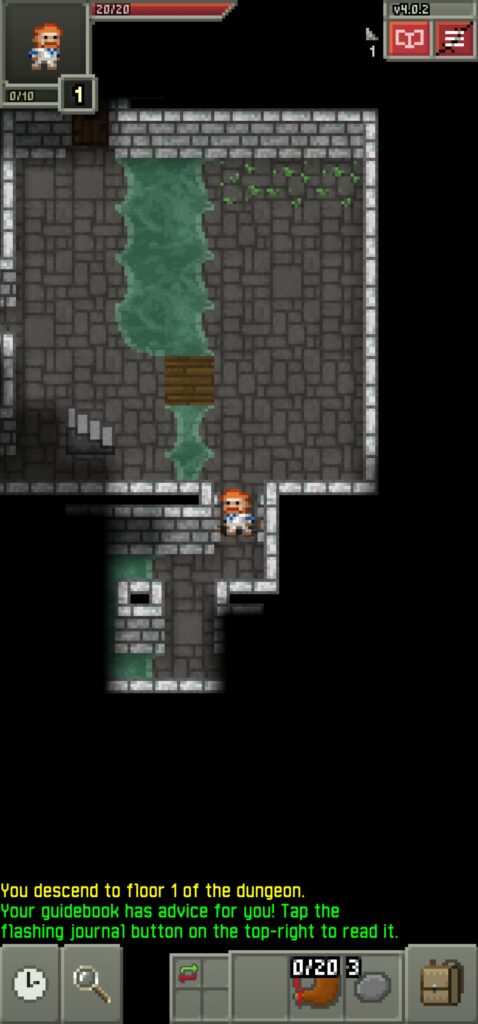
Shattered Pixel Dungeon is a classic turn-based dungeon adventure where players explore randomly generated levels, collect equipment and fight enemies.
Its simple presentation keeps the game lightweight while providing challenging gameplay.
Key features:
- Randomly generated dungeon levels.
- Turn-based combat.
- Different character classes.
- Equipment and item collection.
- Offline single-player gameplay.
Best for: Players who enjoy challenging RPG adventures without large downloads.
My Verdict: Shattered Pixel Dungeon is a fantastic game. It has no ads and supports offline gameplay.
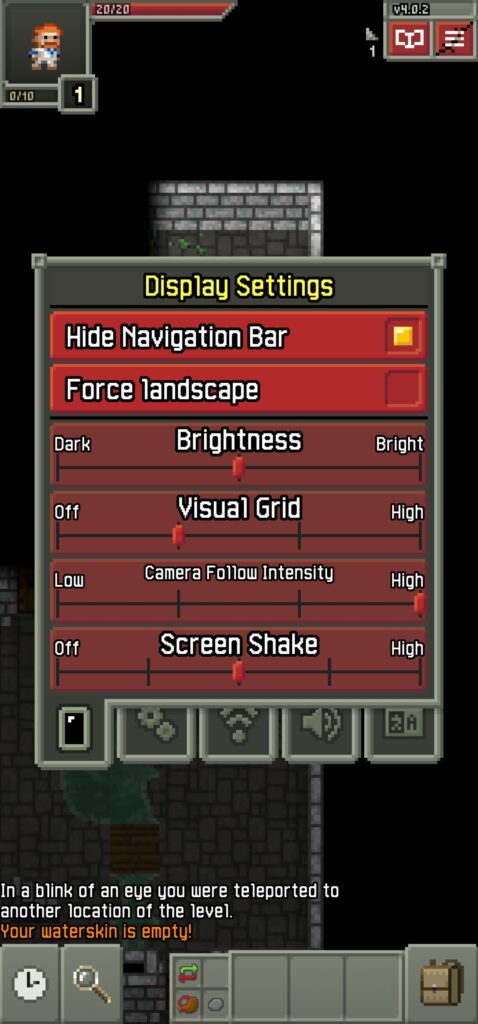
Screenshots: Screenshots from the game.
Important: The original version has not received updates for years. Check compatibility before installing it on a newer Android phone.
2. Simon Tatham’s Puzzles – Best Puzzle Collection

Simon Tatham’s Puzzles
Developer: Chris Boyle
Price: Free
Google Play: 4.9/5 · 16.6K reviews · 1M+ downloads
QR-Code
Scan to download
Reported APK size: 5.04 MB (AppBrain snapshot)
Genre: Logic puzzles
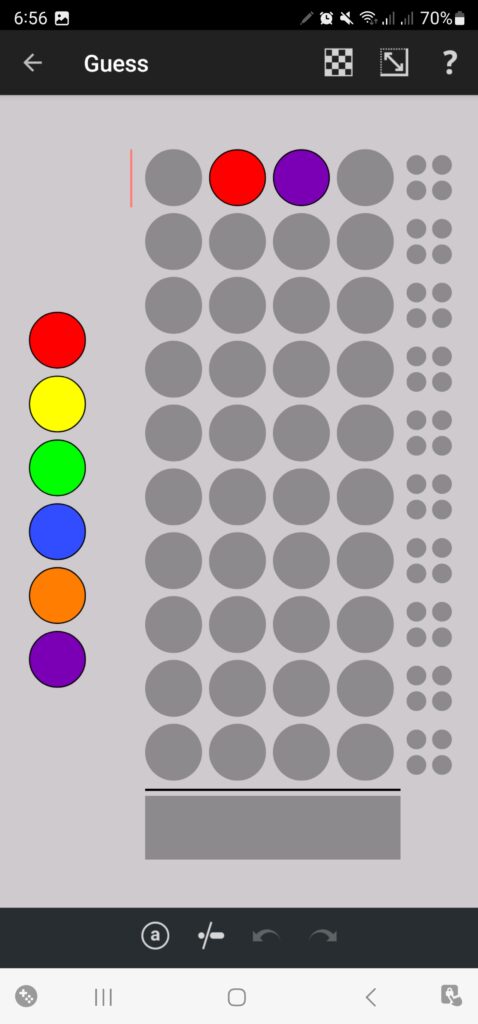
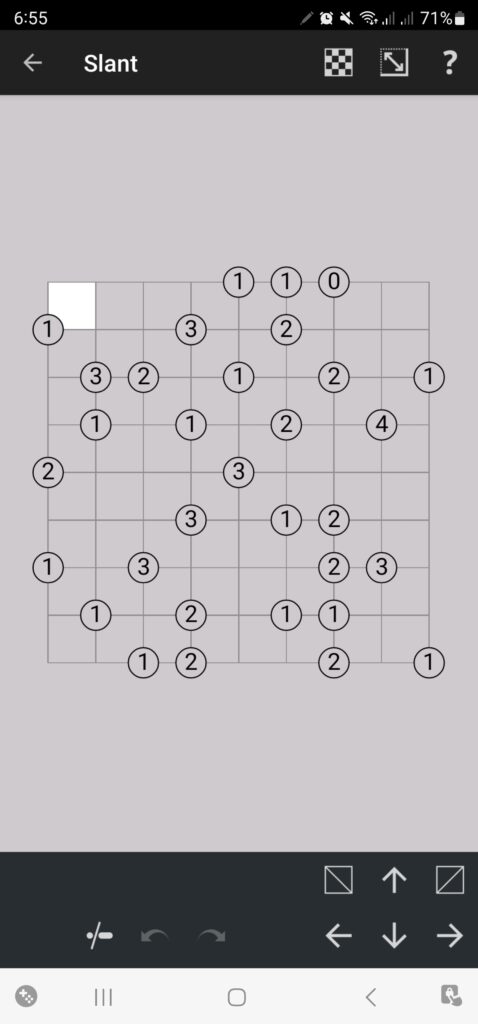
Simon Tatham’s Puzzles offers a collection of 40 different logic games in one application.
Instead of installing separate puzzle games, users can access several challenges from a single lightweight download.
Key features:
- 40 different puzzle types.
- Logic and number challenges.
- No forced advertisements.
- No account requirement.
- Offline gameplay.
Best for: Users who want multiple brain games without installing several applications.
Hands-on testing status: Not recorded in this draft yet.
Screenshots: Screenshots from the game.
3. 2048 – Best Number Puzzle Game

2048 Original
Developer: Androbaby
Price: Free
Google Play: 4.6/5 · 97.2K reviews · 10M+ downloads
QR-Code
Scan to download
Reported APK size: 5.22 MB (AppBrain snapshot)
Genre: Number puzzle
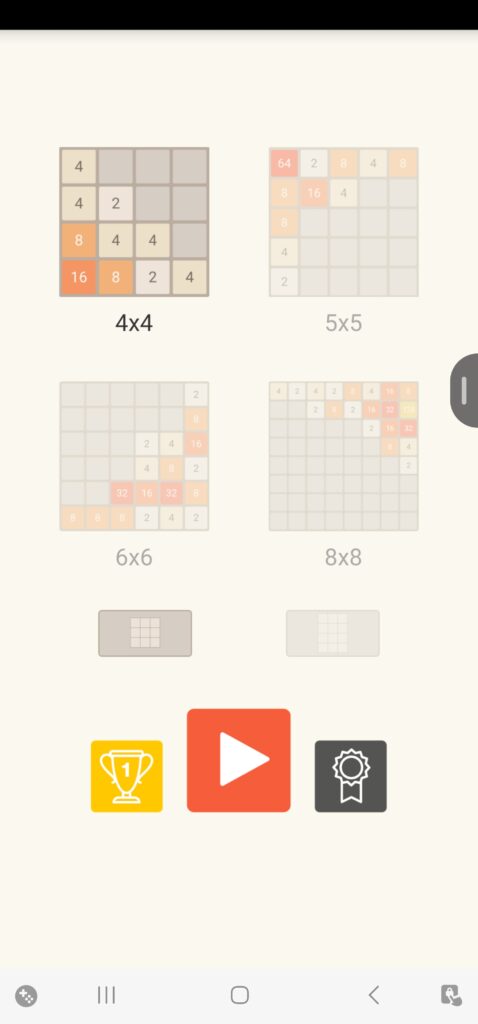
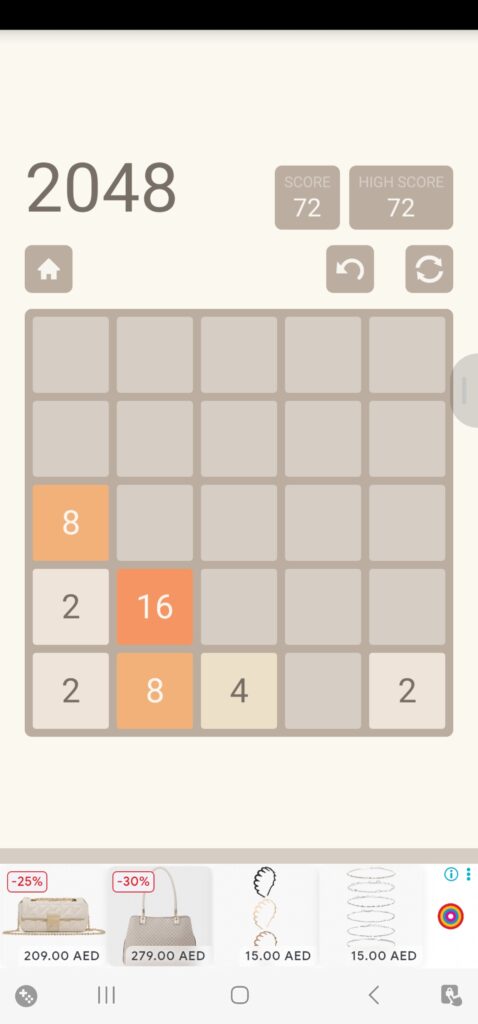
2048 is a number-merging puzzle where players slide numbered tiles across a grid to combine matching values.
The objective is to create a tile with the number 2048 while avoiding a full board.
Key features:
- Simple swipe controls.
- Multiple board configurations in some versions.
- Automatic progress saving.
- Short and replayable sessions.
- Offline gameplay.
Best for: Players who enjoy mathematical challenges and quick gaming sessions.
My Verdict:
The game is really good. It’s a puzzle game, and it runs smoothly without any performance issues. However, there are way too many ads. An ad appears every time I click the Home button or the Back button. Even on the homepage, ads keep popping up at the bottom. Overall, the excessive ads make the gaming experience very irritating and frustrating.
Screenshots: Screenshots from the game.
4. Mekorama – Best 3D Puzzle Game

Mekorama
Developer: Fancade
Price: Free
Google Play: 4.0/5 · 413K reviews · 10M+ downloads
QR-Code
Scan to download
Reported APK size: 12.49 MB (AppBrain snapshot)
Genre: 3D puzzle
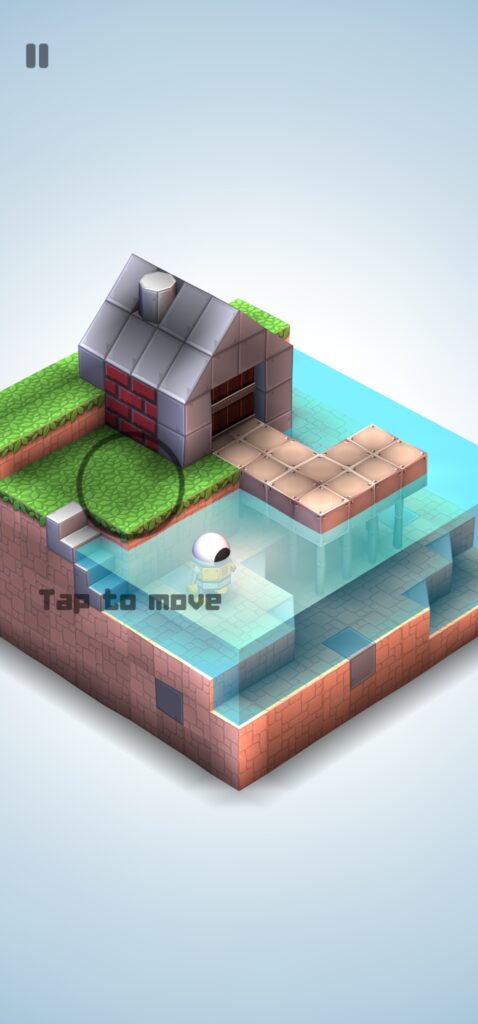
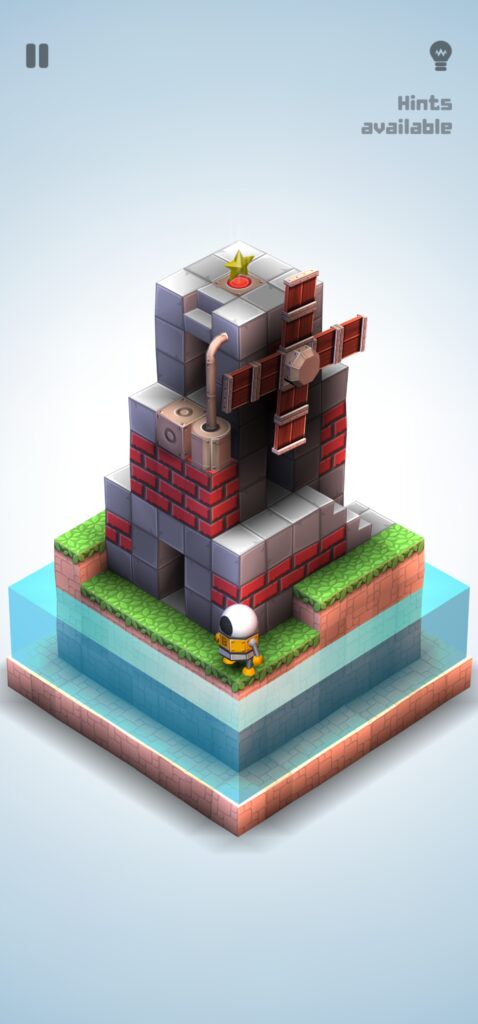
Mekorama is a compact puzzle adventure featuring a small robot navigating miniature mechanical environments.
Players rotate the camera, move objects and find paths through different levels.
Key features:
- Creative 3D environments.
- Mechanical puzzles.
- Simple touch controls.
- Short gameplay sessions.
- Custom level creation in supported versions.
Best for: Players who prefer visual puzzles instead of traditional number games.
My Verdict:
Mekorama is an excellent mind-puzzle game where you have to collect hidden stars while solving creative puzzles. It offers smooth gameplay, responsive controls, and enjoyable movements that make the overall experience great.
However, one thing I find irritating is the frequent ads. An ad appears after completing each level or even when pausing the game, which interrupts the gameplay experience. If you want to remove ads, you need to purchase a subscription for AED 15.99.
Overall, Mekorama is a fun and well-designed puzzle game, but the excessive ads can become frustrating. I would definitely enjoy it more with fewer ads or a one-time ad-free option.
Screenshots: Screenshots from the game.
5. Dr. Driving – Best Lightweight Driving Game

Dr. Driving
Developer: SUD Inc.
Price: Free
Google Play: 4.4/5 · 6.34M reviews · 500M+ downloads
QR-Code
Scan to download
Reported APK size: 14.15 MB (AppBrain snapshot)
Genre: Driving simulation
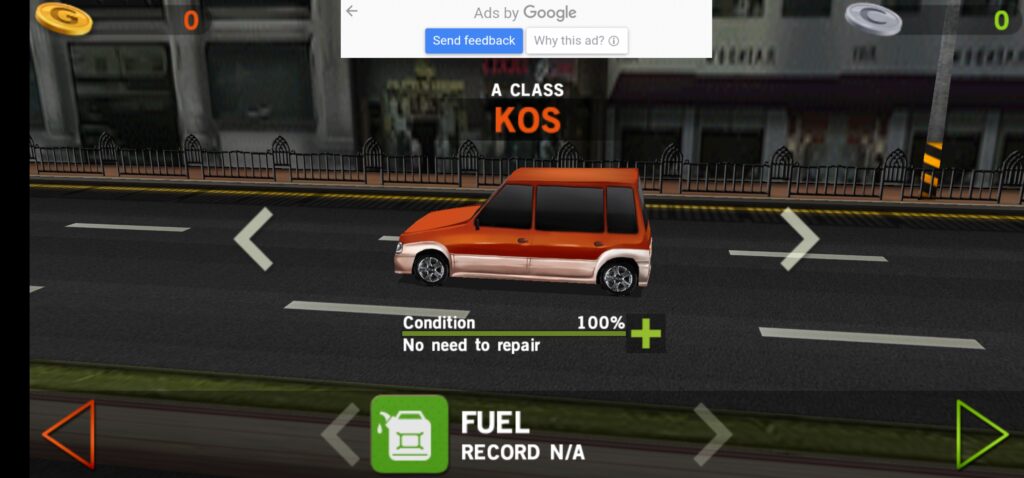
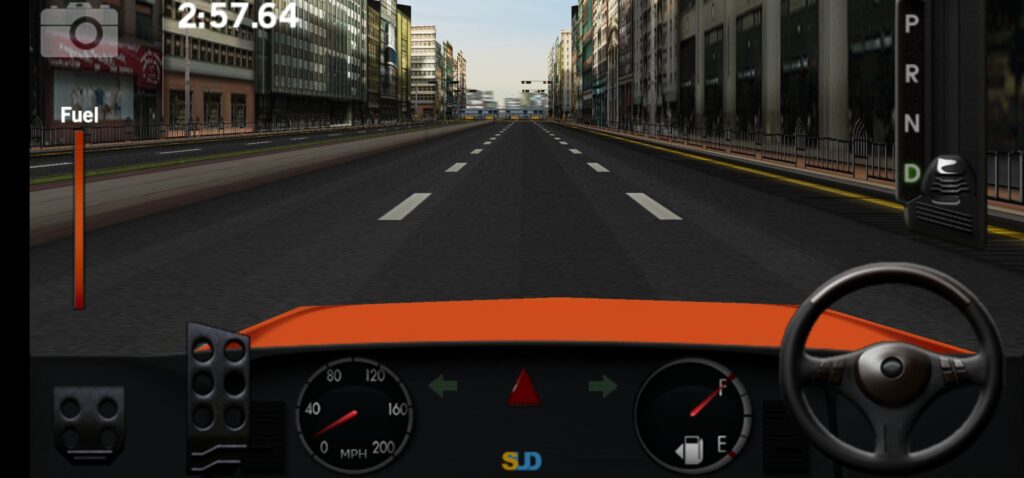
Dr. Driving focuses on everyday driving challenges rather than traditional high-speed racing.
Players complete parking challenges, navigate traffic and improve their driving skills.
Key features:
- City driving missions.
- Parking challenges.
- Fuel-saving objectives.
- Simple driving controls.
- Different mission types.
Best for: Users who want a small driving game instead of a large racing simulator. Check the current version’s online requirements before relying on offline play.
My Verdict:
Dr. Driving is a great choice for players who enjoy driving simulation games. Instead of traditional high-speed racing, it focuses on driving skills, realistic challenges, and completing different missions.
However, frequent advertisements are its biggest drawback, as they interrupt gameplay and make the experience less enjoyable.
Overall, I highly recommend Dr. Driving to anyone who enjoys skill-based driving games. Despite the ads, its engaging missions and simple gameplay make it worth downloading and trying.
Screenshots: Screenshots from the game.
6. Hoplite – Best Lightweight Tactical Strategy Game

Hoplite
Developer: Magma Fortress
Price: Free with in-app purchases
Google Play: 4.6/5 · 1M+ downloads
APK size reference: 5.49 MB
QR-Code
Scan to open Google Play
Reported APK size: 5.49 MB (AppBrain snapshot, October–November 2026). Google Play does not publish one fixed download size for every device. Genre: Turn-based tactical strategy.
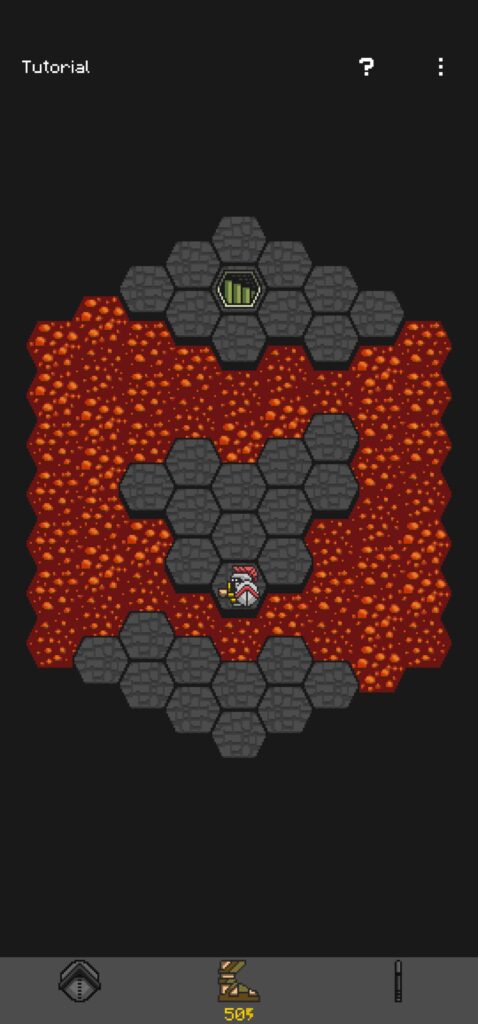
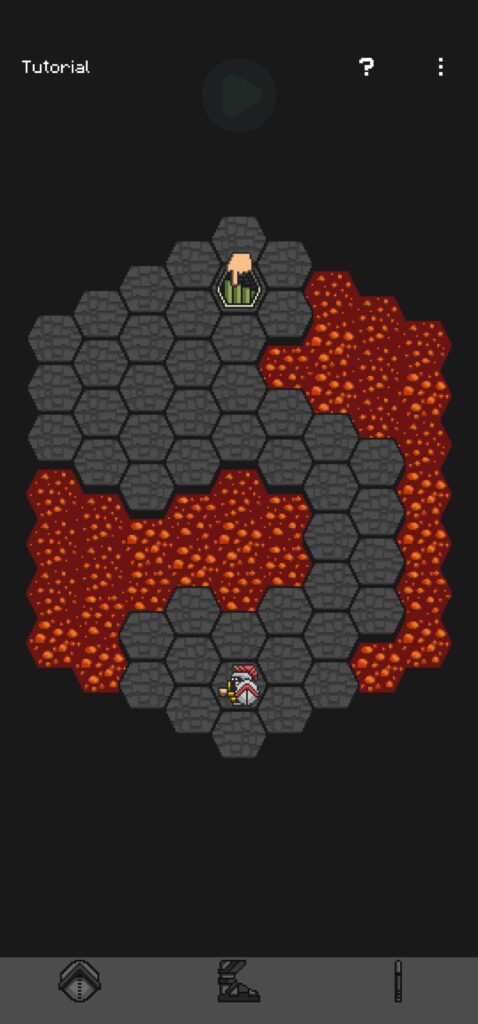
Hoplite is a turn-based strategy game built around tactical movement on compact maps. Each move matters: players must plan their route, avoid enemies and choose ability upgrades carefully.
Key features:
- Procedurally generated levels.
- Turn-based tactical combat.
- Ability upgrades and strategic choices.
- Optional Google Play leaderboards and achievements.
- Offline single-player gameplay.
Best for: Players who enjoy compact, challenging strategy games rather than fast-paced action.
Screenshots: Screenshots from the game.
7. Chess & Checkers – Best Lightweight Board Game Collection

Chess & Checkers
Developer: Cab
Price: Free
Reported APK size: 8.93 MB
QR-Code
Scan to open Google Play
Reported APK size: 8.93 MB (AppBrain snapshot; not a fixed Google Play download size). Google Play rating: 3.63/5 (1,426 ratings). Downloads: 350K+.
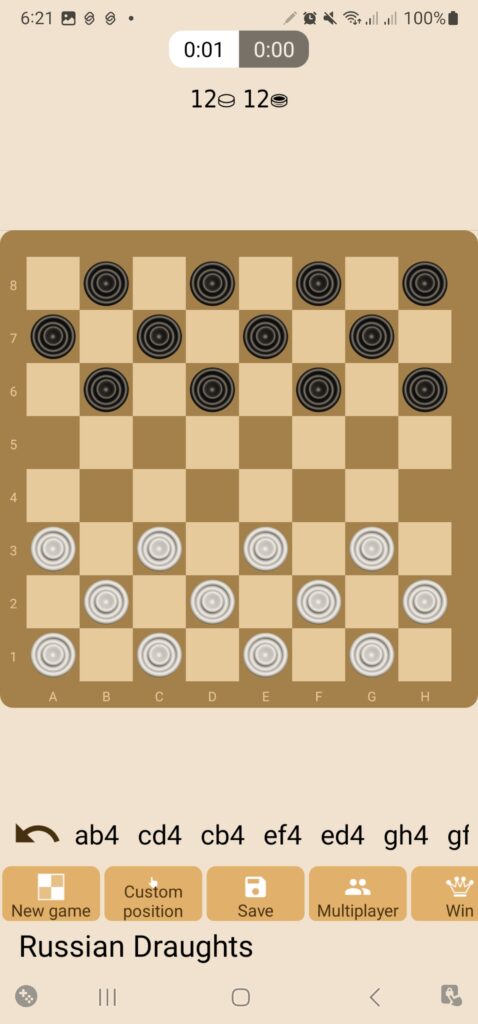
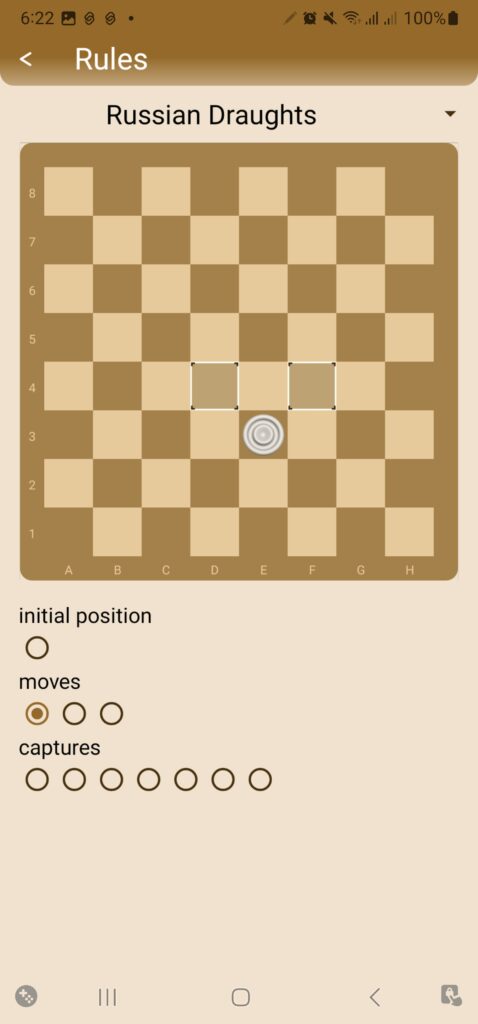
Chess & Checkers combines chess, draughts and other traditional board games in one compact app. It includes configurable AI opponents, several rule sets and offline play.
Key features:
- Chess and multiple draughts variants
- Adjustable computer opponents
- Position setup and game analysis
- Offline single-player support
Best for: Players who want several traditional board games in one small download.
Screenshots: Screenshots from the game.
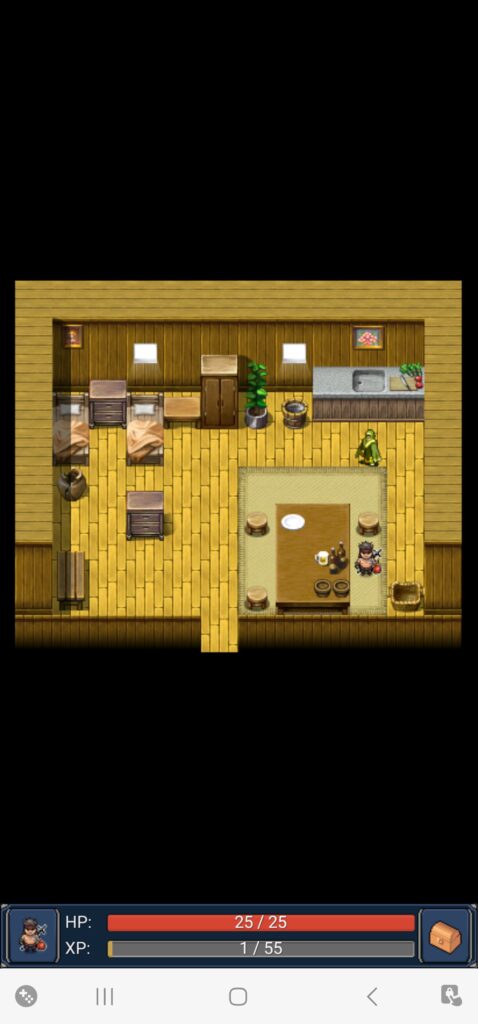
8. Andor’s Trail – Best Fantasy RPG

Andor’s Trail
Developer: AT Continued
Price: Free · No ads or in-app purchases
Google Play: 4.5/5 · 21.3K reviews · 1M+ downloads
Reported APK size: 38.28 MB
QR-Code
Scan to open Google Play
Reported APK size: 38.28 MB (Google Play package-size tracker snapshot). Genre: Quest-driven, turn-based fantasy RPG.
Andor’s Trail is an open-source fantasy RPG in which you explore the world of Dhayavar, complete quests, fight monsters and develop your character. The game includes a large map, equipment upgrades and turn-based combat.
Key features:
- Quest-driven fantasy story.
- Turn-based combat and character progression.
- Hundreds of maps and dozens of quests.
- Offline single-player gameplay; the Google Play listing says no internet access is required.
- No ads or in-app purchases, according to the developer’s Google Play listing.
Best for: Players who enjoy traditional RPG adventures, exploration and long quest lines.
Hands-on testing status: Not recorded in this draft yet.
Screenshots: Original Andor’s Trail game screenshots.
9. Unciv – Best Civilization-Style Strategy Game

Unciv
Developer: Yair Morgenstern
Price: Free
Google Play: 4.56/5 · 3.5M+ downloads
Download
QR-Code
Scan to download
Reported APK size: 26.17 MB (AppBrain snapshot)
Genre: Turn-based strategy
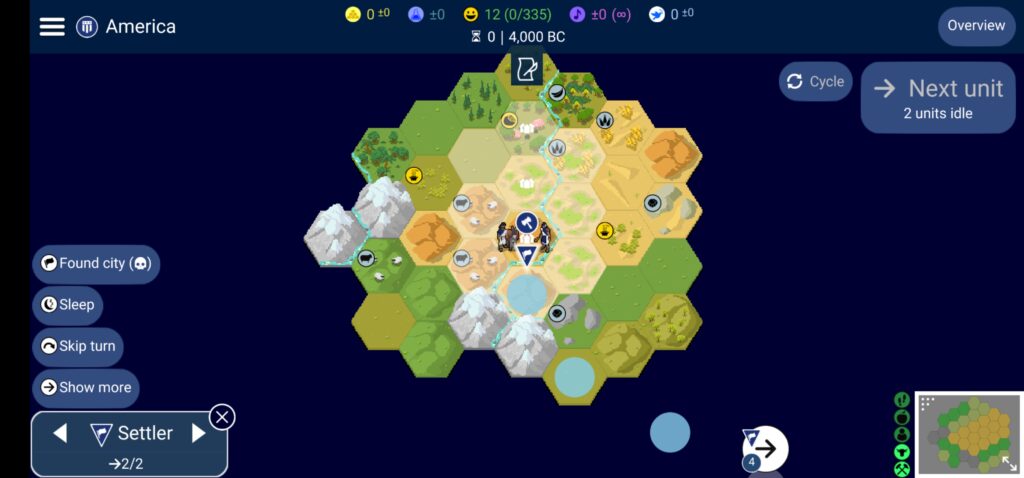
Unciv is an open-source strategy game inspired by classic civilization-building games.
Players develop settlements, research technologies, manage resources and compete against other civilizations.
Key features:
- City building.
- Technology research.
- Resource management.
- Turn-based strategy.
- Single-player gameplay.
- Optional multiplayer features.
Best for: Strategy fans who prefer thoughtful gameplay over fast action.
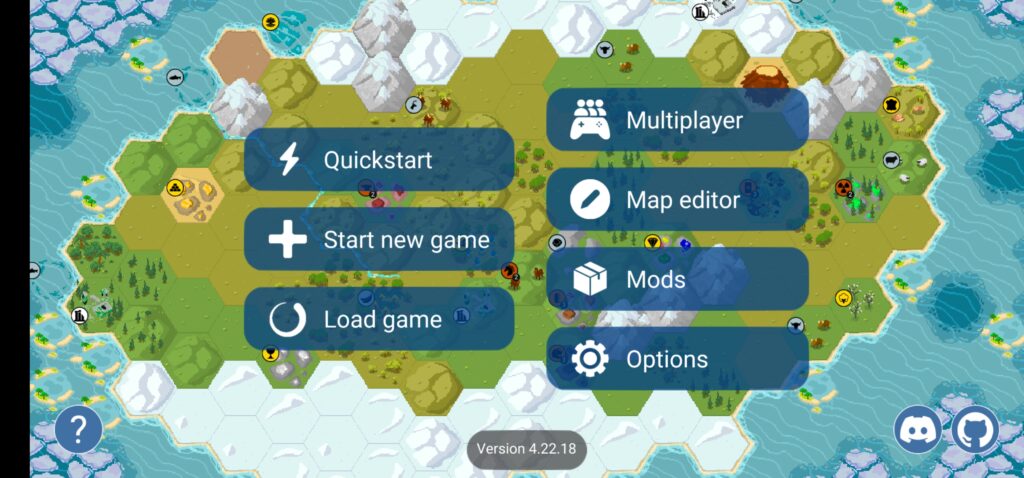
Screenshots: Screenshots from the game.
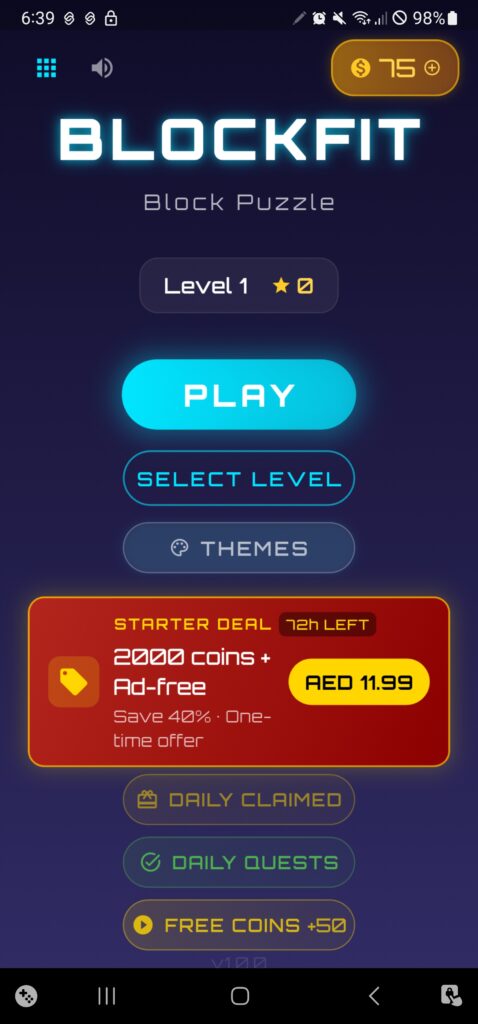
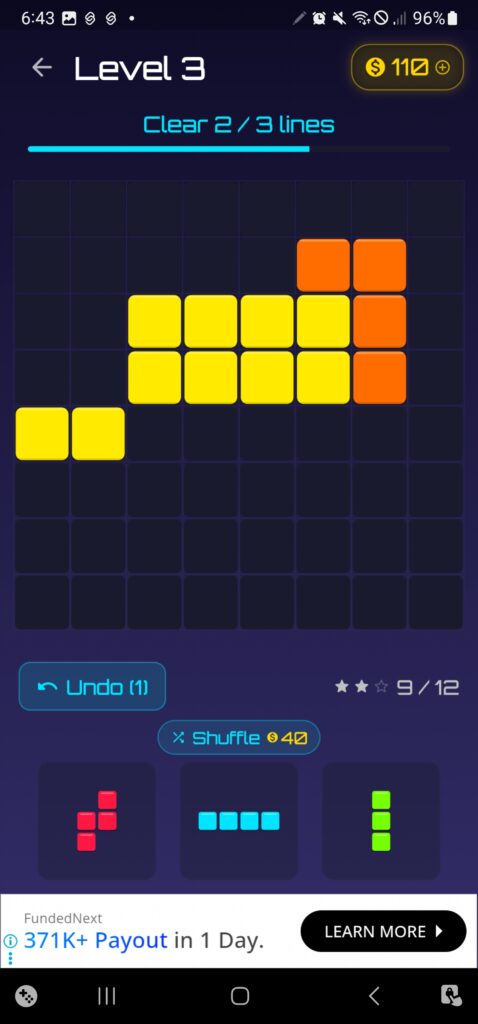
10. Block Puzzle: 200 Levels – Best Structured Block Puzzle

Block Puzzle: 200 Levels
Developer: Blockbard Studios
Price: Free
Reported APK size: 29.69 MB
QR-Code
Scan to open Google Play
Reported APK size: 29.69 MB (AppBrain snapshot; not a fixed Google Play download size). Google Play rating: No public rating data found. Downloads: 10K+.
Block Puzzle: 200 Levels offers handcrafted block-placement challenges instead of an endless high-score mode. Each level uses a different board shape and has a defined solution.
Key features:
-
- 200 handcrafted levels
-
- Diamond, cross and L-shaped boards
-
- Offline gameplay
-
- Designed puzzle challenges
Best for: Players who prefer finite puzzle levels over endless block games.
Screenshots: Screenshots from the game.
11. Sudoku – Best Lightweight Number Logic Game

Sudoku
Developer: Fassor
Price: Free
Reported APK size: 16.01 MB
QR-Code
Scan to open Google Play
Reported APK size: 16.01 MB (AppBrain snapshot; not a fixed Google Play download size). Google Play rating: 4.5/5 (42.3K Google Play reviews). Downloads: 1M+.
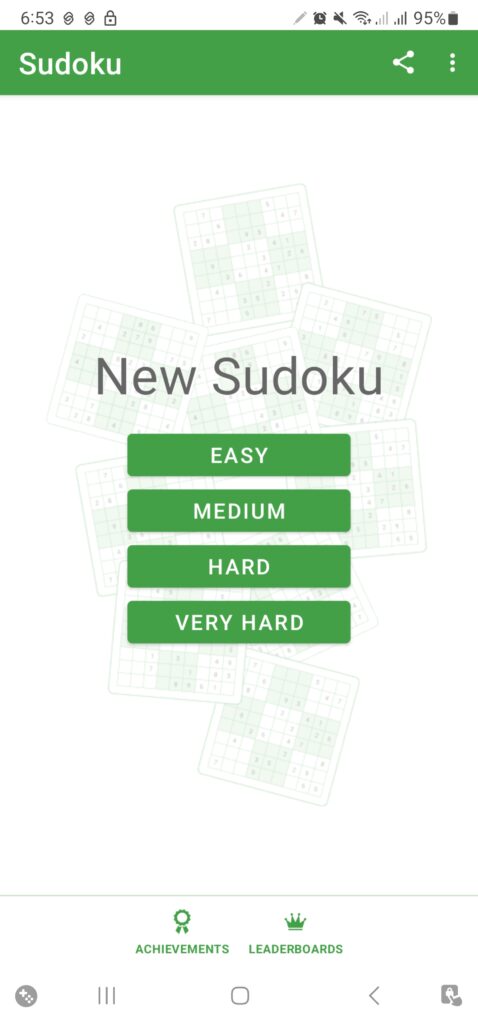
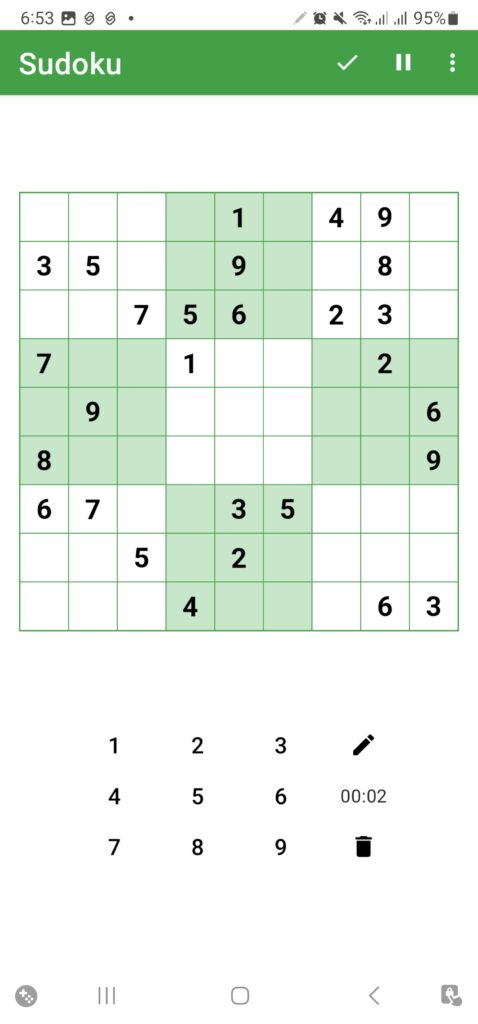
Fassor’s Sudoku app generates puzzles across four difficulty levels and supports offline play. It includes notes, automatic saving and optional assistance features.
Key features:
-
- Four difficulty levels
-
- Randomly generated puzzles
-
- Notes and optional help tools
-
- Offline gameplay and saved progress
Best for: Sudoku fans who want a small, offline number puzzle.
Screenshots: Screenshots from the game.
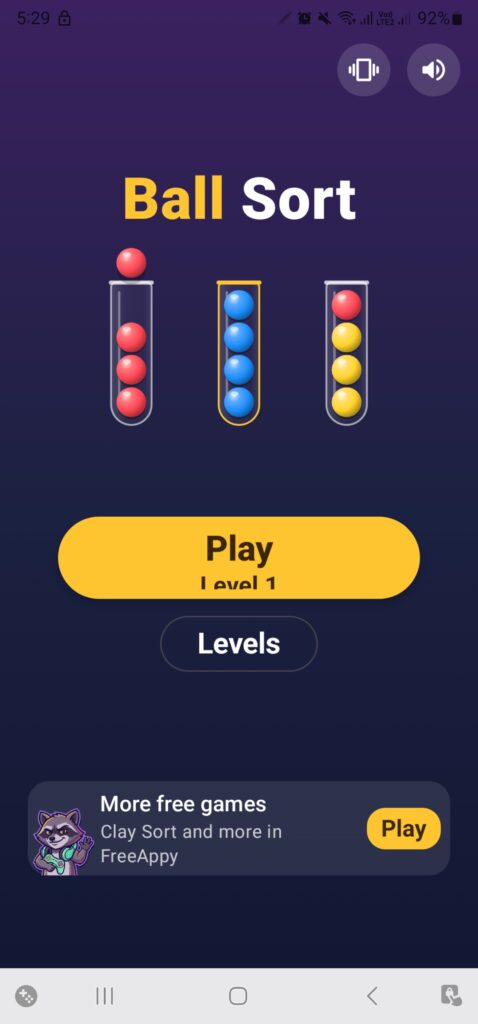
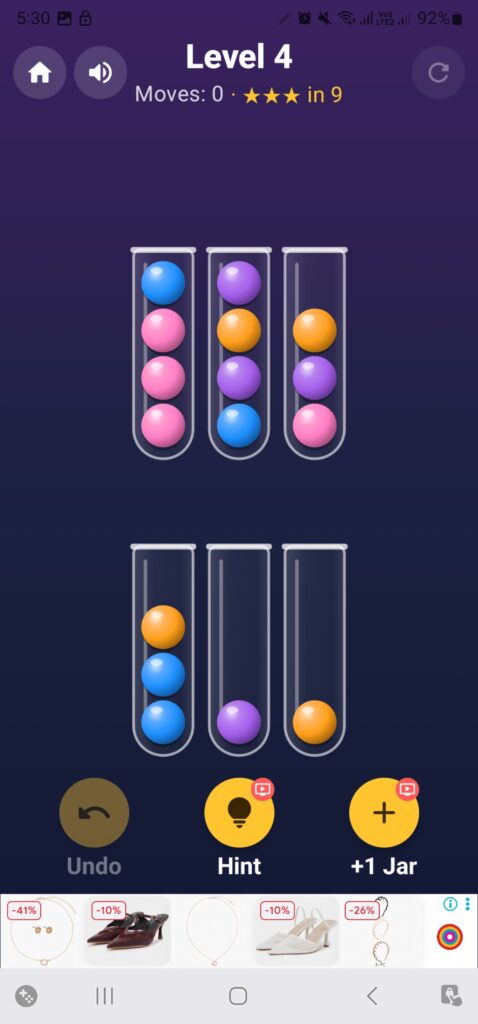
12. Ball Sort – Best Lightweight Colour Sorting Game

Ball Sort – Sorting Puzzle
Developer: Swiss Codemonkeys
Price: Free
Reported APK size: 4.75 MB
Google Play rating: 4.27/5 (3.6K ratings) · Downloads: 300K+
QR-Code
Scan to open Google Play
Reported APK size: 4.75 MB (AppBrain snapshot; actual download size can vary by device). Google Play rating: 4.27/5 (3.6K ratings). Downloads: 300K+.
Ball Sort is a colour-sorting puzzle where you move balls between jars until each jar contains a single colour. The controls are simple, but the order of moves matters as the levels become more challenging.
Key features:
-
- Colour-sorting levels
-
- Tap-based controls
-
- 500 relaxing levels listed by the developer
-
- Compact 4.75 MB APK snapshot
Best for: Players who enjoy short logic puzzles and want a very small download.
Screenshots: Original Ball Sort game screenshots.
13. Water Sort – Best Compact Water Sorting Game

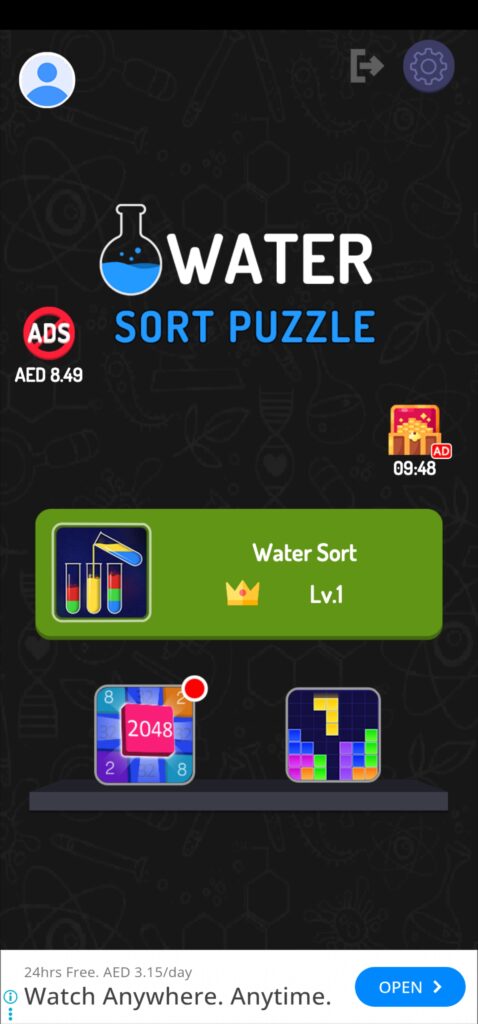
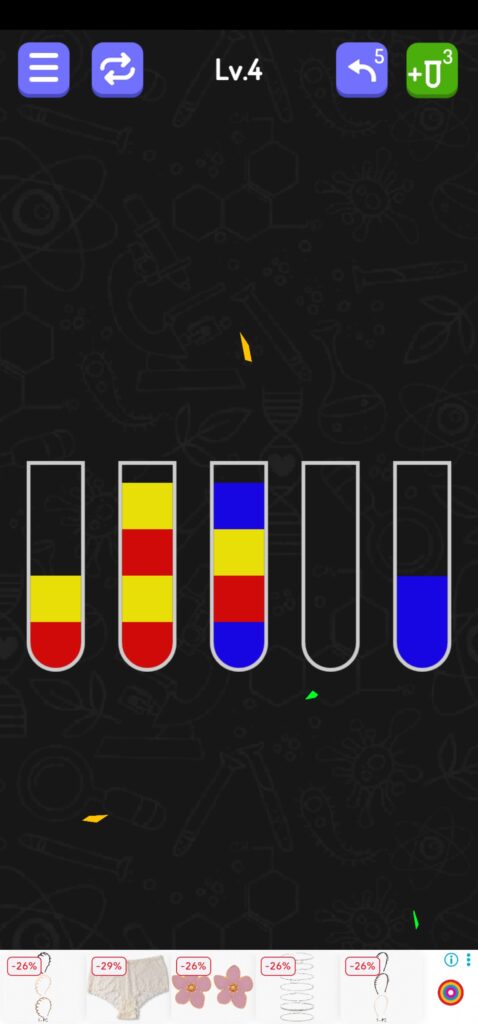
Water Sort – puzzle games
Developer: Puzzle games Studio
Price: Free
Reported APK size: 46.04 MB
Google Play rating: 4.1/5 (18.4K Google Play reviews) · Downloads: 10M+
QR-Code
Scan to open Google Play
Reported APK size: 46.04 MB (AppBrain snapshot; actual download size can vary by device). Google Play rating: 4.1/5 (18.4K Google Play reviews). Downloads: 10M+.
Water Sort is a bottle-sorting puzzle. Pour liquid between glasses until each bottle contains one colour. Google Play lists more than 3,000 levels and offline play.
Key features:
-
- More than 3,000 levels listed by the developer
-
- One-finger controls
-
- Offline single-player play
-
- No time limit or level penalty listed
Best for: Players who enjoy relaxing colour-sorting challenges.
Screenshots: Original Water Sort game screenshots.
14. Bubble Shooter Classic – Best Bubble Game

Bubble Shooter Classic – Best Bubble Game
Developer: Fun Bubble Shooter Games
Price: Free
APK size reference: 40.94 MB (AppBrain APK snapshot)
Google Play rating: 4.2/5 · Downloads: 5M+
QR-Code
Scan to open Google Play
Genre: Arcade puzzle
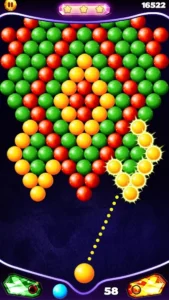
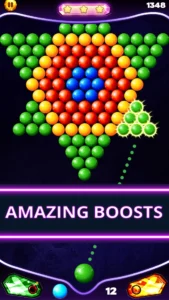
Bubble Shooter Classic involves aiming and shooting coloured bubbles to create matching groups.
Key features:
-
- Colour-matching gameplay.
-
- Simple aiming controls.
-
- Multiple levels.
-
- Short gaming sessions.
-
- Casual entertainment.
Best for: Players who enjoy traditional bubble-shooting games.
Screenshots: Original Bubble Shooter Classic gameplay screenshots added by TrickExprt.
15. Tic Tac Toe – Another One! – Best Lightweight Two-Player Game

Tic Tac Toe – Another One!
Developer: Escogitare
Price: Free
Reported APK size: 11.38 MB
QR-Code
Scan to open Google Play
Reported APK size: 11.38 MB (AppBrain snapshot; not a fixed Google Play download size). Google Play rating: 5.0/5 (17.1K Google Play reviews). Downloads: 1M+.
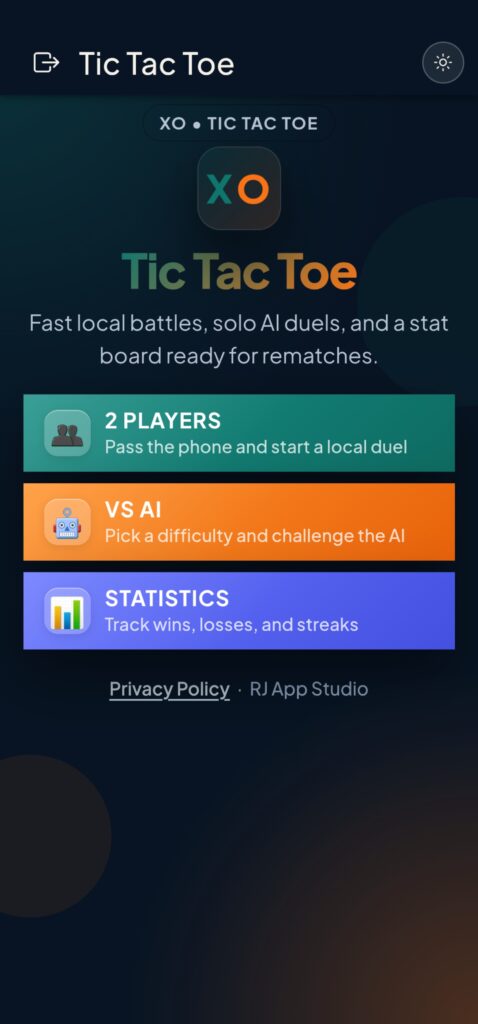
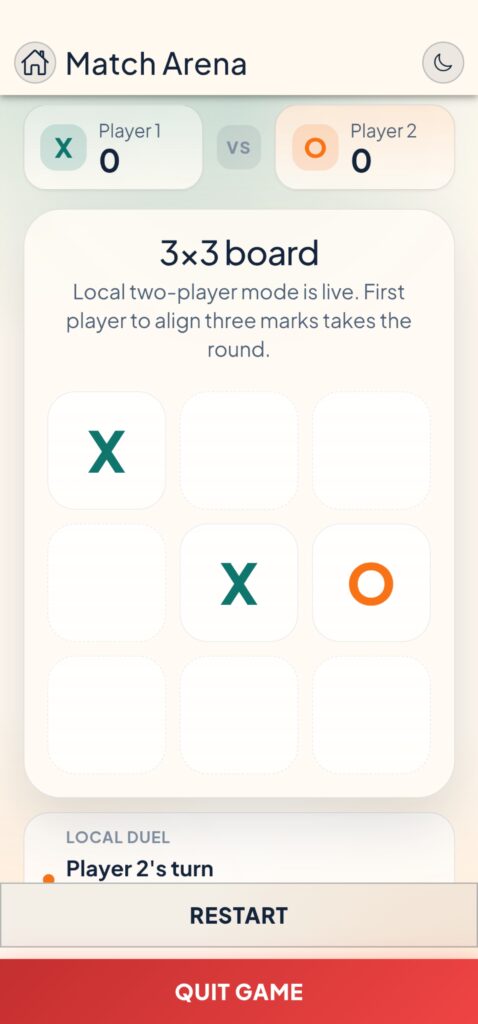
Tic Tac Toe – Another One! brings the familiar noughts-and-crosses game to Android. It supports one-player and two-player matches on the same device.
Key features:
-
- One-player and two-player modes
-
- Simple touch controls
-
- Classic X and O rules
-
- Small download
Best for: Players looking for quick local matches.
Screenshots: Screenshots from the game.
Best Offline Games Under 50MB
Not every small game is genuinely offline. Some applications require internet access for account verification, advertisements, multiplayer features or additional resources.
Here are useful offline-focused choices to investigate:
| Game | Offline suitability |
|---|---|
| Simon Tatham’s Puzzles | Full offline |
| 2048 | Offline |
| Pixel Dungeon | Offline |
| Shattered Pixel Dungeon | Offline |
| Andor’s Trail | Offline |
| Unciv | Single-player offline |
| DroidFish Chess | Offline chess |
| Mekorama | Check current version |
| Snake ’97 | Check current version |
| Minesweeper Classic | Check current version |
How to verify offline gameplay:
-
- Install the game using a normal internet connection.
-
- Open it once and complete any initial setup.
-
- Close the game completely.
-
- Enable Airplane Mode from Android Quick Settings.
-
- Make sure Wi-Fi and mobile data are also disabled.
-
- Reopen the game.
-
- Try entering a level and playing for at least 10 minutes.
-
- Check whether the game displays an internet connection requirement.
A game should only be labelled fully offline if its main menu and core gameplay work without an internet connection. Optional multiplayer and cloud features should be listed separately.
Best Games Under 50MB for Low-End Android Phones
A small download does not automatically mean a game will run smoothly on every budget smartphone.
Performance also depends on the processor, RAM, Android version, graphics requirements and background applications.
These are useful lightweight candidates:
| Game | Reported APK size | Why consider it? |
|---|---|---|
| Ball Sort | 4.75 MB | Short colour-sorting puzzles |
| Simon Tatham’s Puzzles | 5.04 MB | A collection of logic puzzles |
| 2048 Original | 5.22 MB | Simple number-merging gameplay |
| Hoplite | 5.49 MB | Turn-based tactical strategy |
| Chess & Checkers | 8.93 MB | Traditional board games |
| Dr. Driving | 14.15 MB | Driving missions and parking challenges |
| Sudoku | 16.01 MB | Number puzzles with difficulty levels |
| Shattered Pixel Dungeon | 28.97 MB | Turn-based roguelike RPG |
How to improve game performance
Follow these steps before launching a game:
-
- Open Settings on your Android phone.
-
- Go to Battery.
-
- Check whether Battery Saver is restricting performance.
-
- Close unnecessary background applications.
-
- Open Settings > Apps > [Game Name] > Storage.
-
- Check available storage.
-
- Restart your phone if the game continues to lag.
Menu names can vary between Samsung, Xiaomi, Redmi, OPPO, Vivo and other Android devices.
Avoid using aggressive RAM-cleaner applications. They do not guarantee better gaming performance and can interfere with background processes.
How to Check a Game’s Actual Installed Size
One of the biggest mistakes in lightweight-game lists is treating download size and installed size as the same measurement. If your phone is running low on space, see our guide to freeing up Android storage without deleting important files.
Google Play can deliver device-specific app packages. Android then installs the required files, and some games download additional resources after their first launch.
For this reason, a game advertised as a 40MB download may occupy more than 50MB after installation.
Step 1: Check the download size
-
- Open Google Play Store.
-
- Search for the game.
-
- Open its official listing.
-
- Expand the app information.
-
- Check the available download-size information.
Step 2: Check the installed size
After installing the game:
-
- Open Settings.
-
- Select Apps or Apps & notifications.
-
- Find the installed game.
-
- Tap Storage or Storage & cache.
-
- Record the application and data storage figures.
On some phones, the exact storage breakdown appears under Settings > Storage > Apps.
Step 3: Check additional game data
-
- Launch the game.
-
- Complete its initial setup.
-
- Allow any required resource downloads.
-
- Close the game.
-
- Return to its app-storage screen.
-
- Record the updated storage usage.
Step 4: Compare the results
Use this simple formula:
Additional storage = Storage after first launch − Storage immediately after installation
This helps identify games that require more space than their initial download suggests.
Remember that cache can fluctuate, so record app size, user data and cache separately when possible.
How to Fix Android Game Download and Installation Problems
Even small games can fail to download or install because of insufficient storage, Play Store errors, network problems or Android compatibility restrictions.
Try these solutions in order.
1. Game Download Stuck on Google Play Store
Symptoms:
-
- Download remains at 0%.
-
- Progress bar does not move.
-
- Download stays pending.
-
- Other apps also fail to download.
Fix:
-
- Check your Wi-Fi or mobile data connection.
-
- Pause other active downloads.
-
- Restart Google Play Store.
-
- Restart your Android phone.
-
- Try downloading the game again.
If the problem continues:
-
- Open Settings > Apps > Google Play Store.
-
- Select Storage & cache.
-
- Tap Clear cache.
-
- Reopen Google Play Store.
Avoid clearing Play Store data unless necessary, because it may reset certain app preferences.
2. Not Enough Storage Space
Symptoms:
-
- Google Play reports insufficient storage.
-
- Installation fails despite a small download size.
-
- Android displays a storage warning.
Fix:
-
- Open Settings > Storage.
-
- Check available internal storage.
-
- Remove unnecessary downloaded files.
-
- Delete unused applications.
-
- Review large videos and duplicate photos.
-
- Clear temporary cache where appropriate.
-
- Restart your phone and retry installation.
Important: Do not delete a game’s app data if you want to preserve locally saved progress.
3. App Not Installed Error
Possible causes:
-
- Insufficient storage.
-
- Incompatible Android version.
-
- Conflicting package signature.
-
- Corrupted installation package.
-
- Restricted installation source.
Fix:
-
- Remove any incomplete installation.
-
- Check available internal storage.
-
- Restart the device.
-
- Update Google Play Store.
-
- Open the official game listing.
-
- Install the game directly through Google Play.
If you previously installed a modified or unofficial APK, its signature may conflict with the official application. Back up any important game progress before uninstalling.
4. This App Isn’t Compatible With Your Device
Symptoms:
-
- Install button is unavailable.
-
- Play Store displays an incompatibility message.
-
- The game does not appear in search results on your phone.
Fix:
-
- Open Settings > About phone.
-
- Check your Android version.
-
- Open Settings > System > Software update, where available.
-
- Install supported system updates.
-
- Reopen Google Play Store.
-
- Check the game’s official compatibility information.
An application developer determines which devices and Android versions are supported. Changing your phone’s region or downloading an unofficial APK does not guarantee compatibility.
5. Game Crashes Immediately After Opening
Symptoms:
-
- Game closes after the splash screen.
-
- Screen becomes black.
-
- App repeatedly returns to the home screen.
Fix:
-
- Restart your phone.
-
- Check for game updates.
-
- Check for Android system updates.
-
- Open Settings > Apps > [Game Name].
-
- Select Force stop.
-
- Open Storage & cache.
-
- Clear cache.
-
- Reopen the game.
If the issue continues, contact the developer or check its support information.
Do not clear app data without checking whether your game progress is backed up.
6. Game Requires an Internet Connection
Some games work offline only after the first launch or require a connection for login and additional resources.
Fix:
-
- Connect to stable Wi-Fi.
-
- Launch the game.
-
- Complete initial setup.
-
- Download required resources.
-
- Sign in if the game requires an account.
-
- Close the game.
-
- Test it again in Airplane Mode.
If the game still refuses to open without internet, it should not be advertised as fully offline.
7. Game Downloads Additional Files After Installation
Some games use a small initial application package but download extra assets after installation.
Fix:
-
- Connect to Wi-Fi.
-
- Open the game.
-
- Wait for all required downloads.
-
- Check the game’s storage usage.
-
- Restart the game.
-
- Record its final storage footprint.
Do not assume that a small Play Store download guarantees a small total installation.
8. Game Is Not Available in Your Country
Possible causes:
-
- Regional restrictions.
-
- Developer availability settings.
-
- Device compatibility.
-
- Application removal.
What to do:
-
- Search for the exact game title in Google Play.
-
- Verify the developer.
-
- Open the official game listing through a trusted source.
-
- Check whether your device is supported.
-
- Contact the developer if the listing remains unavailable.
Avoid downloading modified APK files from unknown websites simply to bypass regional restrictions.
Are Games Under 50MB Safe to Download?
A small file size does not guarantee that an application is safe.
Before installing any Android game, check these details:
-
- Developer: Confirm the developer’s name.
-
- Google Play listing: Prefer the official application listing.
-
- Permissions: Check whether requested permissions make sense for the game.
-
- Reviews: Look for repeated complaints about suspicious behaviour.
-
- Updates: Check whether the application is maintained.
-
- Play Protect: Keep Google Play Protect enabled.
-
- APK sources: Avoid modified APKs and unknown download mirrors.
How to verify a game before installing
-
- Open Google Play Store.
-
- Search for the game.
-
- Confirm the developer name.
-
- Review the application description.
-
- Check recent user reviews.
-
- Examine its Data safety information.
-
- Tap Install only after verifying the listing.
Never assume that every application with the same game name is the original version.
E-E-A-T: Hands-on Testing and Editorial Disclosure
- Download size: Record the current store download size.
- Installed size: Check Android app-storage usage after installation.
- Additional data: Recheck storage after first launch.
- Offline functionality: Test core gameplay with Wi-Fi and mobile data disabled.
- Compatibility: Record the tested Android version and device.
- Performance: Observe loading, lag, frame drops and unexpected crashes.
- Advertisements: Identify forced ads and optional rewarded ads.
Verification status: The third-party size figures in this guide are research references, not independent TrickExprt laboratory measurements. This draft does not claim that all 15 games have been independently tested on the same device. Reported file sizes are third-party reference snapshots, not measurements from TrickExprt’s own device. Add a hands-on result only after the game has actually been installed and checked.
Last updated: November 10, 2026. Recheck current Google Play details and package-size references before publication.
Our objective is to recommend games based on accurate storage information and genuine usability rather than promising that every game will work identically on every Android phone.
Frequently Asked Questions
1. What is the best game under 50MB for Android?
Simon Tatham’s Puzzles is a strong choice for puzzle lovers because it offers multiple logic games in a small package. Pixel Dungeon is another option for players who enjoy RPG gameplay.
2. Which Android games under 50MB work offline?
Simon Tatham’s Puzzles, Pixel Dungeon, Shattered Pixel Dungeon, Andor’s Trail and Unciv are notable offline-focused options. Some games may require internet for optional features or first-time setup.
3. Can I play games under 50MB on a 2GB RAM phone?
Many simple puzzle and arcade games can run on lower-specification devices. However, compatibility depends on the game’s Android requirements, processor and available memory.
4. Are all games under 50MB free?
No. Some lightweight games are free, while others may include paid versions, in-app purchases or advertisements. Check the current Google Play listing before installing.
5. Why does a 40MB game occupy more than 50MB after installation?
The download package may be compressed. Android extracts the required files during installation, and the game may download additional resources or create cache files after launch.
6. Which games under 50MB have no advertisements?
Simon Tatham’s Puzzles, Andor’s Trail and Unciv are reported as ad-free options. Always verify the current version and developer before installing.
7. How can I find the smallest Android games?
Search Google Play for lightweight puzzle, board and arcade games. Compare download size, installed storage and additional game data instead of relying on the initial download figure alone.
8. Can I download Android games under 50MB without Google Play?
Some developers provide official downloads outside Google Play. Only use a developer’s verified distribution channel, and avoid modified APKs from unknown sources.
9. Do lightweight games use less battery?
Not necessarily. Simple 2D games may use fewer resources than demanding 3D games, but battery consumption also depends on screen brightness, processor activity, advertisements and network usage.
10. How much free storage should I keep before installing a small game?
Keep enough space for the download, installation and any additional game data. There is no universal amount because different games use different installation methods and resource packages.
Final Verdict
Lightweight Android games are useful for users who want casual entertainment without installing large applications. However, the smallest download is not always the best gaming experience.
For puzzle lovers, Simon Tatham’s Puzzles and 2048 are worth considering. You can also explore our guides to Meowdoku brain puzzle games, Block Blast tips and tricks and Arrow Puzzle for Android. RPG fans can investigate Andor’s Trail and Shattered Pixel Dungeon, while strategy enthusiasts may prefer Unciv or Hoplite.
Before installing any game, check its current download size, installed storage, offline functionality and Android compatibility. If you are looking beyond lightweight downloads and prefer story-driven or life-simulation titles, see our guide to games like Summertime Saga for Android.
The best lightweight game is not simply the one with the smallest file. It is the one that delivers enjoyable gameplay, reliable performance and genuine value for the storage it occupies.