TrickExprt Android Apps, Games, Software & Tech Guides
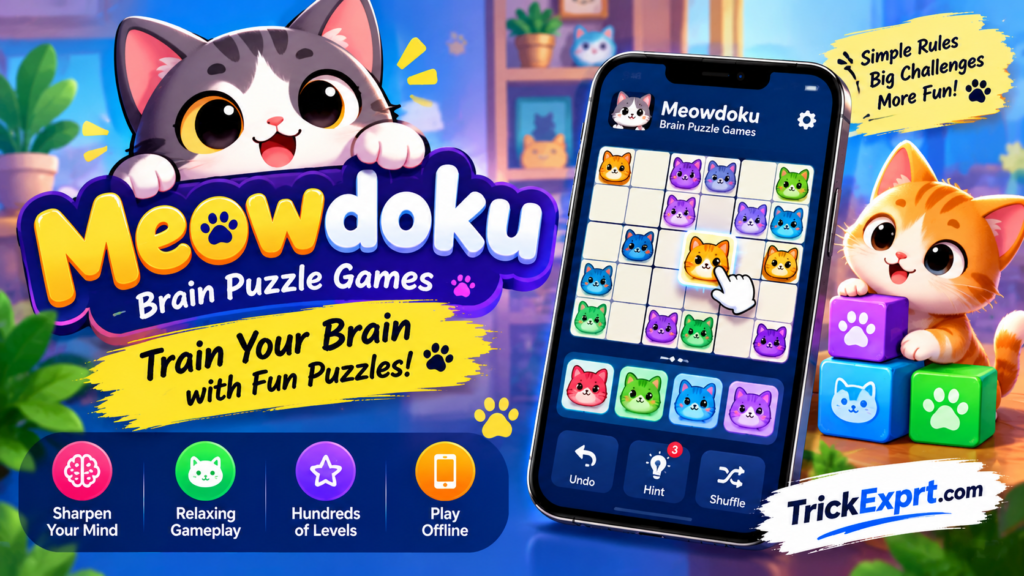
If you enjoy logic puzzles, Sudoku-style challenges and cute cat characters, Meowdoku: Brain Puzzle Games offers a different kind of mobile puzzle experience.
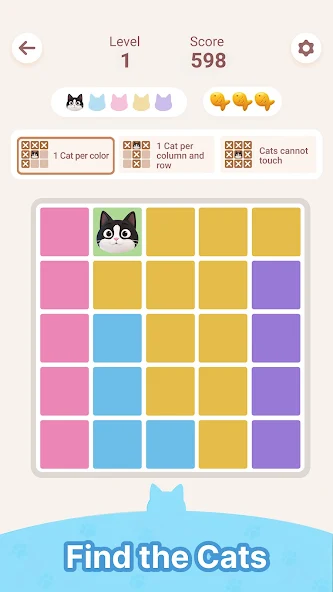
The game combines grid-based logic with rules about placing cats in different regions. Instead of relying entirely on quick reactions, players need to examine the board and eliminate impossible placements.
What Is Meowdoku?
Meowdoku is a puzzle game published by Oakever Games. Its official Google Play listing describes a logic-based game that combines ideas associated with Sudoku and Minesweeper.
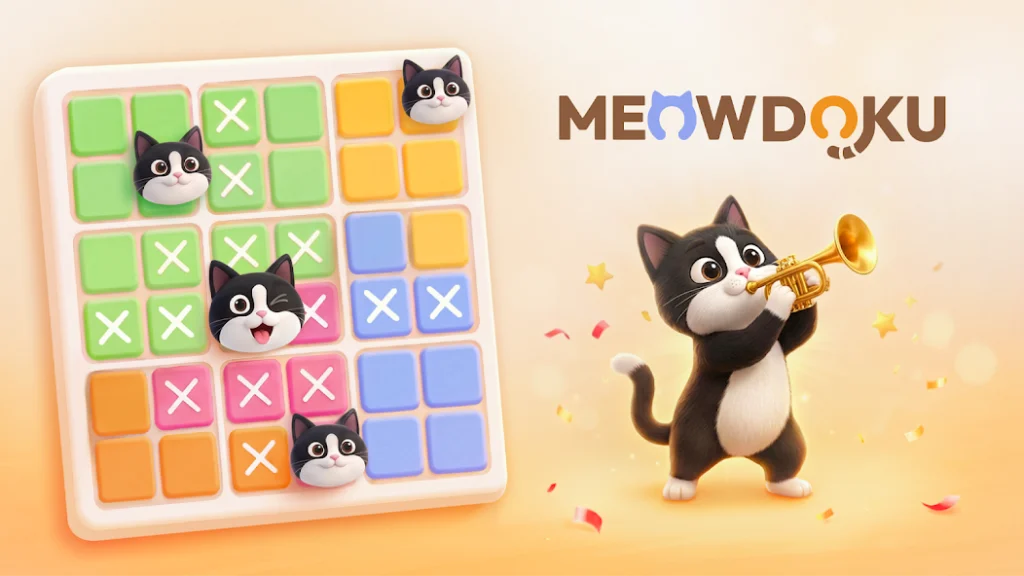
The objective is to place cats according to the board’s rules while avoiding conflicts between rows, columns, neighbouring tiles and coloured regions.
Main Features
1. Grid-Based Logic
Players study the board and determine where each cat can be placed without breaking the rules.
2. Coloured Regions
The board contains coloured sections. The official instructions specify that each region must contain exactly one cat.
3. No-Contact Rule
Cats cannot share a row or column, and they cannot touch one another diagonally or directly.
4. Daily Puzzles
The listing advertises daily challenges, giving players a reason to return and practise their reasoning.
5. Offline Play
The official listing labels the game as playable offline. Online features such as leaderboards may require a connection.
6. Mistake Limits
The game’s description refers to a limited number of mistakes. Learn the current rules displayed in your version before starting a puzzle.
How to Download Meowdoku on Android
- Open Google Play Store.
- Search for “Meowdoku: Brain Puzzle Games”.
- Verify the publisher is Oakever Games.
- Review the listing and compatibility details.
- Tap Install.
- Open the game and follow the tutorial.
Official listing: Meowdoku: Brain Puzzle Games on Google Play. Check the publisher and compatibility information before installing.
Beginner Tips for Solving Puzzles
Start With the Most Restricted Region
Look for a row, column or coloured region with very few possible positions. These areas often provide the clearest starting point.
Example: If a coloured region has only one remaining tile that does not share a row or column with an existing cat and does not touch another cat, that tile is the only legal placement for the region. Place it, then recheck the affected row, column and neighbouring tiles before making the next move.
Eliminate Impossible Placements
If placing a cat would create a row, column or neighbouring conflict, rule out that tile.
Check Diagonal Neighbours
Do not check only horizontal and vertical positions. The no-contact rule also includes diagonal neighbours.
Recheck the Whole Board
After placing a cat, examine the surrounding rows, columns and region before continuing.
Avoid Random Guessing
Use the available clues to narrow down valid positions. Guessing may waste your limited mistakes.
Is Meowdoku Good for Short Sessions?
The game is a single-player logic puzzle, making it suitable for players who prefer thinking challenges over fast action. Its appeal depends on whether you enjoy rule-based grid puzzles.
Frequently Asked Questions
Is Meowdoku free?
Check the official store listing for the current price, advertisements and in-app purchases.
Can I play Meowdoku offline?
The official listing identifies it as an offline game, although some connected features may need internet access.
Is Meowdoku similar to Sudoku?
Both involve logical placement, but Meowdoku uses its own region and no-contact rules.
Is it available on Android?
It has an official Google Play listing. Device and regional availability may vary.
Final Verdict
Meowdoku is worth trying if you enjoy thoughtful grid puzzles with a cat-themed design. Learn the placement rules first, eliminate impossible positions and use logical deduction rather than random moves.