 TrickExprt Android Apps, Games, Software & Tech Guides
Install the ChatGPT app from Google Play: search for “ChatGPT”, check that OpenAI is the publisher, and tap Install. The app runs on Android 7.0 or newer, and OpenAI’s Android help pages offer no APK file. This guide shows how to install the app, how to spot fake copies, and how to fix the login problems OpenAI documents. Last checked: 31 October 2026.
Quick facts about the ChatGPT Android app
| Item | Detail |
|---|---|
| App name | ChatGPT |
| Publisher | OpenAI |
| Package name | com.openai.chatgpt |
| Install from | Google Play listing |
| Minimum Android | Android 7.0 or newer, with Google Play |
| Price | Free to install; paid plans are optional |
| Internet | Required |
| Official website | chatgpt.com |
| Last checked | 31 October 2026, against the OpenAI Help Center |
How to install the ChatGPT app from Google Play
Follow these steps on your Android phone or tablet:
- Open the Google Play Store.
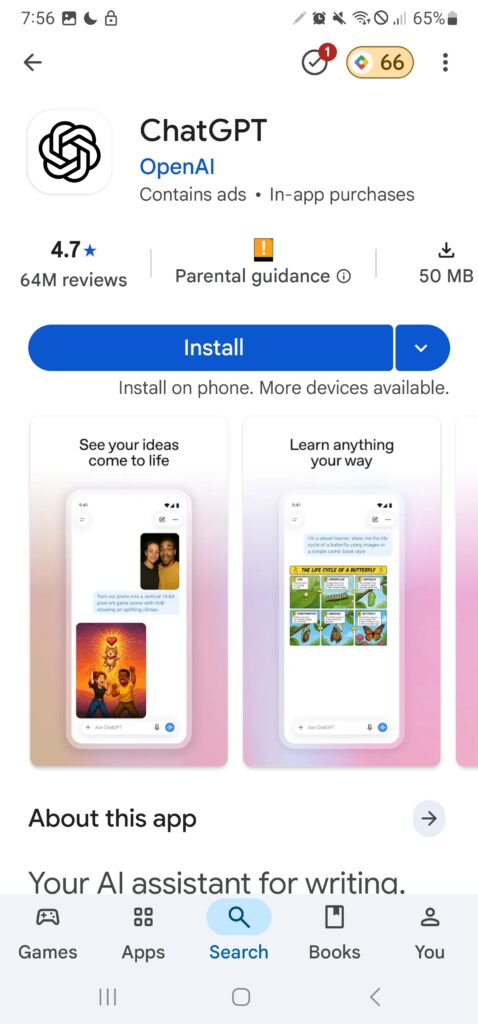
- Search for “ChatGPT”, or open the official Google Play listing directly.
- Check that the publisher is OpenAI. OpenAI tells users to download the app “published by OpenAI”.
- Tap Install and wait for the download to finish.
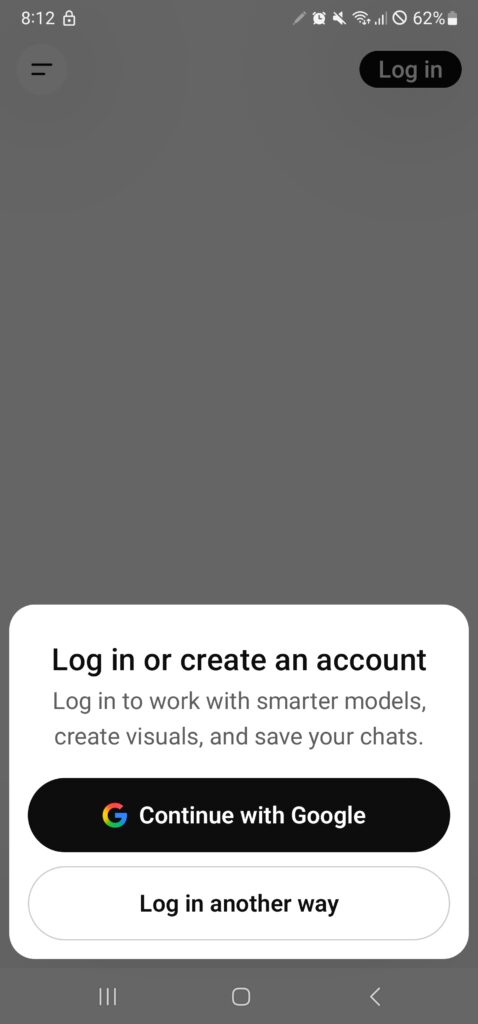
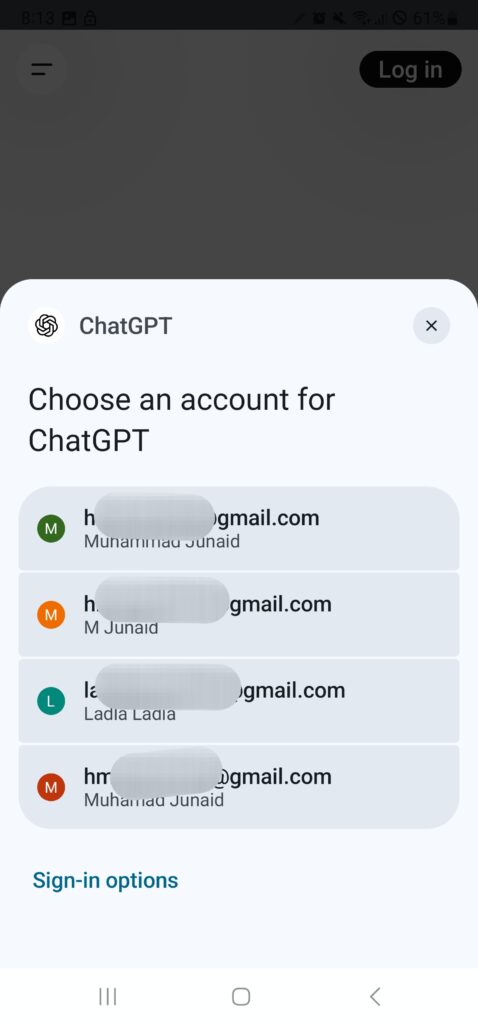
- Tap Open, then sign in or create your account.
- Confirm the install: open the sidebar, tap your profile icon, then tap About. The app version appears there.
No Install button? OpenAI may not support your country, device or Android version. Its list includes the United Arab Emirates, Pakistan, India, Saudi Arabia, the United Kingdom and the United States (checked 31 October 2026). Check the full list in OpenAI’s supported countries article. The fixes section below covers other causes.
How to tell the real ChatGPT app from a fake
Google Play search can show apps with similar names and icons. Check these four things before you tap Install:
- Publisher. The listing must name OpenAI.
- Package name. The official listing address ends with
id=com.openai.chatgpt. Compare it with the address you opened. - Your route. Open the listing from the link in this guide or from OpenAI’s install page. Skip links from messages, ads and pop-ups.
- The promise. A third-party app cannot unlock ChatGPT’s paid features for free. Treat “free premium”, “unlimited credits” and “mod” labels as warning signs.
Keep Google Play Protect on as a second layer. Open the Play Store, tap your profile icon, tap Play Protect, then Settings, and turn on Scan apps with Play Protect. Google says Play Protect is on by default. You can read how it works on Google’s Play Protect page.
Is there an official ChatGPT APK?
No. OpenAI’s Android help pages list Google Play as the way to install the app, and none of them offers an APK file (checked 31 October 2026).
Other websites still share files labelled “ChatGPT APK”. Treat every one of them as unverified, for two reasons:
- A file name does not tell you who built the file.
- Google Play Protect checks apps before you download them from the Play Store. A file from a random website skips that check.
Already installed an APK from a website? Uninstall it, change your OpenAI account password if you signed in through it, and run a Play Protect scan.
No Google Play on your device? Open chatgpt.com in your phone’s browser instead.
Sign in without errors
OpenAI’s Android app FAQ says the app tries to log you in through Chrome or Brave, and it shows an error if your phone has neither browser. OpenAI recommends Google Chrome as your default browser to fix common login problems.
To set it, open your phone’s default-apps settings and choose Chrome as the browser app. If login still fails, check the fixes section below.
Use ChatGPT for real Android problems
Generic prompts waste your time. Try these tasks instead. Each one fits an Android phone, and each links to a guide on this site for when the AI answer falls short.
| Problem | Prompt to try | Backup guide |
|---|---|---|
| Install error | “My Samsung phone says ‘App not installed’ after I open an APK. List the five most likely causes, most common first, and how to check each one.” | App Not Installed error: 11 fixes |
| Play Store stuck | “Google Play shows ‘Download pending’ on Android 13. Give me the order to try fixes, starting with the quickest.” | Fix Google Play download pending |
| Full storage | “Explain which Android storage categories I can clear safely and which ones I should leave alone.” | Free up storage without deleting files |
| App crashes | “An app closes right after I open it. Which settings and checks can I try without rooting my phone?” | Fix apps crashing on Android |
| Battery drain | “Build a 7-day plan to find which apps drain my battery fastest.” | Increase battery life on Android |
| Play services errors | “Google Play services keeps stopping on my phone. What should I check first?” | Google Play services keeps stopping |
ChatGPT can sound sure and still be wrong. Check any menu path on your own phone before you follow it, because Android menus differ between brands and versions.
The app also offers voice mode and file uploads. Your plan sets the limits (see the plans section below).
Free and paid plans on Android
ChatGPT works on a free account. OpenAI also sells paid plans. Its help page for ChatGPT Go says Go includes everything in Free, plus higher limits for image generation, file uploads and advanced data analysis, longer memory, and access to projects, tasks and custom GPTs. Voice mode keeps the same limits as Free. Some advanced features need Plus or another eligible plan. OpenAI says Go is available in every country where ChatGPT is supported.
You can subscribe through the Play Store. OpenAI says the upgrade can take a few minutes to appear in the app.
This guide lists no prices, because they change. OpenAI bills in USD and offers local-currency billing in only a limited set of countries, so check the ChatGPT pricing page for your region before you pay.
Privacy and data controls in the Android app
OpenAI’s Android app FAQ documents these controls. Use this table to find them fast.
| Task | Where to tap | Good to know |
|---|---|---|
| Check your app version | Sidebar → profile icon → About | The version appears under “ChatGPT for Android”. |
| Find or delete a chat | Search in the sidebar. To delete, open the chat → three-dot menu → Delete | Search first, so you delete the right chat. |
| Export your data | Profile icon → Data Controls → Export Data → confirm | OpenAI emails you a ZIP file. The link expires after 24 hours. |
| Delete your account | Profile icon → Data Controls → Delete OpenAI account → confirm | Deletion is permanent. OpenAI deletes your data within 30 days, except where the law requires or permits longer retention. |
Location: the app does not collect precise location by default. It collects precise location only if you turn on precise location sharing. OpenAI generally collects IP addresses, which can show your country, state and city.
For chat history and training controls, OpenAI’s Android FAQ points to its Data Controls FAQ. Never type passwords, banking details or ID numbers into any chat.
Fix common ChatGPT problems on Android
| Problem | Fix | Read more |
|---|---|---|
| “Something went wrong” at login | OpenAI says an out-of-date Play Store can cause this. Update the Play Store (profile icon → Settings → About → Play Store version), wait a few minutes, and try again. | OpenAI’s Android FAQ |
| Login page will not open | Install Google Chrome and set it as your default browser. The app tries Chrome or Brave and shows an error when your phone has neither. | OpenAI’s Android FAQ |
| No Install button | Check that your phone runs Android 7.0 or newer with Google Play, and check OpenAI’s supported countries. If neither fixes it, open chatgpt.com in your browser. | Minimum requirements |
| Download stuck on “Pending” | Work through the Play Store fixes in our guide. | Fix Google Play download pending |
| Install fails or storage is full | Free up space first, then install again. | Free up storage without deleting files |
| Google Play services keeps stopping | Follow the Play services steps in our guide. | Google Play services keeps stopping |
| The app crashes after opening | Update the app, restart the phone, then try our crash checklist. | Fix apps crashing on Android |
ChatGPT app or browser: which should you use?
| Feature | Android app | Browser (chatgpt.com) |
|---|---|---|
| Install | Needs Google Play and Android 7.0 or newer | Nothing to install |
| Updates | Through Google Play | Automatic on the website |
| Sign-in | Through Chrome or Brave, per OpenAI’s FAQ | In the browser tab you already use |
| Quick access | App icon | Browser shortcut on your home screen |
| Best for | Daily use | Phones without Google Play, or one-off use |
Features can differ between the app and the website. Compare them on your own account before you decide.
My test on a real Android phone
I installed ChatGPT on a Samsung Galaxy Note 20 Ultra 5G running Android 13 on 31 October 2026. Here is what I saw:
Install time and connection | Around 7 AM, on mobile data
App size in Google Play | 49.58 MB
Sign-in method | I signed in with my Google account
App version (sidebar → profile icon → About) | 1.2026.293
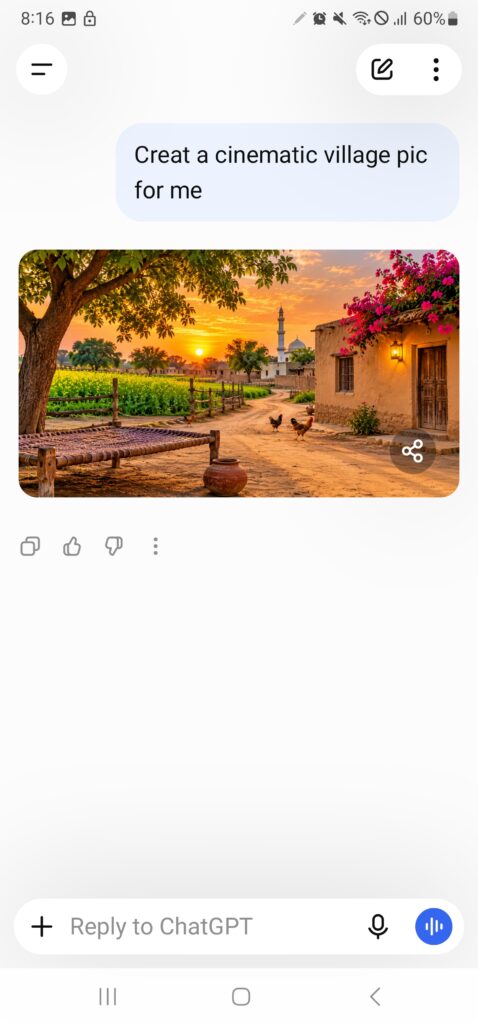
Test prompt 1 | “Create a cinematic village pic for me” → (what came out, how long it took, any limit message)
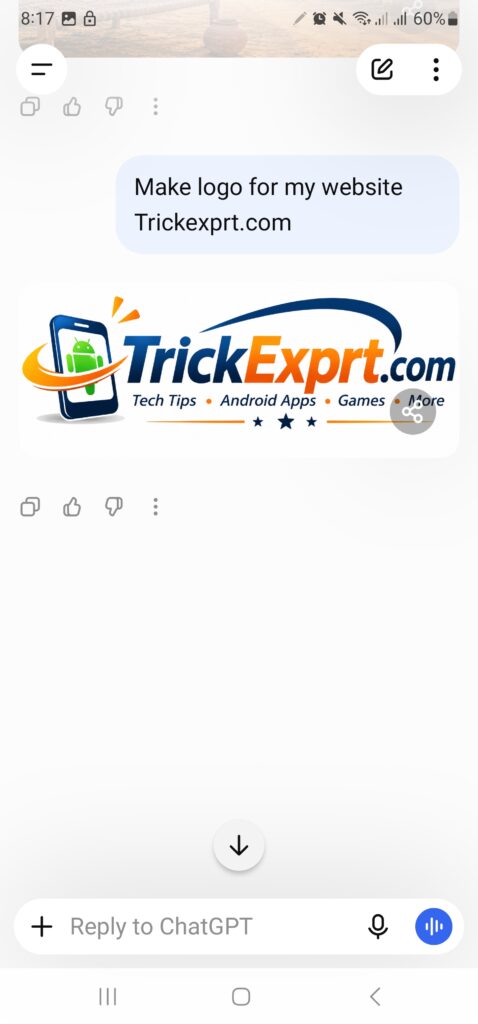
Test prompt 2 | “make logo for my website trickexprt.com” → (what came out, was the spelling right)
Problems | (one specific thing that went wrong, with the exact output)
| Step | Result |
|---|---|
| Time from tapping Install to the first screen | Morning Time 7AM i install,and I Used mobile data |
| App size in Google Play | 49.58MB |
| Sign-in method | I use my Gmail Account for sign in |
| App version (sidebar → profile icon → About) | 1.2026.293 |
| Test prompt 1 | Create a cinematic village pic for me |
| Test prompt 2 | make logo for my website trickexprt.com |
| Problems | chatgpt have many problems but one problem i just explain.chatgpt mostly give wrong information like generic and old information |
Frequently asked questions
Is the ChatGPT app free on Android?
Yes, you can install it for free. Paid plans are optional (see the plans section above).
Which Android version does ChatGPT need?
Android 7.0 or newer, with Google Play installed. OpenAI lists this as the minimum.
Is ChatGPT available in the UAE, Pakistan and India?
Yes. OpenAI’s supported countries list includes the United Arab Emirates, Pakistan and India (checked 31 October 2026). OpenAI updates the list, so check the page if the app does not appear.
Can I download a ChatGPT APK?
Not from OpenAI. Its Android help pages point to Google Play only. Skip APK files from other websites.
Why does ChatGPT say “Something went wrong” when I sign in?
OpenAI says an out-of-date Play Store can cause this error. Update the Play Store, wait a few minutes, and try again.
Can I use ChatGPT without the app?
Yes. Open chatgpt.com in your phone’s browser.
Final verdict
Install the app if you use ChatGPT often and your phone runs Android 7.0 or newer with Google Play. Use the browser at chatgpt.com if Google Play is missing or you need ChatGPT only now and then.
Either way, install only from the official Google Play listing, confirm that OpenAI is the publisher, and skip every third-party APK.
TrickExprt.com is an independent website and has no affiliation with OpenAI. ChatGPT is a product of OpenAI. Features, plans and availability may change.
Sources
These pages back up this guide (checked 31 October 2026):
Google: Use Google Play Protect to help keep your apps safe and your data private
OpenAI Help Center: Minimum requirements for the ChatGPT Android app
OpenAI Help Center: ChatGPT Android app FAQ
OpenAI Help Center: How to find and install the ChatGPT Android app on the Google Play Store
OpenAI Help Center: What is ChatGPT Go?
OpenAI Help Center: ChatGPT supported countries





3 comments
Pingback: Perplexity AI for Android 2026 – Download & Complete Guide
Pingback: Adobe Premiere Pro in 2026: Features & System Requirements
Pingback: Well Played Soccer APK Download for Android (2026)