TrickExprt Android Apps, Games, Software & Tech Guides
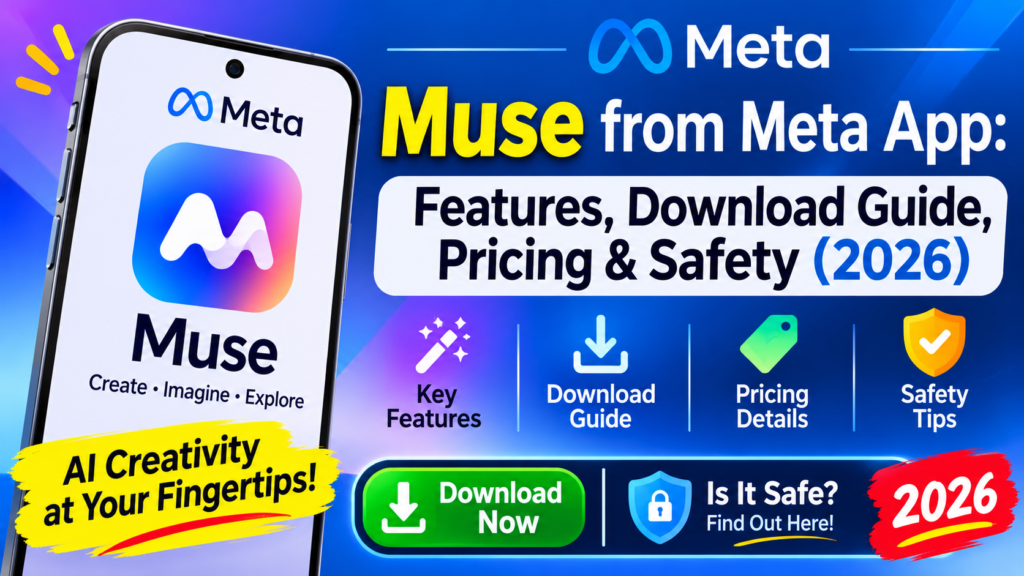
Muse from Meta is a personal AI agent introduced by Meta in September 2026. It is designed to plan and carry out multi-step tasks across connected apps, such as managing email, coordinating a calendar, researching options and helping with bookings. Meta says tasks can continue after you close the app, with approvals required for actions such as spending or sending information.
Muse is different from a standard chat-only assistant because it can work through connected services and complete parts of a task, not just generate a text response. Its actions can still be inaccurate or unexpected, so review the result and approve sensitive steps.
Meta announced the service first for the United States on iOS, Android and the web, then expanded it to Singapore and Japan. App and connector availability depends on your country, account and current rollout. Check the official store listing on your device before assuming it is available in the UAE.
Quick Answer: What Does Muse from Meta Do?
- Plans and carries out multi-step tasks across connected apps.
- Can continue longer tasks after you close the app and return when approval is needed.
- Supports connectors, activity history and user-controlled permissions.
- Includes custom Spaces and a rolling voice/expressive-avatar experience announced in November 2026.
- Requires you to review sensitive actions and verify results; app availability and features vary by region.
Key Features of Muse from Meta
Muse includes several features designed to help with everyday tasks, including connected services, multi-step task execution, activity history, custom Spaces and a rolling voice experience. Availability can vary by account, region and app version.
- Multi-step task execution. Meta says Muse can research, compare options, follow up and complete parts of a task across connected services, with user approval for sensitive actions.
- Email and calendar connections. The app listing describes connecting email and calendar services to help manage scheduling, reminders and follow-ups. The exact connectors available can vary by region and account.
- Social, health and finance context. The store listing says users can choose to connect services such as Instagram, Facebook, health and fitness data, and financial information. Review each permission before enabling it.
- Shopping and bookings. Muse can compare prices, track deals and help with restaurant or travel bookings. Meta says purchases and other sensitive actions require user approval.
- Business connectors. Recent App Store release notes list services such as Asana, Canva, Dropbox, Figma, QuickBooks, GitHub, Klaviyo, Zoom and Notion. This list can change; check the connector menu in your current app version.
- Activity log and connector controls. Muse provides an activity log and lets users revoke a connector. Check the recorded actions and review any work completed on your behalf.
- Spaces (announced November 6, 2026). Meta says users can create custom experiences inside Muse by describing an idea, such as a gift tracker, planning board or simple word game. A Space can be added to the app’s sidebar or main tabs.
- Voice and expressive avatars (announced November 5, 2026). Meta says voice conversations and expressive avatars are rolling out in the Muse app on mobile, web and Mac. Availability can vary during the rollout.
How to Download and Set Up Muse
Meta’s published announcements describe Muse on iOS, Android and the web; its November 2026 voice announcement also mentions the Muse app on Mac. Availability and feature rollouts vary by country and account, so use the official store listing or Meta newsroom for your region. Follow these steps to check the mobile download routes:
- iPhone or iPad. Open the official Muse from Meta App Store listing. It is published by Meta Platforms, Inc.; check the compatibility details and region shown for your Apple account.
- Android. Open the official Muse from Meta Google Play listing. Verify that Meta Platforms, Inc. is the publisher before installing.
- Web. Use the official Muse web destination linked by Meta, and check whether access is enabled for your region and account.
- Sign in. Follow the account sign-in flow shown in the official app. Do not share passwords or verification codes with third-party download pages.
- Connect apps selectively. Open the connector settings and enable only the services needed for your task. Review what information each connector can access before granting permission.
If you need a video-editing tool rather than a personal AI agent, see our guide to CapCut Free for Android.
Is Muse from Meta Safe to Use?
Muse includes approval and activity-log controls, but no AI agent should be treated as risk-free. Meta says it pauses for approval before sensitive actions such as spending, sending or sharing information. The Apple App Store privacy disclosure also lists categories of data that may be collected and linked to you, including location, contacts, user content, browsing and search history, purchases, financial information, health and fitness data, identifiers and diagnostics. The data handled depends on the features and connectors you use.
Before connecting an account, review the permissions, the developer’s privacy policy and the actions Muse is allowed to take. Meta’s listing also warns that Muse may be inaccurate or take unexpected actions, so check its work and intervene when needed.
- Action approvals. The app listing says Muse asks before actions such as purchases or sending information. Read each approval prompt rather than accepting it automatically.
- Activity log. Review the record of tasks and actions so you can identify what the agent did.
- Connector controls. The listing says you can revoke a connector. Disconnect a service if you no longer want Muse to access it.
- Human review. Meta warns that Muse can be inaccurate or take unexpected actions. Verify important bookings, payments, messages and other changes directly in the connected service.
Muse from Meta Pricing: Is It Free?
Muse is free to download and the current Apple App Store and Google Play listings show in-app purchases. Meta has described additional paid options or usage limits for some users, but the exact price, plan name and token allowance can vary by country, account and app version. The official store listing does not establish a universal $20 or $100 monthly plan for every user.
Check the price shown inside the Muse app or in your local app-store purchase screen before subscribing or buying additional usage. Do not rely on a price copied from another region or an older release.
Muse vs. Standard AI Chatbots
Muse is positioned as a personal agent that can use connected services to carry out multi-step tasks, while many AI chat interfaces focus mainly on answering prompts or generating content. Capabilities vary across products and versions, so compare the exact connectors, approval controls and supported actions available in each app rather than assuming every other assistant lacks these features.
| What to compare | Muse from Meta | What to verify in another AI app |
|---|---|---|
| Task execution | Meta describes multi-step tasks that can continue after the app is closed. | Check whether the other product supports background tasks or only in-session responses. |
| App connectors | Email, calendar, social, finance and other connectors are listed; availability varies. | Check the actual connector list and permissions for the product and region. |
| Approvals | The app listing says sensitive actions require user approval. | Check which actions require confirmation and whether an activity log is available. |
| Pricing | Store listings show in-app purchases. | Compare local pricing, usage limits and renewal terms before subscribing. |
If your goal is to create videos with AI rather than automate personal tasks, compare our AI video generator apps guide. For desktop editing software, see our Adobe Premiere Pro features and system requirements guide.
Official Meta Sources
- Meta: The Biggest News From Connect 2026 — Muse launch context
- Meta: Muse becomes available in Singapore
- Meta: Design the Muse App with Spaces (November 6, 2026)
- Meta: Give Your Muse a Voice (November 5, 2026)
- Muse from Meta on the Apple App Store
- Muse from Meta on Google Play
Frequently Asked Questions
Is Muse from Meta available outside the US and Canada?
Meta first announced Muse for the United States and later announced launches in Singapore and Japan. Availability can depend on country, account and rollout timing. The United States App Store and Google Play listings do not prove that Muse is available in every region, including the UAE. Search the official listing using your local store account to check whether you can install it.
Which third-party apps work with Muse right now?
The current store listing describes connectors for email, calendar, Instagram, Facebook, health and fitness data, and finances. Recent release notes also list services such as Asana, Canva, Dropbox, Figma, QuickBooks, GitHub, Klaviyo, Zoom and Notion. The available list can change by region, app version and account; review the connector menu in your installed app before relying on a specific integration.
Does Meta train its AI models on my private data?
Meta provides activity-log and connector controls, but this should not be interpreted as a promise that no data is collected or shared. Apple’s App Store privacy disclosure lists data categories that may be linked to you, including location, contacts, user content, browsing and search history, financial information, health and fitness data, purchases, identifiers and diagnostics; the categories depend on how you use the app. Review Meta’s privacy policy and the current store disclosure, enable only connectors you need, and revoke access when it is no longer required.