TrickExprt Android Apps, Games, Software & Tech Guides
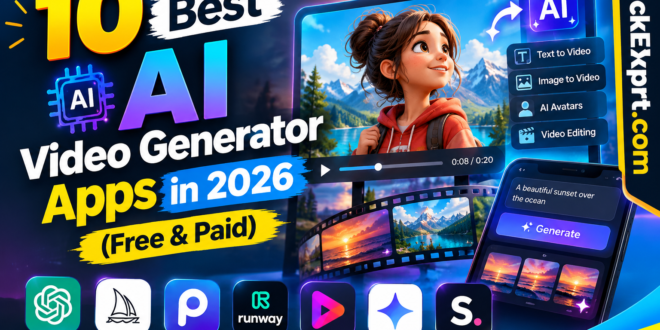
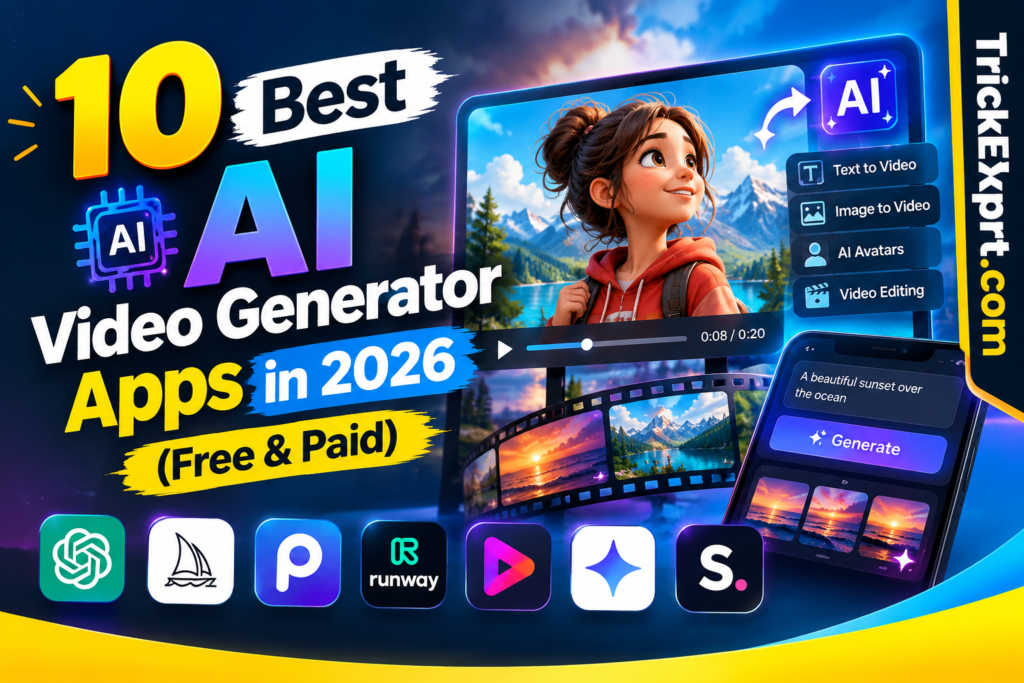
10 Best AI Video Generator Apps in 2026 (Free & Paid)
Video creation has undergone a massive transformation. In 2026, launching a YouTube channel, producing viral Instagram Reels, or running high-converting video ads no longer requires a multi-thousand-dollar setup, complex camera equipment, or years of video editing experience.
Modern AI text-to-video generators allow anyone to convert simple text prompts, script outlines, or blog posts into fully edited, high-definition videos complete with realistic voiceovers, stock footage, dynamic transitions, and automated subtitles within minutes.
However, with dozens of AI video applications flooding the market, picking the right platform can be overwhelming. Some tools excel at cinematic storytelling, while others specialize in photorealistic AI avatars or automated short-form video creation.
In this guide, we compare 10 AI video generator apps by their main use case, features, free access and editing workflow. Subscription prices, credits and feature availability can change, so check each provider’s current pricing page before paying. If you are looking for a personal AI agent to handle tasks across connected apps rather than generate videos, see our separate Muse from Meta app guide.
Quick Answer: Which AI Video Tool Should You Choose?
- Script-to-video and social clips: Compare InVideo AI, CapCut and Pictory.
- Generative scenes and cinematic control: Compare Runway, Veo, Kling and Luma.
- Talking presenters and avatars: Compare HeyGen and Synthesia.
- Transcript-based editing: Consider Descript.
- Before subscribing, test the free tier or demo and check export limits, watermark rules, commercial-use terms and credit expiry.
Quick Comparison Table: Top 10 AI Video Generators
| Tool Name | Best For | Free Access | Pricing Check |
|---|---|---|---|
| InVideo AI | Automated social clips and faceless channels | Free access may include limits or watermarks | Check current provider pricing |
| Runway | Generative video and creative control | Trial/credits may be limited | Check current provider pricing |
| Google Veo | Generative video and native audio | Access depends on Google plan and region | Check current Google AI plan/API pricing |
| HeyGen | AI presenters and avatar videos | Limited free access may be available | Check current provider pricing |
| CapCut | Mobile and desktop editing | Core tools are available free; some features are paid | Check local Pro pricing |
| Kling AI | Generative motion and storyboarding | Credits and limits can change | Check current provider pricing |
| Pictory AI | Turning scripts or blogs into videos | Trial availability can change | Check current provider pricing |
| Synthesia | Corporate training and presentations | Demo/trial availability can change | Check current provider pricing |
| Descript | Transcript-based video and audio editing | Free plan limits can change | Check current provider pricing |
| Luma Dream Machine | Generative video and camera motion | Credit limits can change | Check current provider pricing |
Pricing note: Plan names, monthly prices, free credits, export limits and taxes vary by country, billing period and provider updates. Use each provider’s official pricing page or in-app checkout for the current amount before purchasing.
Official Product and Pricing Sources
- InVideo AI pricing
- Runway pricing
- Google Cloud Model Garden pricing for Veo
- HeyGen pricing
- CapCut pricing
- Kling AI pricing
- Pictory pricing
- Synthesia pricing
- Descript pricing
- Luma AI pricing
Deep-Dive Reviews of the 10 Best AI Video Generator Apps
1. InVideo AI – Best for Social Media Shorts & Faceless Channels
If your goal is to publish consistent videos on YouTube Shorts, Instagram Reels, or TikTok without showing your face, InVideo AI stands out as an all-in-one powerhouse. Instead of requiring you to manually source footage, write scripts, or line up audio tracks, In Video AI handles the entire production process from a single prompt.
Simply input a prompt like “Create a 60-second YouTube Short about 5 mind-blowing facts about deep sea creatures,” and the tool will generate a full script, pair it with stock media, apply natural-sounding AI voiceovers, and auto-generate styled captions.
- Key Features: Prompt-to-video generation, support for over 50 languages with localized accents, direct text-prompt video editing, and automated captioning.
- Pros:
- Incredibly fast generation pipeline, turning prompts into completed videos in under two minutes.
- Perfect workflow for building automated faceless YouTube channels.
- Cons:
- Free tier exports include visible watermarks.
- Stock video selections occasionally require minor manual tweaking for context accuracy.
- Pricing: Free access and paid plans are available; check InVideo’s official pricing page for current limits and local prices.
2. Runway (Gen-4 / Gen-3) – Best for Cinematic & Movie-Quality Visuals
Runway continues to push the boundaries of generative visual media. Its Gen-4 and Gen-3 models are built specifically for filmmakers, VFX artists, and creative directors who require artistic control over every frame rather than template-based automation.
Runway allows you to generate high-fidelity cinematic video clips from text prompts, static imagery, or video-to-video transformations. Its advanced motion control parameters let you dictate exact camera pans, tilts, zooms, and physics.
- Key Features: Text-to-Video, Image-to-Video, Motion Brush (animating specific regions of a static image), and granular camera movement controls.
- Pros:
- Produces some of the most photorealistic and atmospheric video outputs available today.
- Offers deep creative control for seasoned video professionals and animators.
- Cons:
- Steeper learning curve for complete beginners.
- Generation credits deplete quickly when rendering high-resolution clips.
- Pricing: Free credits and paid plans may be available; check Runway’s official pricing page for current credit limits and billing terms.
3. Google Veo 3.1 – Best for Realism & Built-in Audio Generation
Google’s Veo 3.1 model represents a massive technical leap forward in generative media. Unlike traditional text-to-video tools that only generate silent visual clips, Veo 3.1 generates native, synchronized sound effects, ambient background audio, and lip-synced dialogues matching the exact context of the generated scene.
Capable of producing full 4K resolution output with realistic physics and consistent lighting, Veo 3.1 is quickly becoming the benchmark tool for creative storytelling and high-end advertising.
- Key Features: Native multi-track audio generation, 4K resolution output, First & Last Frame camera continuity control, and native 9:16 vertical aspect ratios.
- Pros:
- Exceptional visual fidelity with realistic environmental lighting and physics.
- Audio and visual synchronization eliminates the need for third-party sound design tools.
- Cons:
- Strict daily usage caps on consumer interfaces.
- Pricing: Accessible through Google Workspace, Gemini Advanced integrations, and developer API credits.
4. HeyGen – Best for AI Avatars & Talking Heads
For businesses, educators, and marketers who need a human presenter on screen without hiring actors or standing in front of a camera, HeyGen is the industry leader. It specializes in generating hyper-realistic human AI avatars that read scripts with natural facial expressions, gestures, and pitch control.
In addition to choosing from a library of stock avatars, HeyGen allows you to create a personalized “Digital Twin” of yourself using a short smartphone recording.
- Key Features: 100+ stock AI avatars, instant voice cloning, multi-language translation with automated lip-syncing, and script assistance.
- Pros:
- Extremely convincing facial expressions and lip synchronization.
- Eliminates the need for studio recording setups, lighting, and cameras.
- Cons:
- Higher cost structure if rendering large volumes of video minutes.
- Pricing: Free access and paid plans are offered; check HeyGen’s official pricing page for the current video-credit allowance and local price.
5. CapCut AI – Best Free All-in-One Mobile & PC Editor
CapCut has successfully integrated artificial intelligence directly into its lightweight desktop and mobile editing suites. Its Script-to-Video feature, AI auto-captions, and instant background removal tools make it one of the most accessible apps for social media creators on a budget.
Whether you want to turn a written story into a quick video or auto-generate captions with animations, CapCut offers an intuitive experience without requiring heavy rendering machines. For Android installation and mobile feature details, read our CapCut Free for Android guide.
- Key Features: One-click script-to-video rendering, dynamic auto-captions, AI voice generators, and an expansive template ecosystem.
- Pros:
- Highly accessible user interface designed for fast mobile and desktop editing.
- Offers watermark-free export options on many standard workflows.
- Cons:
- Lacks advanced prompt-based camera controls seen in dedicated generative models.
- Pricing: Free tier available with core functionality; CapCut Pro subscriptions unlock advanced AI features.
6. Kling AI – Best for Motion Control & Storyboarding
Kling AI has earned high praise among visual storytellers due to its advanced understanding of physical motion. One common issue in AI video generation is “warping”—where human bodies or objects distort unrealistically during fast movement. Kling AI solves this by enforcing physical consistency during rendering.
Whether you are rendering running characters, moving vehicles, or dynamic camera pans, Kling keeps objects stable and realistic across multi-second generations.
- Key Features: High-frame-rate rendering, Motion Brush, start-and-end frame prompt locking, and multi-scene storyboarding.
- Pros:
- Handles complex character movement and physics without visual distortion.
- Generous daily free login credits for testing.
- Cons:
- Render speeds can slow down during peak usage hours.
- Pricing: Free credits and paid plans may be offered; check Kling AI’s official pricing page for current limits and local prices.
7. Pictory AI – Best for Converting Blogs & Articles into Videos
If you already run a content-heavy website or blog, Pictory AI allows you to repurpose your written articles into engaging video formats for YouTube and social media. Pictory reads your blog post URL, extracts the main summary points, matches each sentence with royalty-free stock footage, and adds voiceovers.
This makes it an invaluable tool for digital marketers looking to scale video output without writing script drafts from scratch.
- Key Features: URL-to-Video generation, script summarization, automated long-form video clipping, and text-based transcript editing.
- Pros:
- Drastically speeds up content repurposing for bloggers and digital agencies.
- Massive library of royalty-free stock media and music tracks included.
- Cons:
- Relies heavily on stock media rather than pure generative AI scene creation.
- Pricing: Trial and paid plans are available; check Pictory’s official pricing page for current plans and local prices.
8. Synthesia – Best for Enterprise & Corporate Training
Synthesia is built specifically for corporate teams, HR departments, and enterprise platforms that require standardized, professional presentation videos. Rather than focusing on artistic effects, Synthesia prioritizes corporate branding, clean avatar delivery, and multi-language localization.
Companies use Synthesia to create employee onboarding modules, technical training videos, and customer support guides in dozens of languages without re-shooting footage.
- Key Features: 230+ professional business avatars, 140+ supported languages, custom studio avatar recording, and brand asset management.
- Pros:
- Clean, highly professional output suited for corporate environments.
- Seamless multi-language translation capabilities.
- Cons:
- Not intended for social media shorts or cinematic video generation.
- Pricing: Synthesia lists a free Basic plan plus paid Starter, Creator and Enterprise options; check its official pricing page for current terms.
9. Descript – Best Text-Based Video & Audio Editor
Descript approaches video editing from an entirely different angle: it treats video editing like editing a text document. When you upload your video or audio recording, Descript automatically transcribes it. If you delete a sentence or word from the written transcript, Descript instantly crops that exact segment out of the video timeline.
It also features advanced AI audio processing, such as removing background noise, eliminating filler words (“um,” “uh”), and automatically redirecting your gaze so you appear to be looking directly at the camera.
- Key Features: Text-based video editing, AI Eye Contact correction, automatic filler word removal, and Studio Sound audio enhancement.
- Pros:
- Accelerates editing workflows for podcasts, interviews, and talking-head videos.
- Powerful audio cleanup tools built natively into the app.
- Cons:
- Not a prompt-based video generator for creating synthetic visual scenes from scratch.
- Pricing: Free and paid plans are available; check Descript’s official pricing page for current media-hour, AI-credit and export limits.
10. Luma Dream Machine – Best for Smooth Camera Motion
Developed by Luma Labs, Dream Machine is designed for fast, fluid text-to-video and image-to-video generation. Its defining strength is camera motion: shots generated by Dream Machine feature sweeping camera movements, realistic lighting reflections, and a strong sense of spatial depth.
It allows creators to keyframe initial and final images, giving you control over how a scene moves from point A to point B.
- Key Features: High-speed generation engine, realistic lighting and reflections, keyframe image controls, and 4K upscaling.
- Pros:
- Exceptional camera movement fluidity that mimics real camera gear.
- Fast generation processing speeds compared to competing models.
- Cons:
- Monthly allocation of free credits is used up quickly.
- Pricing: Luma offers subscription and one-time credit options; check the official pricing page for current credit allowances and charges.
Buyer’s Guide: How to Choose the Right AI Video Generator
Selecting the best AI video tool depends entirely on your project requirements, technical skill level, and business goals:
- For Faceless YouTube Channels & Social Media Reels:
If speed and automated assembly are your priorities, compare InVideo AI and CapCut. Review how much editing each workflow leaves for you, especially script corrections, clip selection and captions. For a dedicated desktop editing suite, see our Adobe Premiere Pro features and system requirements guide. - For Cinematic Visuals & Creative Filmmaking:
If you need realistic scenes, artistic control, and custom prompt rendering, opt for Runway Gen-4, Google Veo 3.1, or Luma Dream Machine. - For Product Demos, Online Courses & Corporate Training:
If your videos require an onscreen presenter, go with HeyGen or Synthesia to leverage high-quality talking avatars and multi-language lip-syncing.
How to Monetize AI-Generated Videos in 2026
Creating AI videos is only half the equation—turning them into revenue streams is where the real value lies. Here are three proven ways creators are monetizing AI video tools:
- Faceless YouTube Channels: Build niche channels focused on history, finance, science facts, or storytelling using InVideo AI and Pictory AI. Once monetized through the YouTube Partner Program, these channels generate passive ad revenue.
- Social Media Affiliate Marketing: Produce short-form product reviews or informational Reels using CapCut or InVideo, placing affiliate links in your bio or video descriptions to earn commissions.
- Freelance Video Creation: Offer promotional video creation, ad production, or script-to-video services on freelance platforms like Upwork and Fiverr using HeyGen or Runway.
Frequently Asked Questions (FAQs)
Q1: Can I monetize AI-generated videos on YouTube?
Answer: Yes. YouTube allows the monetization of AI-generated content provided that the video offers original value, educational or entertainment quality, and adheres to YouTube’s advertiser-friendly guidelines. Purely repetitive or low-effort automated content may be flagged, so adding unique scripts, custom edits, and thoughtful formatting is essential.
Q2: What is the best free AI video generator without a watermark?
Answer: CapCut AI offers free export options without heavy watermarks on standard tools. Additionally, platforms like Kling AI and Luma Dream Machine provide free daily or monthly trial credits that allow creators to test features and export clean clips.
Q3: Can I generate complete AI videos using only my smartphone?
Answer: Absolutely. Applications like CapCut, InVideo AI, and HeyGen offer fully responsive web interfaces and dedicated mobile apps that allow you to write prompts, generate videos, and export finished files directly from an iOS or Android device.
Conclusion & Final Verdict
AI video generator apps have democratized video production in 2026. You no longer need expensive cameras, complex editing software, or professional studio space to produce compelling video content. For a practical end-to-end production process, follow our step-by-step guide to creating high-quality videos using AI.
- Start with InVideo AI if you want an easy, automated solution for social media.
- Choose Runway or Google Veo 3.1 if you are aiming for movie-quality visual effects.
- Use HeyGen if you need human-like presenters and digital twin avatars.
Which AI video generator tool are you planning to use first? Let us know in the comments section below!