 TrickExprt Android Apps, Games, Software & Tech Guides
Last updated: 21 November 2026
Your Galaxy A24 just got its last big update — ever. Samsung started rolling out One UI 9, based on Android 17, to the Galaxy A24 on 16 November 2026, and after this one, the A24 will never get another Android version. The One UI 9 Galaxy A24 update is live in South Korea now, with the Galaxy A25 and the Galaxy Tab S9 alongside it — and if your phone is the international model, this guide shows you when your turn comes.
Quick answer: Yes, One UI 9 (Android 17) has started rolling out to the Galaxy A24, A25 and Tab S9 — in South Korea first. To check yours, go to Settings > Software update > Download and install. The One UI 9 Galaxy A24 update is also the A24’s final major Android upgrade: it launched with Android 13 and was promised four generations, and this is the fourth. Security patches will keep coming until 2028 — the phone is not abandoned, it just won’t get Android 18.
What Just Happened on 16 November
Most eligible Galaxy phones already have One UI 9, but a handful of cheaper models were still waiting in line. On 16 November, the One UI 9 Galaxy A24 update began rolling out in South Korea, according to SammyGuru, covering the Galaxy A24, Galaxy A25 and the Galaxy Tab S9 series. Two days later, the Galaxy Tab A11+ and the Tab Active 5 Pro started getting it too, again in Korea first.
The rollout moves one device family at a time — flagships first, then the mid-range, then the cheapest models. The A24 getting it at all is the story: a 2023 phone is still getting the update Samsung promised at launch.
One honest note: One UI 9 is not a revolution. SamMobile puts it plainly — One UI 9.0 doesn’t bring as many changes or new features as One UI 8.5 did. What it brings is a solid polish, a few genuinely useful tools, and Android 17 underneath.
Which Phones Just Got One UI 9
Every build number below comes from Samsung’s rollout as reported on 16–18 November 2026. If your phone is one of these, the One UI 9 Galaxy A24 update — or its A25 and Tab S9 siblings — is either on its way or already waiting in your settings.
| Device | Build number | Started | Notes |
|---|---|---|---|
| Galaxy A24 | A245NKSUBGZJA | 16 Nov 2026, South Korea | Last major Android upgrade; includes the October 2026 security patch |
| Galaxy A25 | A256NKSUBFZJ8 | 16 Nov 2026, South Korea | One more major upgrade still to come (Android 18) |
| Galaxy Tab S9 | Builds ending FZK2 | 16 Nov 2026, South Korea | Download around 3.6 GB |
| Galaxy Tab S9+ | Builds ending FZK2 | 16 Nov 2026, South Korea | Download around 3.6 GB |
| Galaxy Tab S9 Ultra | Builds ending FZK2 | 16 Nov 2026, South Korea | Download around 3.6 GB |
| Galaxy Tab A11+ | X230XXU7CZK7 (Wi-Fi), X236NKOU7CZK7 (5G) | 18 Nov 2026, South Korea | |
| Galaxy Tab Active 5 Pro | X356NKOUBDZK5 | 18 Nov 2026, South Korea |
Two things about that table. First, the build numbers above are the Korean builds, for models like the SM-A245N. Your phone, if you bought it in India, Pakistan, the UAE or Europe, will have a different model code (the international A24 is the SM-A245F) and a different build number — don’t go looking for A245NKSUBGZJA on a phone bought in Dubai. Second, Samsung hasn’t published the A24 and A25 download sizes, so I won’t guess — just know it’s a full system update, not a small patch, and download it on Wi-Fi.
One UI 9 Galaxy A24: What’s New
Here’s what the One UI 9 Galaxy A24 update actually changes, model by model.
The A25 gets the most new tricks in this round, according to TechTurco. Now Brief puts together a daily summary for you. Now Nudge offers suggestions based on what you’re doing right now. And My FanCam keeps one person in focus while you record with the wide-angle lens — handy at a family gathering, where the person you’re filming keeps drifting out of frame.
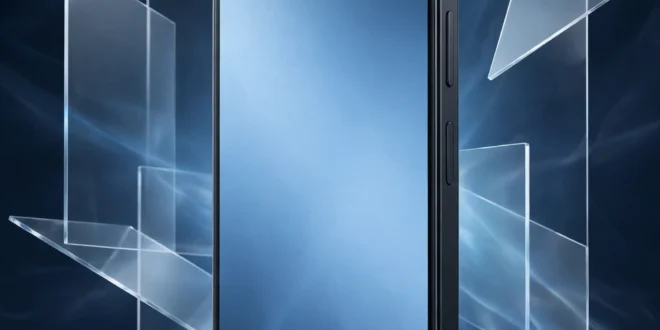
The One UI 9 Galaxy A24 update also brings a glass-like look — soft blur effects that make panels look like frosted glass instead of flat grey boxes. The Quick Settings panel is more flexible too: you can arrange it your way instead of living with Samsung’s default layout. There’s also a new Warranty and care section in Settings, and a location privacy indicator — a small blue marker that shows when an app is accessing your location.
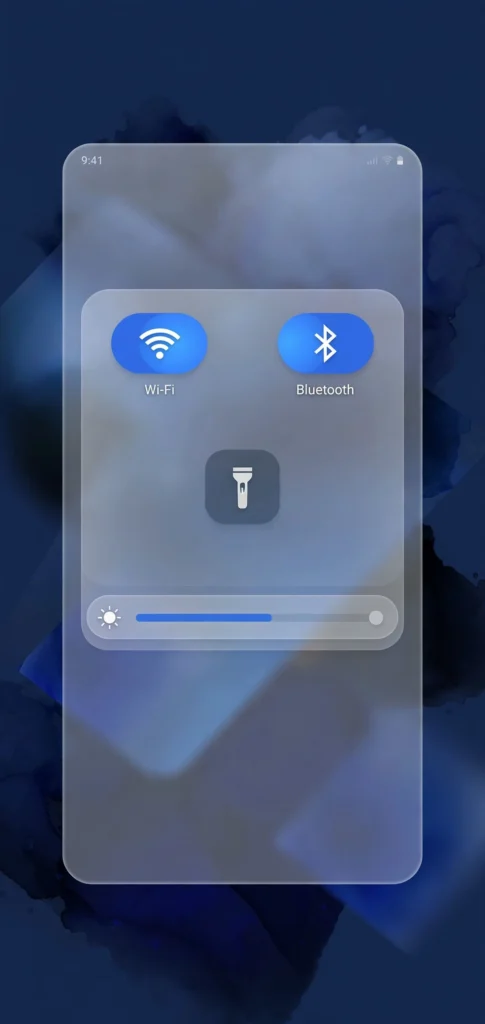
The Tab S9 gets the same interface changes, plus virtual desktops in DeX mode, which let you keep work and personal stuff in separate spaces. Samsung Health, Samsung Notes and accessibility tools get improvements too, per GSMArena. One caution: these are the features reported specifically for these models — don’t expect a faster processor or a battery that suddenly lasts twice as long, because the update changes software, not hardware.
How to Check for the One UI 9 Galaxy A24 Update
To get the One UI 9 Galaxy A24 update, check on Wi-Fi, with the battery above 50% or the phone on charge, and back up your photos and chats first — an update almost never deletes anything, but a backup costs nothing.
Steps 1–2: Open Settings, then tap Software update.
Step 3: Tap Download and install. Your phone will check Samsung’s servers. If the One UI 9 Galaxy A24 update is available for your model and region, you’ll see a screen showing One UI 9, with a Download and install button.
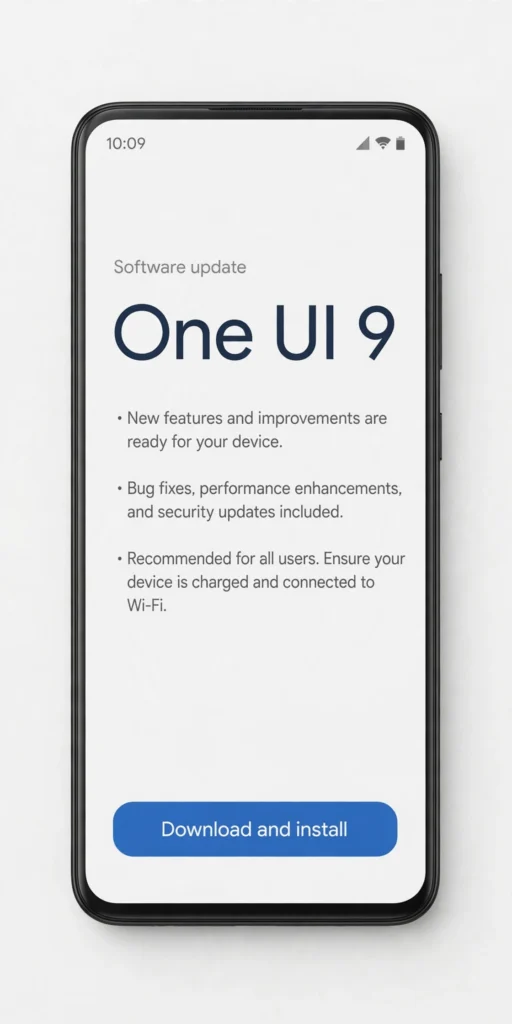
Step 4: Download it. Tap the button and let the One UI 9 Galaxy A24 update download on Wi-Fi. The Tab S9 download is around 3.6 GB, so give it time.
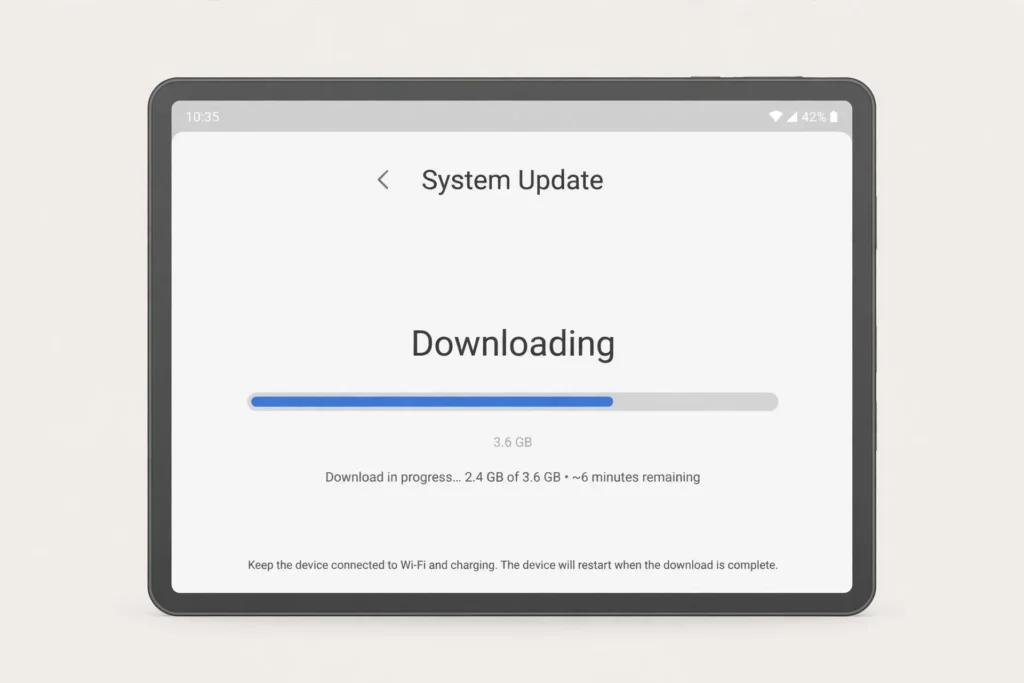
Step 5: Install and restart. Once the download finishes, tap Install now. The One UI 9 Galaxy A24 update will restart your phone — maybe more than once — and the first boot takes longer than usual. That’s normal. After the restart, check Settings > About phone > Software information — you should see One UI version 9.0 and Android version 17, not 8.5 and 16. Give it a day or two before judging anything: after a major update, the phone can feel warm and thirsty for the first 48 hours while Android rebuilds caches in the background.
Your Region Doesn’t Have It Yet? Here’s Why
If you checked and your phone says it’s up to date, nothing is wrong with your phone. Samsung rolls updates out in waves, and the One UI 9 Galaxy A24 update started in South Korea on 16 November — your region is simply later in the queue.
The wait is usually days, not months. The A37 and A36 started in South Korea on 14–15 October, reached Europe on 19 October and the US on 20 October — five or six days from Korea to the rest of the world. The unlocked A27 followed in the US on 4 November. Samsung hasn’t given a date for India, Pakistan or the UAE, so I won’t invent one, but the pattern says the One UI 9 Galaxy A24 update should reach other regions soon after Korea.
Two things worth knowing while you wait. First, check your model number in Settings > About phone. The update that started on 16 November is for the Korean model, SM-A245N. The international A24 sold in India, Pakistan and the UAE is the SM-A245F, and as of 18 November it still listed Android 16. Second, don’t confuse the November security patch with the One UI 9 Galaxy A24 update. The Galaxy A57 and the Z Fold7 got that patch this month, fixing 179 security flaws according to TechTurco — a security patch, not Android 17. If your phone offers you a small update with no mention of One UI 9 or Android 17, that’s the patch, not the upgrade. Install it anyway, but don’t mistake it for the big one. Don’t flash firmware from random websites either — it can brick your phone and voids your warranty.
Still waiting with no date: the Galaxy S23 FE, the Tab S9 FE/FE+, and some older tablets and M/F phones — the One UI 9 Galaxy A24 update covers the A24, A25 and Tab S9 families only (SammyGuru’s rollout tracker, updated every Sunday).
The A24’s Last Update — What It Really Means
This is the part of the One UI 9 Galaxy A24 update that most articles skip, and it matters more than the new features. One UI 9 is the A24’s last major Android upgrade. Here’s the maths: Samsung launched the A24 in 2023 with Android 13 and promised up to four generations of Android updates. Android 14 was the first, 15 the second, 16 the third, and now 17 is the fourth. The promise is complete — there will be no Android 18 for the A24.
That sounds like the end of the road, but it isn’t — and this is where most coverage gets it wrong. Operating system upgrades and security updates are two different things. Samsung also promised five years of security updates for the A24, and the phone is still on Samsung’s security-support list for quarterly security updates. In plain words: even after the One UI 9 Galaxy A24 update, your phone will keep getting security patches until 2028. A security patch doesn’t change the Android number, but it closes the holes that actually put your phone at risk — and the patch date on your Software information screen matters more for your safety than the Android version number does.
So no, you don’t need to buy a new phone because of this update. If your A24’s battery still gets you through the day and your apps run fine, the end of major upgrades changes very little about your daily life. What it does change is the horizon: a year or two from now, some new app may require Android 18, and that’s when the A24’s age will start to show. Until then, keep installing the security patches when they arrive. One UI 9 is also the last major update for the Galaxy S23 series and the Z Fold5, according to TechTurco.
The A25 Still Has One More Coming
The A25’s story is happier. It launched with Android 14 and the same promise of four major upgrades, so it’s only used three of them: 15, 16 and now 17. Unlike the One UI 9 Galaxy A24 update, which is the A24’s last major upgrade, the A25’s update is only its third — which leaves one more, Android 18 with One UI 10, still to come. Samsung hasn’t said when, and I won’t guess a date. But if you’re choosing between keeping an A24 and keeping an A25, the A25 has one more big update in its future — worth knowing before you spend money on a second-hand phone.
After Updating: First Things to Do
Got the One UI 9 Galaxy A24 update installed? Do these three things:
1. Give it 48 hours. The first day or two after a major update, your phone is busy in the background — rebuilding caches and re-optimising apps. Battery drain in the first two days after the One UI 9 Galaxy A24 update is normal and usually settles on its own. If the drain continues past day three, work through the fixes in our guide on how to fix One UI 9 battery drain — the cause is usually one misbehaving app, not the update itself.
2. Update your apps. Open the Play Store, tap your profile icon, go to Manage apps & device and tap Update all. Do the same in the Galaxy Store — an app built for an older Android version can misbehave on Android 17. If one app keeps crashing after the update, clear its cache first (Settings > Apps > [app name] > Storage > Clear cache) — our guide on how to fix apps crashing on Android walks through the same steps for any app.
3. Watch for these known issues. One UI 9 has been relatively trouble-free so far, according to SammyGuru’s tracker. Android Auto stopped connecting for some owners after updating — Google told Android Authority on 2 November that a fix is rolling out, and told 9to5Google on 3 November that a fix has been rolled out. Some owners report Wi-Fi that drops at random, mobile data that stops working, or a phone that no longer detects its SIM card — restarting, toggling Airplane mode, or resetting network settings helps for a while, though Samsung hasn’t commented on it yet. Both are listed as known problems in SammyGuru’s One UI 9 rollout tracker. And if you use Good Lock’s ClockFace module, your custom lock screen clock can shift out of place — a Samsung Community moderator says an Always On Display app update planned for November will fix it, per the same tracker. None of these are confirmed on the A24 or A25 specifically — but if your Wi-Fi starts dropping the day after you update, now you know it’s the update, not your router.
If your Pixel-owning friend is having camera trouble after Android 17, that’s a different bug — our guide on how to fix the Pixel camera black screen on Android 17 covers it.
Frequently Asked Questions
When will the One UI 9 Galaxy A24 update reach India, Pakistan or the UAE?
Samsung hasn’t given a date. It started in South Korea on 16 November, and past A-series rollouts reached Europe and the US within five or six days of the Korean start — that pattern suggests days or weeks, not months, but it’s a pattern, not a promise. One encouraging precedent: the Galaxy A15 4G reached the UAE among the first regions outside Korea on 11 November.
How big is the download?
Samsung has only published a size for the Tab S9 — around 3.6 GB. The A24 and A25 sizes aren’t published, so I won’t guess. The One UI 9 Galaxy A24 update is a full system update either way: use Wi-Fi and don’t start it on mobile data.
Will the update delete my photos, apps or data?
No. The One UI 9 Galaxy A24 update keeps your photos, apps and settings where they are. Back up anyway before any major update — photos to Google Photos or Samsung Cloud, chats to Google Drive — because a failed update is the worst time to discover you never made one.
Will my Galaxy A24 get Android 18?
No. The One UI 9 Galaxy A24 update is the A24’s fourth and final major Android upgrade — Android 13 at launch, then 14, 15, 16 and now 17. Security patches continue until 2028, but Android 18 is not part of the promise Samsung made at launch.
Is the November security patch the same thing as One UI 9?
No, and this trips people up. The November security patch — the one the Galaxy A57 and Z Fold7 got — fixes 179 security flaws, according to TechTurco, but doesn’t change your Android version. The One UI 9 Galaxy A24 update is the full upgrade to Android 17 with a new interface. If your update screen mentions One UI 9 and Android 17, that’s the big one — if it only mentions a security patch, that’s the small one.
Why doesn’t my phone have the One UI 9 Galaxy A24 update yet when my friend’s A24 already has it?
Because Samsung rolls updates out by region, model variant and carrier, not all at once. The update that started on 16 November is for the Korean model, SM-A245N. The international model, SM-A245F, hadn’t got it yet as of 18 November. Your friend’s phone and yours can be the same model name and still be on different schedules — check your model number in Settings > About phone and check for the update manually.
Conclusion
The One UI 9 Galaxy A24 update is a quiet milestone, not a fireworks show. A budget phone from 2023 just got the fourth Android upgrade Samsung promised it, right on schedule — and for the A24, that completes the promise. Samsung kept its word on a cheap phone, and it will keep getting security patches until 2028.
If your A24, A25 or Tab S9 is offering the One UI 9 Galaxy A24 update, take it — on Wi-Fi, with the battery charged, after a backup. If it isn’t offering it yet, check again in a few days. If you own an A24, enjoy this one: it’s the last big version jump your phone will ever get.
Did your A24 or A25 get One UI 9 yet? Tell us your model and region in the comments — it helps other readers know where the rollout has reached.
Sources
- SammyGuru — “Galaxy A24, A25 & Tab S9 start receiving stable One UI 9 update” (16 November 2026): https://sammyguru.com/galaxy-a24-a25-tab-s9-one-ui-9-update/
- SammyGuru — “One UI 9 Rollout Tracker” (updated 18 November 2026): https://sammyguru.com/one-ui-9-rollout-tracker/
- Samsung Magazine — “One UI 9 continues to expand, with the November patch coming” (17 November 2026): https://samsungmagazine.eu/en/2026/11/17/one-ui-9-galaxy-tab-s9/
- TechTurco — “Samsung rolls out One UI 9 update to Galaxy A25, A24 and Tab S9” (18 November 2026): https://www.techturco.com/en/samsung/samsung-rolls-out-one-ui-9-update-to-galaxy-104203
- GSMArena (via LavX) — “Samsung Galaxy A24 gets One UI 9 based on Android 17” (18 November 2026): https://news.lavx.hu/article/samsung-galaxy-a24-gets-one-ui-9-based-on-android-17
- GeekRadar — “Galaxy A24 reaches Android 17 in Korea. Its security support is not over” (18 November 2026): https://geekradar.co/article/galaxy-a24-android-17-one-ui-9-korea-security-support
- SamMobile — “Samsung updates Galaxy A24 with One UI 9.0 (Android 17)” (17 November 2026): https://www.sammobile.com/news/samsung-updates-galaxy-a24-with-one-ui-9-0-android-17/
- Android Authority — “Google’s got a fix rolling out for Android Auto One UI 9 connectivity” (2 November 2026): https://mobile.androidauthority.com/android-auto-one-ui-9-fix-3730903/