 TrickExprt Android Apps, Games, Software & Tech Guides
Android 17 App Lock Is Back: How to Lock Apps on Pixel (QPR3 Beta)
Last updated: 21 November 2026
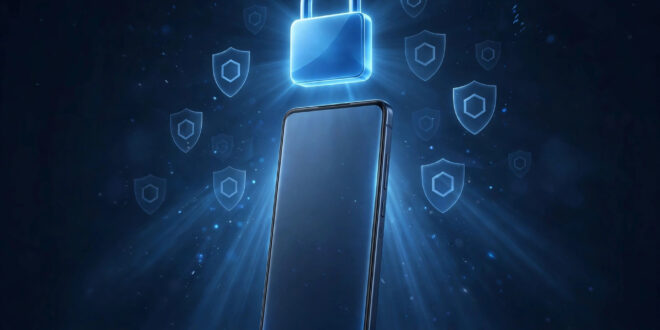
Quick answer: Yes — Android 17 App Lock is back on Pixel. Google has brought it back in Android 17 QPR3 Beta 3, and the stable release is expected with QPR3 in early 2027. To lock an app, long-press its icon on your home screen or in the app drawer and tap App Lock — the app then opens only with your device PIN, pattern, password or fingerprint, with no separate app-lock PIN to remember. The catch: it only works on Pixel phones running the QPR3 beta for now, and Google says it will never come to older Android versions.
What Happened: Google Took App Lock Away — Now It Is Back
If you have ever handed your phone to a friend to show one photo and watched them swipe through your whole gallery, you already know why App Lock matters. It puts a second barrier on your most private apps — WhatsApp, Gallery, banking apps, email — so nobody can open them without your fingerprint or PIN, even if your phone is already unlocked.
Google has tested a version of this before, and now it is returning: App Lock is back in Android 17 QPR3 Beta 3 (October 2026), with Google inviting Pixel beta testers to try it again. The stable release is expected with QPR3 in the first quarter of 2027, according to Digital Trends.
QPR3 is the next quarterly feature drop for Android 17, and the latest beta (Beta 4) also fixes several bugs that have annoyed Pixel users since launch — including battery drain and repeated Pixel Launcher crashes. We cover those fixes later in this guide.
What Is Android App Lock?
Android 17 App Lock is a built-in Android feature that locks individual apps behind your device’s own security. Tap a locked app’s icon and Android asks for your device PIN, pattern or password — or your fingerprint or face — before the app opens.
It differs from third-party app lockers on the Play Store in three ways:
1. It is built into Android. No extra app to install, no extra account, no ads — and it cannot be bypassed by uninstalling a locker app.
2. There is no separate PIN to remember. Locked apps open with the same credential you already use to unlock your phone — your device PIN, pattern or password, or your fingerprint. No second PIN to set up, and no risk of forgetting it and being locked out of your own WhatsApp.
3. It hides the app’s contents, not just the icon. When an app is locked, its notifications stay hidden too — nobody borrowing your phone can peek at your messages from the notification shade.
What App Lock cannot do
App Lock has real limits — know them before you rely on it:
- Not every app can be locked. Google says App Lock is unavailable for certain preloaded apps and apps with specific system roles — the system apps Android needs to run the phone. Your everyday apps, such as WhatsApp, Gallery and banking apps, are the ones it is designed for.
- It does not hide the app icon. A locked app still sits on your home screen where anyone can see it. App Lock stops people from opening it, not from knowing it is there.
- It is only as strong as your device lock. If someone knows your phone PIN, they can open your locked apps too. Keep your PIN private and your fingerprint registered only to yourself.
- It is a beta feature right now. It is available only on Pixel phones running the Android 17 QPR3 beta, and the behaviour and menu wording can still change before the stable release.
- AI agents and other apps can still reach locked data. If you’ve allowed AI agents and services to access a locked app, they can still reach its data.
- Locked photos and videos can surface elsewhere. Photos and videos stored in a locked app may still appear in other apps that already have access to them.
How to Turn On App Lock on Pixel (Step by Step)
You need a Pixel phone running Android 17 QPR3 Beta 3 or later. On the stable version of Android 17, App Lock is not there yet — it arrives with the QPR3 stable release in early 2027. (How to join the beta is in the next section.) Once you are on Beta 3 or newer, turning on Android 17 App Lock takes about ten seconds:
Step 1: Find the app you want to lock — WhatsApp, Gallery, your banking app — on your home screen or in the app drawer.
Step 2: Long-press the app icon until a small menu pops up.
Step 3: Tap “App Lock”. The menu shows the App Lock option. Tap it.
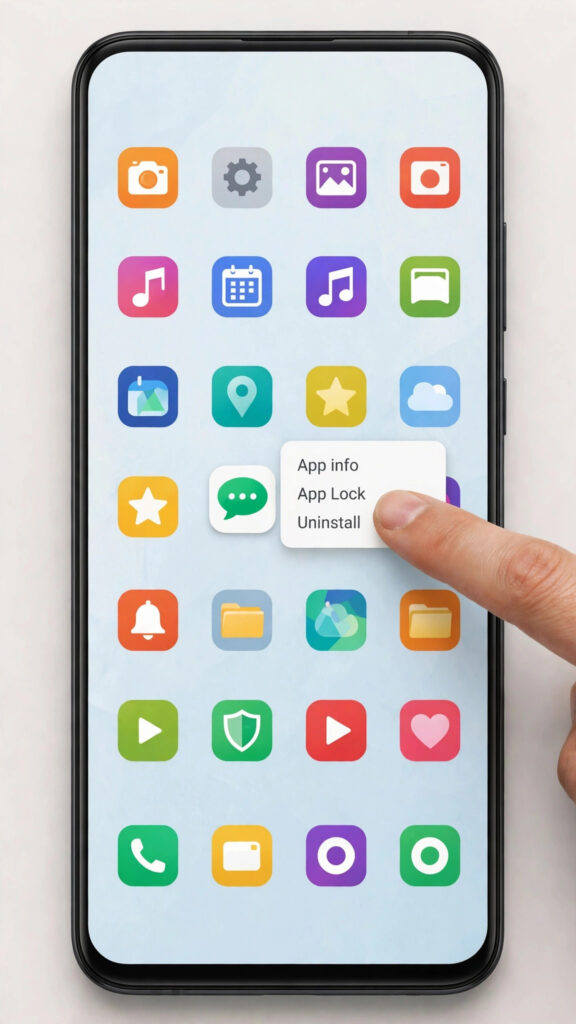
Step 4: Confirm with your device credential. Android asks for your PIN, pattern, password, fingerprint or face unlock — the same one you use to unlock your phone — to prove it is really you turning the lock on.
Step 5: Done — the app is locked. From now on, every tap on that app’s icon asks for your PIN, fingerprint or face first.
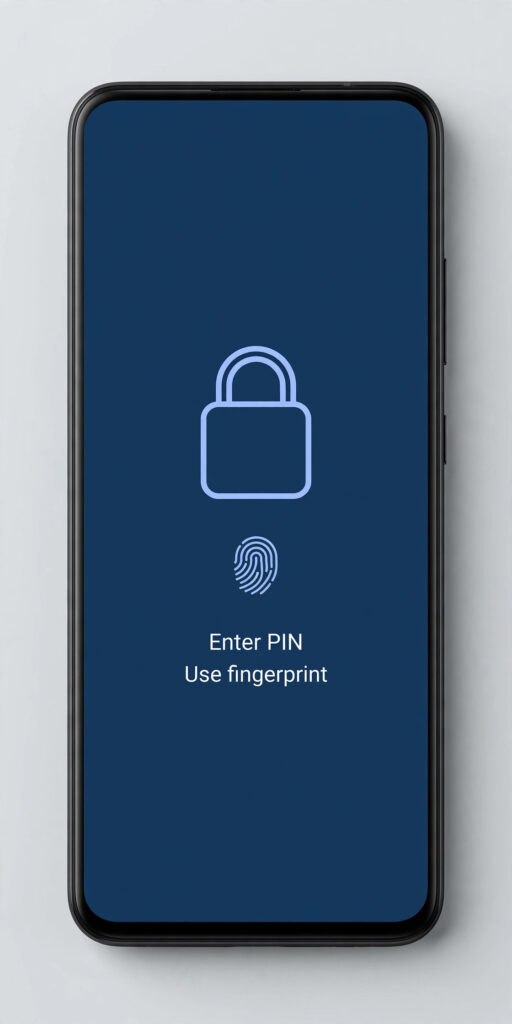
That is the whole process. There is no second PIN to set up, and you can manage all your locks together in Settings > Security & privacy > App Lock. If the “App Lock” option does not appear in the long-press menu, one of two things is true: your phone is not on QPR3 Beta 3 or later, or the app you picked is one of the preloaded or system-role apps that cannot be locked.
How to open a locked app — and how to turn the lock off
Tap the app icon as normal, enter your PIN or fingerprint, and the app opens straight away. To remove a lock, go to Settings > Security & privacy > App Lock and turn it off there. Locking only controls access — it doesn’t touch your messages, photos or data.
Which apps should you lock first?
Lock the apps that hold your private conversations and money first — WhatsApp, Gallery, banking apps and email. If WhatsApp itself is misbehaving, fix that first: see our guide on how to fix WhatsApp keeps crashing on Android. Do not lock everything: apps you open fifty times a day will only slow you down if locked.
Which Phones Get Android 17 App Lock?
Right now, App Lock is a Pixel-only beta feature:
- Pixel phones on the Android 17 QPR3 beta — App Lock appeared in QPR3 Beta 3 (October 2026), so any Pixel enrolled in the beta programme and updated to Beta 3 or later should see the option. Beta 4 covers eligible Pixel devices from the Pixel 6a through the Pixel 11 series, including Pixel Fold and Pixel Tablet. The latest beta, QPR3 Beta 4, was released on 12 November 2026 (build DP11.261030.003).
- Stable release: Q1 2027 — App Lock is expected to reach all supported Pixel phones with the stable QPR3 release in the first quarter of 2027, according to Digital Trends.
- Samsung phones: One UI 9.5 beta — Samsung has its own version in the One UI 9.5 beta, which opened on 18 November for the Galaxy S26. It is Samsung’s own implementation, but it does the same job for Galaxy owners.
How to join the Android 17 QPR3 beta
If you have a Pixel and do not want to wait until early 2027, join the beta programme:
- Go to the Android Beta Program page (google.com/android/beta), sign in with the Google account on your Pixel, find your device and tap Opt in.
- On your phone, go to Settings > System > System update and check for the update — the QPR3 beta downloads like a normal system update.
- Install it, restart, and App Lock should appear in the long-press menu for supported apps.
Which Phones Will Never Get Android 17 App Lock?
This is the part most articles skip, and it matters more than the feature itself. App Lock will not come to older Android versions — not now, and not later. According to Android expert Mishaal Rahman, writing in TalkAndroid on 20 November 2026, App Lock cannot be delivered to older phones through a Google Play system update. It depends on new core platform APIs — the deep, built-in parts of Android that only change with a full system update — which a Play system update cannot add. In plain words: it cannot be backported.
That means:
- If your phone will not get Android 17, it will not get App Lock. No update, no APK and no settings trick will bring it to a phone stuck on Android 16 or older.
- If your phone gets Android 17 but not QPR3, you will have to wait. App Lock arrives with the QPR3 feature drop — expected in early 2027 — not with the first Android 17 release.
- Samsung owners are in a different queue. Samsung’s App Lock comes through One UI 9.5, not Google’s QPR3, so older Galaxy phones that do not get One UI 9.5 will not get Samsung’s version either.
If your phone is in one of these groups, a third-party app locker from the Play Store is still your only option. Choose one from a well-known developer and check its recent reviews — a locker that demands access to your contacts and location is a red flag.
Bonus: QPR3 Beta 4 Also Fixes Battery Drain and Crashes
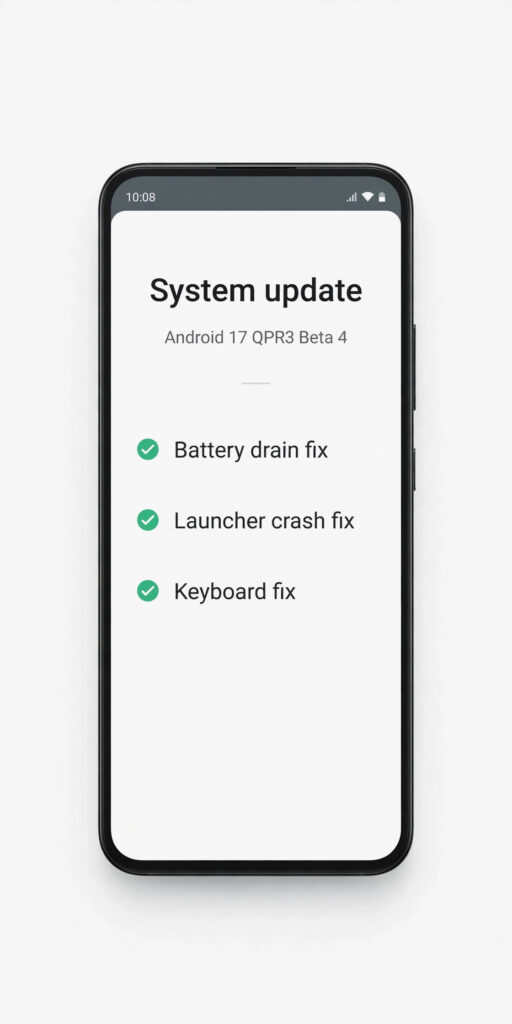
App Lock is the headline, but it is not the only reason Pixel owners are watching QPR3. The latest beta, QPR3 Beta 4 (released 12 November 2026, build DP11.261030.003), fixes several bugs reported in the QPR3 beta.
According to TechRepublic, Beta 4 fixes:
- A system_server memory leak — behind sluggish performance, Pixel Launcher crashes and unexpected restarts on some phones.
- Excessive Bluetooth background activity draining the battery — Bluetooth was running in the background far more than it should, even when you were not using it.
- A clipped on-screen keyboard — the keyboard was cut off at the bottom of the screen in some apps.
- Conscrypt TLS error messages — cryptic security errors that appeared for some users.
What about the battery improvement reports?
You may have seen posts claiming QPR3 Beta 4 gives “monster battery life”. Treat those carefully: the reports so far are user anecdotes only — individual users posting their own experience — not a confirmed fix from Google. Android Headlines quoted one user — a Pixel 11 Pro owner — describing much better battery life after the update, but that is one person’s report, not a measurement, and Google has not said the battery problem is fully solved. The Bluetooth fix in Beta 4 is real and should help the people affected by that specific bug, but battery drain has many causes — wait for the stable release and wider reports before treating it as fixed.
If your battery is draining fast right now, do not wait for QPR3. Samsung owners should read our guide on how to fix One UI 9 battery drain, and Pixel owners dealing with other Android 17 bugs can check our guide on how to fix the Pixel camera black screen on Android 17.
Should You Install the QPR3 Beta?
Android 17 App Lock is genuinely useful, but installing a beta just to get it early is a trade-off:
Install the beta if:
- You have a spare Pixel, or a second phone you can fall back on.
- You enjoy testing new features and are comfortable with the occasional bug.
- You have backed up your photos, chats and files first.
- You understand that leaving the beta later can require a full factory reset — so do not join on a whim.
Wait for the stable release if:
- This is your only phone and you rely on it for work, banking or daily life.
- You cannot afford a day where an app misbehaves or the phone restarts unexpectedly.
- You just want App Lock. It arrives with the stable QPR3 release in early 2027 — a few months of waiting is a small price for a phone that simply works.
For most people, the right answer is to wait. App Lock is a convenience, not an emergency — the stable release will bring it with the bugs fixed and the menu wording settled.
Frequently Asked Questions
Is App Lock free?
Yes. App Lock is a built-in part of Android 17, not a separate paid app — nothing to buy, no subscription.
Do I need to set a separate PIN for App Lock?
No. Locked apps open with your device PIN, pattern or password, or your fingerprint or face. There is no second PIN to create or remember.
Will App Lock come to my old phone through a Google Play system update?
No. App Lock needs new core platform APIs that only arrive with a full Android system update, so it cannot be delivered through a Google Play system update or backported. If your phone does not get Android 17 QPR3, it does not get App Lock.
Can I lock any app?
Almost any app. Google says App Lock is unavailable for certain preloaded apps and apps with specific system roles — your everyday apps (WhatsApp, Gallery, banking apps) can be locked; system apps cannot.
When will Android 17 App Lock reach my Pixel?
If you are on the QPR3 beta, it is already there from Beta 3 onwards. Everyone else waits for the stable QPR3 release, expected in the first quarter of 2027. Samsung’s separate version is in the One UI 9.5 beta, opened 18 November for the Galaxy S26.
Does QPR3 Beta 4 really fix the battery drain?
The beta fixes one specific bug — excessive Bluetooth background activity — that drained battery for some users. Wider claims of much better battery life are user reports so far, not a confirmed fix from Google.
Conclusion
Android 17 App Lock sounds small until you need it. A locked WhatsApp, Gallery or banking app is the difference between handing someone your phone with confidence and watching them swipe somewhere they should not. Google bringing it back in Android 17 QPR3 — with no separate PIN to remember and no third-party app to install — is genuinely good news for Pixel owners.
Two things to remember: it is a QPR3 feature, so stable Android 17 alone is not enough — join the beta now or wait for the stable release in early 2027. And it will never come to phones that stay on older Android versions, because it needs new core platform APIs that a Play system update cannot deliver.
If your Pixel is already on the QPR3 beta, try it today: long-press an app icon, tap App Lock, and lock the four or five apps that hold your private life. If you are waiting for the stable release, bookmark this guide.
Sources
Digital Trends — “Google brings back App Lock for Pixel with a wide release set for Q1 2027”: https://www.digitaltrends.com/phones/google-brings-back-app-lock-for-pixel-with-a-stable-release-set-for-q1-2027/
TalkAndroid — “Android App Lock Won’t Reach Older Android Versions” (Mishaal Rahman, 20 November 2026): https://www.talkandroid.com/536041-android-app-lock-older-versions-no-backport/
TechRepublic — “Android 17 QPR3 Beta 4: Fixes, Features, and Risks”: https://www.techrepublic.com/article/news-android-17-qpr3-beta-4-pixel-fixes/
Android Headlines — “Android 17 QPR3 will fix what QPR2 broke, battery life” (user battery-life reports): https://www.androidheadlines.com/2026/11/android-17-qpr3-will-fix-what-qpr2-broke-battery-life.html