 Trick Exprt TrickExprt – Tech Tips,Software Guides
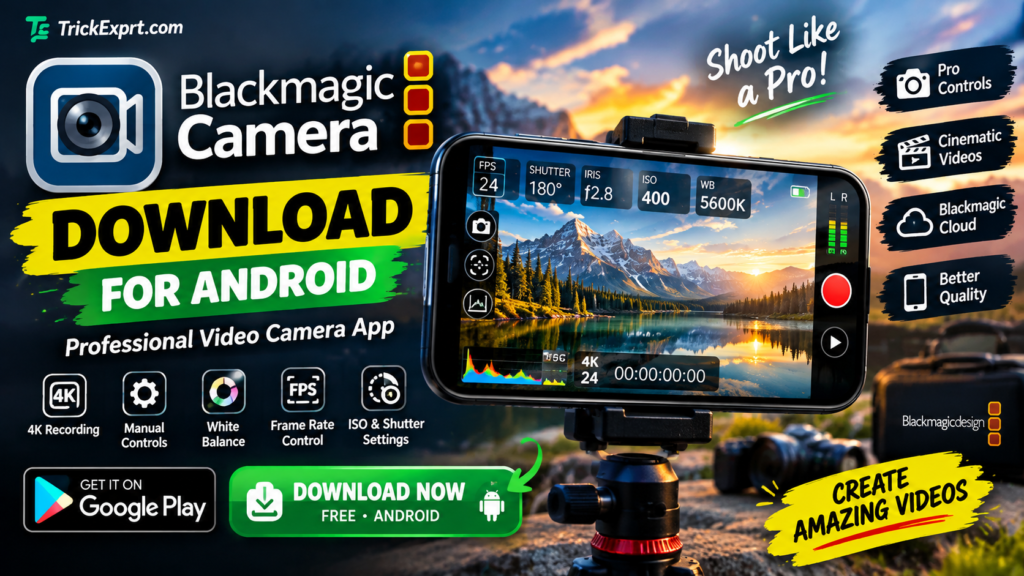
Are you looking for Blackmagic Camera app download for Android? Blackmagic Camera is a professional video recording app designed to give your smartphone advanced camera controls and a more cinematic video recording experience.
Whether you create YouTube videos, Instagram Reels, TikTok videos, short films, or professional-looking mobile content, this app can help you control important video settings directly from your phone.
In this guide, you will learn how to download Blackmagic Camera, check device compatibility, install the app, explore its best features, and use the recommended settings for better video recording.
Blackmagic Camera App Details
- App Name: Blackmagic Camera
- Developer: Blackmagic Design Inc.
- Category: Photography and Video
- Platform: Android, iPhone and iPad
- Price: Free
- Android Requirement: Android 13 or later on supported devices
- Main Purpose: Professional video recording
- Official Website: https://www.blackmagicdesign.com/products/blackmagiccamera
Download Blackmagic Camera for Android
You can download Blackmagic Camera from the official Google Play Store. Before installing it, check whether your smartphone is supported.
<EXAMPLE_PLACEHOLDER />
The button above opens the official Google Play Store listing. Tap Install if the app is available for your device.
Official download links:
- Android: https://play.google.com/store/apps/details?id=com.blackmagicdesign.android.blackmagiccam
- Official website: https://www.blackmagicdesign.com/products/blackmagiccamera
- iPhone and iPad: https://apps.apple.com/us/app/blackmagic-camera/id6449580241
The app is free to download. Device compatibility and available features may vary.
What Is Blackmagic Camera App?
Blackmagic Camera is a mobile video recording application developed by Blackmagic Design. It brings many professional-style camera controls to supported smartphones and tablets.
Unlike a basic camera app that automatically manages most settings, Blackmagic Camera gives you more control over how your video is recorded. You can adjust settings such as frame rate, shutter angle, ISO and white balance.
The app is particularly useful for creators who want more control over exposure, motion, color and video production.
You can also connect supported workflows with Blackmagic Cloud and DaVinci Resolve for video editing and collaboration.
Best Features of Blackmagic Camera App
1. Professional Manual Camera Controls
One of the biggest advantages of Blackmagic Camera is its manual control interface. Depending on your device, you can adjust several important recording settings.
These controls help you make deliberate choices about brightness, motion and color instead of relying entirely on automatic settings.
2. Frame Rate Selection
Frame rate determines how many frames are recorded each second.
Common frame rates include:
- 24 FPS: A popular choice for cinematic-style videos.
- 25 FPS: Useful for video projects using a 25 fps workflow.
- 30 FPS: Suitable for general online content and everyday videos.
- 60 FPS: Useful for smoother motion and compatible slow-motion workflows.
Higher frame rates depend on your phone’s camera hardware, selected resolution and supported recording options.
3. ISO Control
ISO affects the camera sensor’s sensitivity and the brightness of the recorded image.
A lower ISO often helps maintain cleaner footage in good lighting, while a higher ISO can help in darker conditions but may introduce more image noise.
Experiment with ISO settings to find a balance between brightness and image quality.
4. White Balance Adjustment
White balance helps keep colors looking natural under different lighting conditions.
For example, indoor lighting may look warm or yellow, while daylight can produce a different color appearance. Adjusting white balance can help maintain consistent colors between shots.
5. Shutter Speed and Shutter Angle
Blackmagic Camera offers shutter controls on supported devices and configurations.
Shutter settings affect motion blur. For example, when recording at 24 FPS, a shutter speed close to 1/48 second can produce a familiar cinematic motion appearance.
The best setting depends on your frame rate, lighting and creative goals.
6. High-Resolution Video Recording
Blackmagic Camera supports high-resolution recording options on compatible devices. Some supported configurations can record video at resolutions up to 8K.
However, 8K recording is not available on every phone. Resolution, frame rate, codec and recording options depend on your device and hardware capabilities.
7. Blackmagic Cloud Integration
The app supports workflows involving Blackmagic Cloud, allowing compatible projects and media to be shared with editors.
This can be useful for creators who record video on a phone and continue editing with DaVinci Resolve.
Cloud workflows may require an account, internet access and appropriate storage arrangements.
8. Professional Recording Interface
The interface is designed around video production controls, giving users access to camera settings while recording.
This can make the app useful for interviews, travel videos, filmmaking, tutorials and other projects that benefit from manual control.
Blackmagic Camera Compatible Android Phones
Blackmagic Camera does not work on every Android smartphone. The official technical specifications list supported device families and require Android 13 or later for the Android version.
Examples of listed compatible device families include:
- Samsung Galaxy S21, S22, S23 and S24 series, with additional newer models subject to official compatibility information.
- Google Pixel 6, 7, 8 and 9 series, excluding Pixel Fold models in the listed specifications.
- OnePlus 11 and 12.
- Xiaomi 13 and 14.
- Sony Xperia 1, 5 and Pro-I series.
- Selected compatible Oppo and Vivo models.
- Samsung Galaxy Tab S9 and Xiaomi Pad 6 tablets.
This is not a guarantee that every model or regional variant supports every feature. The official compatibility list may change as the app is updated.
Before downloading: Open the official Google Play listing on your phone. If the app is marked incompatible, check the official technical specifications for your exact device.
How to Download Blackmagic Camera on Android
Follow these steps to install the application safely.
Step 1: Open Google Play Store
Open the Google Play Store on your Android smartphone.
Step 2: Find Blackmagic Camera
Search for Blackmagic Camera and look for the listing published by Blackmagic Design Inc.
Step 3: Check Compatibility
Make sure your Android version and device are supported.
Step 4: Tap Install
If the app is available for your device, tap the Install button.
Step 5: Open the Application
Once installation is complete, open Blackmagic Camera.
Step 6: Allow Camera and Microphone Access
Grant the permissions needed for video recording and audio capture. Review any additional permission requests before approving them.
Step 7: Adjust Your Recording Settings
Choose your preferred resolution and frame rate, then review exposure, focus and white balance before recording.
Get Blackmagic Camera from Google Play
Best Blackmagic Camera Settings for Beginners
The best settings depend on your phone, lighting conditions and the type of video you want to create. Here is a practical starting point.
| Setting | Suggested starting point |
|---|---|
| Resolution | 1080p for everyday recording |
| Frame rate | 24 FPS for a cinematic look |
| Frame rate for social videos | 30 FPS |
| Shutter speed | Around double the frame rate denominator, when practical |
| ISO | Keep as low as practical while maintaining correct exposure |
| White balance | Lock it when lighting is consistent |
| Focus | Check focus before recording |
| Audio | Test your microphone before important recordings |
These are starting recommendations, not universal rules. Increase resolution when you need more detail and your device can handle it. Use 60 FPS when smoother motion or slow-motion editing is important.
Tips for Better Video Quality
- Record in good lighting whenever possible.
- Keep your lens clean before filming.
- Avoid unnecessarily high ISO values.
- Use a tripod or stable support for static shots.
- Check audio levels before recording interviews.
- Keep enough free storage for large video files.
- Record a short test clip before an important shoot.
Blackmagic Camera vs Default Phone Camera
Both applications can be useful, but they serve somewhat different purposes.
| Feature | Blackmagic Camera | Default Camera App |
|---|---|---|
| Manual video controls | Advanced controls on supported devices | Depends on the phone |
| Ease of use | Better for users who want to adjust settings | Often simpler for casual recording |
| Cinematic workflows | Designed with professional video production in mind | Depends on the phone’s features |
| Video settings | Detailed options, depending on hardware | Varies by manufacturer |
| Compatibility | Limited to supported devices | Usually optimized for the phone |
| Cost | Free | Usually included with the phone |
If you prefer quick point-and-shoot recording, your phone’s default camera app may be sufficient. If you want more manual control over video, Blackmagic Camera is worth exploring.
Is Blackmagic Camera App Free?
Yes. Blackmagic Camera is available as a free download through the official Google Play Store for supported Android devices.
The app provides professional-style recording controls without requiring you to purchase the app itself.
Some workflows involving cloud storage, third-party accessories or other software may have separate requirements or costs.
Is Blackmagic Camera Safe to Download?
The recommended way to download the app is through the official Google Play Store or the developer’s official website.
For a safer installation:
- Verify the developer name: Blackmagic Design Inc.
- Avoid unknown websites offering modified APK files.
- Do not install suspicious files claiming to unlock hidden paid features.
- Review camera, microphone and file permissions.
- Keep the app and your phone’s operating system updated.
If the official store says your device is incompatible, avoid installing random APK versions as a workaround.
Common Blackmagic Camera Problems and Solutions
1. Blackmagic Camera Is Not Available on My Phone
Your phone may not meet the app’s hardware or software requirements.
Solution: Check your Android version, search for your exact device on the official compatibility list, and open the Play Store listing directly on your phone.
2. The App Is Not Installing
Possible causes include insufficient storage, an unstable internet connection or device incompatibility.
Solution: Check your available storage, reconnect to the internet and retry the installation through Google Play.
3. Video Recording Options Are Missing
Some recording features depend on your phone’s camera hardware, supported lenses and selected recording configuration.
Solution: Check the app settings and official specifications for your device.
4. Video Files Take Up Too Much Storage
High-resolution video and higher frame rates can generate large files.
Solution: Record at 1080p when appropriate, transfer completed projects to suitable storage and leave enough free space for future recordings.
Frequently Asked Questions (FAQs)
1. How do I download Blackmagic Camera for Android?
Open the official Google Play Store link in this article, check compatibility and tap Install if the app is available.
2. Is Blackmagic Camera free?
Yes, the app is free to download from the official store on supported devices.
3. Does Blackmagic Camera work on every Android phone?
No. Compatibility depends on the phone model, Android version and hardware capabilities.
4. Which Android version is required?
The official technical specifications list Android 13 or later for supported Android devices.
5. Can Blackmagic Camera record 4K video?
It supports high-resolution recording on compatible devices. Available resolution and frame rates depend on the phone’s hardware and the selected recording settings.
6. Can Blackmagic Camera record 8K video?
Some supported configurations offer recording up to 8K, but this option is not available on every phone.
7. Is Blackmagic Camera good for YouTube videos?
It can be a useful choice for YouTube creators who want manual control over frame rate, exposure and white balance.
8. Can I use Blackmagic Camera for Instagram Reels?
Yes. You can use it to record video for Reels and other social platforms. Choose a suitable frame rate, resolution and aspect ratio for your intended platform.
9. Is Blackmagic Camera available for iPhone?
Yes. The app is also available for compatible iPhone and iPad devices through Apple’s App Store.
10. Why is Blackmagic Camera not compatible with my phone?
Your device may not meet the app’s supported hardware or software requirements. Check the official technical specifications and Google Play compatibility information.
Final Verdict
Blackmagic Camera is a useful option for Android users who want more control over smartphone video recording. Its manual settings, frame-rate options, white balance controls and professional production workflow make it particularly appealing to filmmakers, vloggers and content creators.
The most important thing is to check device compatibility before installing it. If your phone is supported, you can download the app for free through the official Google Play Store.
Ready to record better videos?
Download Blackmagic Camera for Android
Thanks for visiting TrickExprt.com. Explore our other Android apps and video editing guides for more useful tips.
Incoming Search Terms
blackmagic camera app download
blackmagic camera download for Android
blackmagic camera app Android
blackmagic camera APK download
blackmagic camera latest version
blackmagic camera Google Play
blackmagic camera supported phones
blackmagic camera Android 13
blackmagic camera app features
blackmagic camera settings for beginners
blackmagic camera 4K recording
blackmagic camera 8K recording
blackmagic camera frame rate settings
blackmagic camera ISO settings
blackmagic camera white balance
blackmagic camera for YouTube videos
best professional video camera app Android
cinematic video recording app Android
Blackmagic Camera vs default camera
Blackmagic Camera app not compatible