 Trick Exprt TrickExprt – Tech Tips,Software Guides
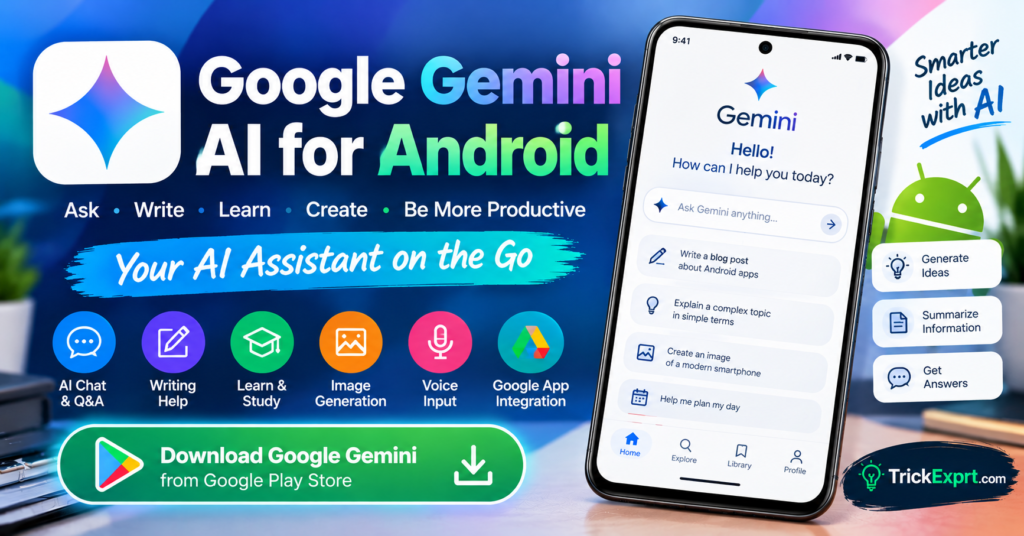
Artificial intelligence is making everyday smartphone tasks easier, from writing emails to learning new skills and planning daily activities. The Google Gemini AI app for Android is a useful option for users who want an AI assistant directly on their phones.
Developed by Google, Gemini can help answer questions, explain difficult topics, generate ideas, work with supported images and files, and assist with writing. Some features require a compatible device, an eligible account, or a paid subscription.
In this guide, you will learn how to download Google Gemini for Android, explore its main features, install the official app, and use it effectively.
What Is Google Gemini AI?
Google Gemini is an artificial intelligence assistant designed to help with information, creativity, productivity, and everyday questions.
You can interact with Gemini by typing prompts and, where supported, using voice, images, or uploaded files. Its available features depend on your device, region, language, and account.
Google Gemini AI App Download for Android
App name: Google Gemini
Developer: Google LLC
Platform: Android
Download source: Google Play Store
Download Google Gemini
Always verify that the developer is Google LLC before installing the app.
Key Features of Google Gemini
1. AI Chat Assistant
Ask questions about technology, education, general knowledge, or everyday tasks. Gemini can provide explanations and help you explore a topic further.
2. Writing Assistance
Gemini can help you draft emails, social media captions, blog outlines, product descriptions, and other written content. Review and edit AI-generated text before publishing it.
3. Learning and Study Support
Students can use Gemini to understand difficult concepts, create revision questions, summarize suitable material, and develop study plans.
4. Image and File Assistance
Depending on availability, you can upload supported images and documents to request explanations, summaries, or insights.
5. Voice Interaction
On supported devices and accounts, Gemini offers voice-based interactions. This can be useful when typing is inconvenient.
6. Google App Connections
Eligible users can connect supported Google services for certain tasks. Available integrations and permissions may vary.
How to Download and Install Google Gemini on Android
Follow these steps:
- Open the Google Play Store on your Android phone.
- Search for Google Gemini.
- Check that the developer is Google LLC.
- Tap Install.
- Open the app after installation.
- Sign in with your Google account if required.
- Review the available settings and start asking questions.
If the app does not appear, check your device compatibility, region, Android version, and account eligibility.
How to Use Google Gemini Effectively
For better results, write clear and specific prompts.
For example:
- “Explain how Android app permissions work in simple English.”
- “Create a seven-day study plan for a beginner.”
- “Give me 10 original blog topic ideas about Android apps.”
- “Rewrite this email in a professional tone.”
Include the intended audience, language, length, and format when those details matter.
Advantages of Google Gemini
- Helps with everyday questions and writing tasks.
- Offers different ways to interact, depending on availability.
- Can assist with learning and brainstorming.
- Supports selected image and file workflows.
- Integrates with supported Google services for eligible users.
Limitations You Should Know
Gemini can sometimes provide incorrect or incomplete information. Important facts should be verified with reliable sources.
Some advanced features may require a subscription. Availability also varies by country, language, device, and account type.
Avoid uploading passwords, banking details, private documents, or other sensitive information unless you fully understand the applicable privacy settings.
Is Google Gemini Free for Android?
Gemini offers access to features without a paid subscription, but free usage limits and available models can vary. Certain capabilities require a paid Google AI plan or other eligibility conditions.
Check the app and official Google information for the latest availability in your region.
Google Gemini vs Other AI Apps
Gemini is worth considering if you want an AI assistant connected to supported Google services. Microsoft Copilot is another option for productivity and creative tasks, Perplexity focuses on AI-powered search with cited sources, and Claude is useful for writing and working through complex questions.
The best choice depends on your needs and the features available to your account.
Frequently Asked Questions
Is Google Gemini available for Android?
Yes. Google provides a Gemini app for supported Android devices and regions.
Can I download Gemini without paying?
You can access available free features. Some features and usage levels require a subscription.
Is the Google Gemini APK safe?
The safest recommendation is to install the official Google Play Store version. Avoid unofficial APK files from unknown websites.
Does Gemini always provide correct answers?
No. AI responses can contain mistakes. Verify important information independently.
Final Verdict
Google Gemini is a useful AI assistant for Android users who want help with writing, learning, brainstorming, and supported Google services. Install the official app, explore its free features, and check important answers before relying on them.
For more Android app guides, visit TrickExprt.com.
Related Article Link
Best AI Apps for Android in 2026



2 comments
Pingback: Claude AI for Android 2026 – Download & Complete Guide
Pingback: Well Played Soccer APK Download for Android (2026)