 Trick Exprt TrickExprt – Tech Tips,Software Guides
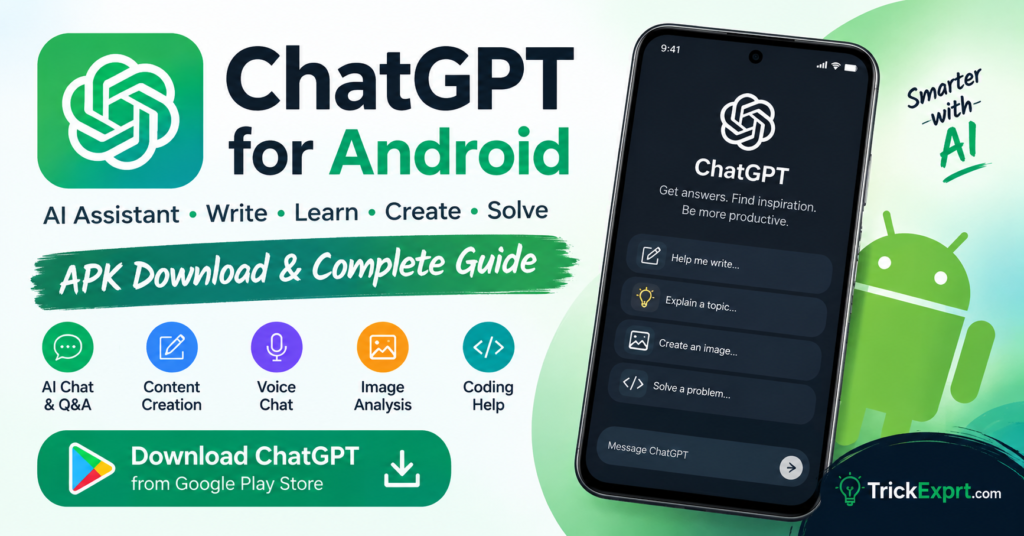
Are you looking for the ChatGPT app for Android? ChatGPT is an AI-powered assistant that can help you write content, answer questions, generate ideas, summarize information, learn new skills, and solve everyday problems.
In this complete guide, you will learn how to download ChatGPT on Android, explore its main features, install the official app, and start using AI on your smartphone.
ChatGPT App for Android – Quick Information
- App Name: ChatGPT
- Developer: OpenAI
- Platform: Android
- Category: Artificial Intelligence
- Download Source: Google Play Store
- Price: Free to download, with optional paid plans
- Internet Connection: Required for normal use
- Official Website: https://chatgpt.com/
Note: Features, subscription prices, and Android requirements may change over time.
Download ChatGPT APK for Android
You can install the official ChatGPT Android app through Google Play. This is the recommended method because it helps you avoid unofficial APK files and potentially unsafe downloads.
Download ChatGPT from Google Play Store
Before installing, check that the developer is listed as OpenAI. Avoid apps with similar names that are not published by the official developer.
Important: This link opens the official Google Play listing; it does not directly download a standalone APK file.
What Is ChatGPT for Android?
ChatGPT is an AI assistant developed by OpenAI. It allows users to communicate with an AI system through text and, where supported, voice and image inputs.
Instead of switching between multiple websites to find information or develop ideas, you can ask ChatGPT questions and receive responses in a conversational format.
The Android app makes it convenient to access ChatGPT from your smartphone, whether you need help with studying, writing, planning, coding, or everyday tasks.
Key Features of the ChatGPT Android App
1. AI Chat and Question Answering
Ask questions about technology, education, science, general knowledge, and other subjects. ChatGPT can explain complex topics in simpler language and help you explore new ideas.
2. Writing and Content Creation
ChatGPT can help you draft blog posts, emails, product descriptions, social media captions, video scripts, and other written content.
Website owners can also use it to brainstorm article topics, create outlines, improve readability, and develop SEO content ideas. Always review generated content for accuracy and originality before publishing.
3. Voice Conversations
Compatible versions of the app offer voice interaction, allowing you to speak with ChatGPT instead of typing every message. Availability and usage limits can vary by account, plan, and region.
4. Image Understanding
Where supported, you can share an image and ask questions about its contents. This can help with understanding screenshots, interpreting visual information, or getting guidance about something shown in a picture.
5. Learning and Study Assistance
ChatGPT can explain lessons, simplify difficult concepts, help with language practice, and generate practice questions. Students should verify important facts and use the app responsibly.
6. Coding and Technical Help
Developers and beginners can ask for programming explanations, debugging suggestions, and examples of code. Always test generated code before using it in a real project.
7. Brainstorming and Planning
Use ChatGPT to develop business ideas, plan daily tasks, organize projects, create checklists, and explore creative possibilities.
8. Free and Paid Options
ChatGPT offers free access alongside paid subscription plans. Available models, features, usage limits, and prices may differ depending on your account and region.
How to Install ChatGPT on Android
Follow these steps to install the official application:
- Open the Google Play Store on your Android phone.
- Search for ChatGPT.
- Find the app published by OpenAI.
- Tap Install.
- Wait for the installation to finish.
- Open the application.
- Sign in to your account or follow the available sign-up instructions.
- Start asking questions or exploring the available features.
You can also use the official download link provided above to open the correct Google Play listing.
Can You Download ChatGPT APK Without Google Play?
Some users prefer downloading Android applications through APK files. However, OpenAI’s official Android distribution is available through Google Play.
For safety, avoid downloading purported ChatGPT APK files from unknown websites. Unofficial files may be modified, outdated, or designed to collect personal information.
If Google Play is unavailable on your device, visit the official ChatGPT website at https://chatgpt.com/ to check whether the service works in your browser.
How to Use ChatGPT on Android
After installing the application, you can begin with a simple question or instruction.
Step 1: Open ChatGPT
Launch the app and sign in if required.
Step 2: Enter Your Prompt
Type a question or describe what you need help with.
Step 3: Review the Response
Read the answer and check important facts, especially when dealing with technical, financial, or other important decisions.
Step 4: Ask Follow-Up Questions
You can request a shorter explanation, examples, a different writing style, or more detailed instructions.
Example prompt for bloggers:
“Give me 10 original article ideas about Android apps, including SEO-friendly titles and relevant search keywords.”
Advantages and Limitations of ChatGPT
Advantages
- Helps with writing and brainstorming.
- Explains many topics in simple language.
- Supports learning and problem-solving.
- Can assist with coding and technical tasks.
- Offers convenient access through Android.
- Provides a free option with certain usage limits.
Limitations
- Some answers may contain mistakes.
- Internet access is generally needed.
- Certain features have usage limits or require a paid plan.
- Availability may vary by country, device, and account.
- Sensitive personal information should not be shared unnecessarily.
Is ChatGPT Safe to Use on Android?
The official ChatGPT app from OpenAI is the recommended choice. Download it from the official Google Play listing and check the developer name before installation.
For better privacy, avoid entering passwords, banking details, or other confidential information into conversations. Review the app’s privacy settings to understand the available data controls.
Remember that AI-generated answers can be inaccurate, so verify important information with reliable sources.
ChatGPT Android App vs. Browser Version
Both options allow you to access ChatGPT, but the experience may differ.
| Feature | Android App | Web Version |
|---|---|---|
| Access | Installed application | Mobile browser |
| Home-screen access | App icon | Browser shortcut, if configured |
| Voice features | Available where supported | Availability may vary |
| Updates | Through the app store | Website updates |
| Installation | Requires app installation | No app installation required |
The best option depends on your device, preferences, and the features available to your account.
Frequently Asked Questions
Is ChatGPT free to download on Android?
Yes. The official ChatGPT app is free to download, although paid subscriptions and additional usage limits may apply.
Where can I download the official ChatGPT Android app?
You can download it from Google Play: https://play.google.com/store/apps/details?id=com.openai.chatgpt
Is ChatGPT available for Android phones?
Yes. The official Android application is available through Google Play in supported regions and on compatible devices.
Can I use ChatGPT without installing the app?
Yes. You can visit https://chatgpt.com/ through a supported web browser.
Is ChatGPT APK safe to download from third-party websites?
Third-party APK files may be modified or unsafe. The official Google Play listing is the recommended installation source.
Can ChatGPT help me write blog articles?
Yes. It can assist with topic research, outlines, drafting, editing, and SEO planning. Review the final article carefully and add useful, accurate information for your readers.
Final Verdict
ChatGPT is a useful AI assistant for Android users who want help with writing, learning, brainstorming, coding, and everyday questions. Its mobile application makes these tools accessible directly from a smartphone.
For the safest installation experience, use the official Google Play listing instead of downloading an unverified APK file.
Ready to try ChatGPT?
Download ChatGPT for Android from Google Play
Disclaimer: TrickExprt.com is an independent technology information website and is not affiliated with OpenAI. ChatGPT is a product of OpenAI. App features and availability may change.

One comment
Pingback: Perplexity AI for Android 2026 – Download & Complete Guide