 Trick Exprt TrickExprt – Tech Tips,Software Guides
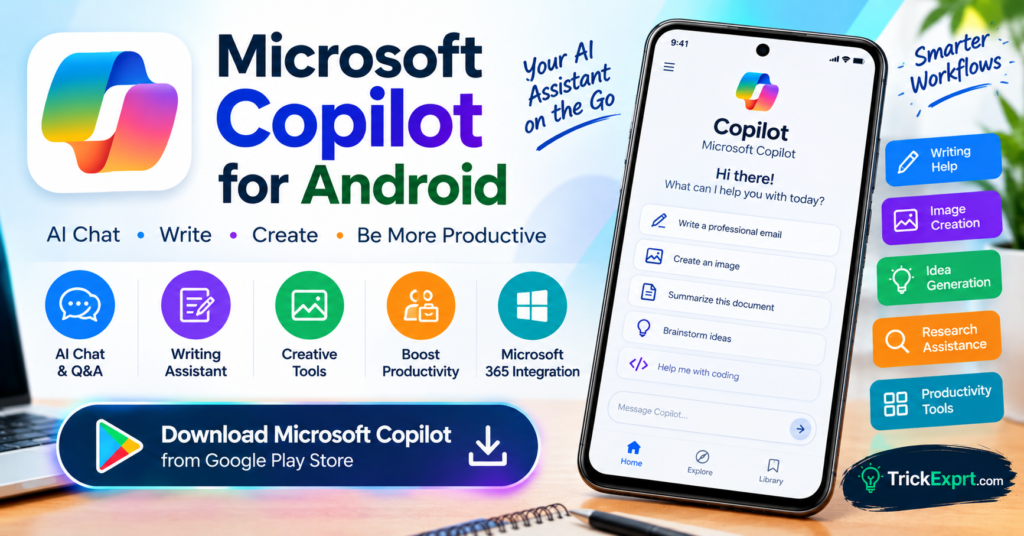
Looking for an AI assistant that can help with writing, brainstorming, research, and everyday productivity? Microsoft Copilot for Android is an option worth exploring.
Microsoft Copilot is designed to help users ask questions, create and improve text, explore ideas, and perform supported AI-powered tasks. Certain versions and features may also provide image creation or additional productivity capabilities.
This guide explains how to download the official Microsoft Copilot app, use its main features, and understand its free and paid options.
What Is Microsoft Copilot?
Microsoft Copilot is an AI assistant from Microsoft. You can use it to ask questions, draft content, summarize information, generate ideas, and assist with various personal or professional tasks.
The standalone Copilot app and Microsoft 365 Copilot app are different products. Their features, account requirements, and subscription options may differ.
Microsoft Copilot Download for Android
App name: Microsoft Copilot
Developer: Microsoft Corporation
Platform: Android
Official Download Button
Download Microsoft Copilot for Android – Google Play
Before installing, confirm that the Play Store listing identifies Microsoft Corporation as the developer.
Main Features of Microsoft Copilot
1. AI Chat
Ask Copilot questions about technology, everyday tasks, general knowledge, and other topics. You can also ask follow-up questions to develop an answer.
2. Writing and Rewriting
Copilot can help draft emails, social media captions, outlines, summaries, and professional messages. You can ask it to change the tone, simplify language, or organize ideas.
3. Idea Generation
Use Copilot to brainstorm article titles, business ideas, content calendars, presentations, and creative projects.
4. Image Creation
Where supported, Copilot offers AI-powered image generation. You can describe the image you want and refine your prompt to explore different results. Availability and usage limits may change.
5. Research Assistance
Copilot can help explore questions and, when web-grounded responses are available, provide links or references for further reading. Verify important claims using the original sources.
6. Productivity Workflows
Some Copilot experiences connect with Microsoft 365 services. Access to specific work files or advanced features may depend on your account, subscription, organization settings, and app version.
How to Install Microsoft Copilot on Android
- Open the Google Play Store.
- Search for Microsoft Copilot.
- Confirm the developer is Microsoft Corporation.
- Tap Install.
- Open the app.
- Sign in if prompted or required for your selected features.
- Enter a question or choose an available tool to begin.
If you cannot find the app, check device compatibility and regional availability.
How to Use Microsoft Copilot
Here are some prompts you can try:
- “Write a professional email requesting a project update.”
- “Create 15 blog title ideas about Android apps.”
- “Explain cloud storage in simple English.”
- “Summarize this text into five key points.”
- “Create an image of a modern Android phone on a futuristic desk.”
For research tasks, ask Copilot to provide sources and open the original pages to verify the information.
Benefits of Microsoft Copilot
- Helps with writing and editing.
- Supports brainstorming and everyday questions.
- Can assist with creative tasks and supported image generation.
- Offers productivity options across compatible Microsoft experiences.
- Provides a convenient AI assistant on Android.
Free vs Paid Features
Copilot access and limits can vary depending on the product, account, region, and current Microsoft plans. Some features may be available at no cost, while additional capabilities or Microsoft 365 integrations can require an eligible subscription.
Check the current app listing and Microsoft’s official documentation before purchasing a plan.
Microsoft Copilot vs Other AI Apps
Microsoft Copilot is a useful choice for users interested in Microsoft services and general productivity. Google Gemini may suit users who rely on supported Google services. Perplexity is useful for research with cited sources, while Claude can help with longer writing and complex tasks.
Try the available free features before deciding which assistant best fits your workflow.
Is Microsoft Copilot Safe to Download?
Use the official Google Play Store listing and verify the publisher. Review app permissions and privacy settings, and avoid unofficial installers from unfamiliar websites.
As with any AI assistant, do not treat every response as guaranteed to be correct. Check important information before acting on it.
Frequently Asked Questions
Is Microsoft Copilot available on Android?
Yes. Microsoft offers a Copilot Android app, although availability and features can vary.
Is Microsoft Copilot free?
Some Copilot features are available without payment. Paid plans, usage limits, and additional features depend on the product and account.
Can Copilot generate images?
Image-generation capabilities may be available depending on the version, region, account, and current usage limits.
Is Microsoft Copilot the same as Microsoft 365 Copilot?
No. Microsoft offers separate Copilot experiences. The standalone assistant and Microsoft 365 productivity app can have different features and account requirements.
Final Verdict
Microsoft Copilot is worth trying if you want AI-powered writing assistance, brainstorming, question answering, and supported creative tools on your Android phone.
Download it from the official Play Store and explore the features available to your account. For more Android tutorials and AI app guides, visit TrickExprt.com.
Related Articles Links
Perplexity AI for Android 2026


3 comments
Pingback: Google Gemini AI App for Android 2026 – Download & Guide
Pingback: Claude AI for Android 2026 – Download & Complete Guide
Pingback: Perplexity AI for Android 2026 – Download & Complete Guide