 Trick Exprt TrickExprt – Tech Tips,Software Guides
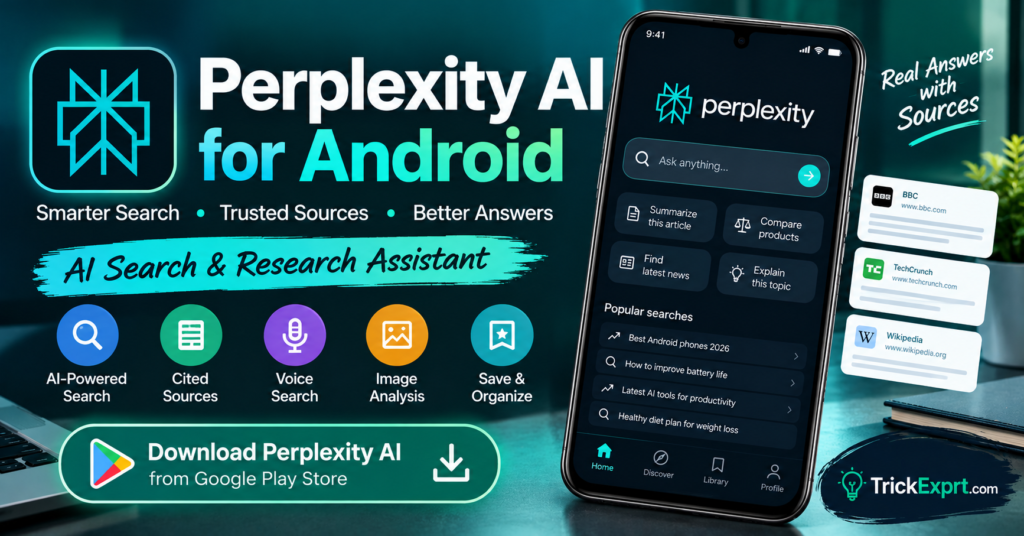
Finding useful information online can take time, especially when you need to compare several websites and understand a complicated topic. Perplexity AI for Android offers an AI-powered search experience designed to help users explore questions and review supporting sources.
Unlike a traditional search page that mainly displays a list of links, Perplexity can generate a summarized response and provide citations to sources used in its answers.
In this guide, you will learn how to download the official Perplexity Android app, understand its features, and use it for research and everyday questions.
What Is Perplexity AI?
Perplexity is an AI-powered search and answer assistant. It helps users investigate topics, ask follow-up questions, and discover information from online sources.
Its Android app includes features such as conversational search, voice input, follow-up questions, and a library of saved discoveries. The available tools can vary by account and subscription.
Perplexity AI App Download for Android
App name: Perplexity – Ask Anything
Developer: PerplexityAI
Platform: Android
Official Download Button
Install the app through Google Play and verify the publisher before proceeding.
Top Features of Perplexity AI
1. AI-Powered Search
Enter a question in everyday language and let Perplexity help you explore the topic. This can be useful when you want an overview before visiting individual websites.
2. Cited Sources
Perplexity is designed to show sources alongside answers. Open those links to check whether they directly support the claims made in the response.
Citations are useful, but they do not automatically guarantee that every statement is accurate.
3. Follow-Up Questions
Continue a conversation with related questions instead of starting a new search every time. For example, after researching an Android phone, you can ask about its battery, software support, or alternatives.
4. Voice Search
The app supports voice-based questions where available. This can be convenient when you are travelling or do not want to type a long query.
5. Research Features
Depending on your account and current app version, Perplexity may provide deeper search and research options for exploring more complicated questions.
6. Saved Searches and Library
The Library feature can help you return to saved discoveries and previous research, making it easier to organize your information.
How to Download Perplexity AI on Android
- Open the Google Play Store.
- Search for Perplexity – Ask Anything.
- Check that the publisher is PerplexityAI.
- Tap Install.
- Open the app.
- Complete any sign-in steps if required.
- Type a question to begin searching.
If the app is unavailable, check regional availability and device compatibility.
How to Use Perplexity for Research
Try prompts such as:
- “Compare the latest Android versions and explain the main differences.”
- “Find official sources explaining how Google Play Protect works.”
- “Research the benefits and limitations of AI writing tools.”
- “Compare three budget Android phones using official specifications.”
- “Explain this topic and provide sources for further reading.”
For the best results, specify a date range, country, budget, or other relevant constraints.
Advantages of Perplexity AI
- Combines AI-generated answers with source links.
- Supports follow-up questions.
- Can help organize initial research.
- Offers voice input where supported.
- Provides a convenient way to explore unfamiliar topics.
Limitations of Perplexity
AI-generated summaries can misunderstand sources, omit important context, or contain incorrect claims. Some sources may be outdated or less authoritative than others.
For health, legal, financial, or other important decisions, verify information through appropriate official or professional sources.
Some advanced search features may have usage limits or require a paid subscription.
Is Perplexity AI Free?
Perplexity offers free access to its core experience, with limits and features that may change. Paid plans can provide additional capabilities. Check the current app listing for details about the available plans in your region.
Perplexity AI vs Google Search
Google Search is useful for discovering websites, official pages, maps, products, and many types of content. Perplexity focuses on providing AI-generated responses with sources and conversational follow-up.
Neither tool should replace checking original sources when accuracy matters. You can use both together: start with an AI summary, then open the most relevant primary sources.
Frequently Asked Questions
Is Perplexity AI available for Android?
Yes. Perplexity provides an Android app through Google Play in supported regions.
Does Perplexity provide sources?
It is designed to display citations for answers. Always open and review those sources rather than assuming every claim is correct.
Can I use Perplexity for free?
Yes, a free experience is available, although features and usage limits can change.
Is Perplexity an APK download website?
No. Perplexity is an AI search and answer service. Download its Android app from the official Google Play listing.
Final Verdict
Perplexity AI is worth trying if you regularly research technology, compare products, or need a starting point for learning about unfamiliar subjects. Its source-linked answers can make it easier to continue your research, provided you verify the original information.
Download the official app and explore its available features. Visit TrickExprt.com for more AI app guides and Android tutorials.

One comment
Pingback: Microsoft Copilot for Android 2026 – Download & Features