 Trick Exprt TrickExprt – Tech Tips,Software Guides
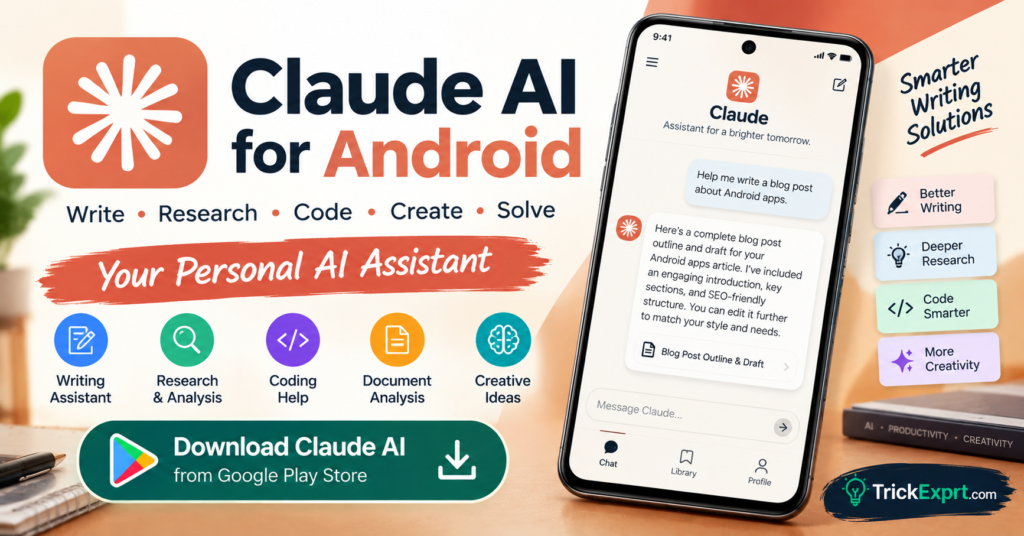
If you need help writing articles, understanding documents, exploring coding problems, or organizing ideas, Claude AI for Android is another AI assistant worth considering.
Developed by Anthropic, Claude is designed to help users write, research, work through complex questions, and analyze supported files. Its Android app makes these capabilities available on compatible smartphones.
This guide covers the official download link, main features, installation steps, practical uses, and important limitations.
What Is Claude AI?
Claude is an AI assistant developed by Anthropic. It can help users generate and refine text, understand information, brainstorm ideas, and work through technical or analytical questions.
The exact capabilities available depend on the selected model, account, subscription, and current product features.
Claude AI Download for Android
App name: Claude by Anthropic
Developer: Anthropic PBC
Platform: Android
Official Download Button
Make sure the publisher is Anthropic PBC before installing the application.
Key Features of Claude AI
1. AI Writing Assistant
Claude can help create drafts, improve sentence structure, adjust tone, and organize ideas. It can assist with emails, reports, blog outlines, and other writing tasks.
2. Long-Form Content Support
You can ask Claude to help structure longer documents, summarize sections, and improve clarity. For publishing, always review the final content for originality, accuracy, and your intended voice.
3. Coding Assistance
Claude can explain programming concepts, help interpret error messages, suggest code changes, and assist with debugging. Test generated code before using it in a live project.
4. Document and Image Analysis
Supported accounts and versions can work with uploaded files or images. This may help summarize documents, extract key points, or answer questions about visual information.
5. Research and Complex Questions
Claude can help break down a complicated question into smaller parts and compare possible approaches. When current facts are important, verify them with reliable and up-to-date sources.
6. Multilingual Assistance
Claude can help with translation, language practice, and rewriting text in different styles. Review translations carefully when cultural nuance or technical accuracy matters.
How to Install Claude AI on Android
Follow these steps:
- Open Google Play Store.
- Search for Claude by Anthropic.
- Confirm that the developer is Anthropic PBC.
- Tap Install.
- Open the app.
- Follow the sign-in or account setup instructions.
- Start a conversation by entering your question.
Anthropic’s published Android installation guidance lists Android 8.0 Oreo or later as supported, but availability can still depend on your device and region.
How to Use Claude AI Effectively
Here are some useful prompts:
- “Rewrite this article introduction in clear, natural English.”
- “Explain this Python error and suggest a way to fix it.”
- “Summarize this document into its five main points.”
- “Create an outline for an article about Android security.”
- “Translate this message into Urdu while preserving its meaning.”
For better responses, describe the task, audience, desired length, and output format.
Benefits of Claude AI
- Supports writing and editing tasks.
- Can help explain complex topics.
- Offers coding and problem-solving assistance.
- Works with supported file and image workflows.
- Can assist with translation and multilingual writing.
Free vs Paid Claude Plans
Claude offers access to its service through different plan options. Free usage may have message or capacity limits, while paid plans can offer additional access or features.
Plan names, limits, and availability can change. Check the official Claude website or app for the current details before subscribing.
Is Claude AI Safe to Use?
Download Claude from the official Google Play Store listing and review its permissions and privacy information.
Avoid submitting passwords, confidential business information, banking details, or private documents unless you have considered the relevant privacy and data-handling terms.
AI responses can be incorrect, so check important claims and test generated code before relying on it.
Claude AI vs Other AI Assistants
Claude is worth considering for writing, document analysis, coding assistance, and complex questions. Gemini may be convenient for supported Google services, Copilot for Microsoft-related productivity, and Perplexity for source-linked research.
The best app depends on your workflow, preferred interface, and available free or paid features.
Frequently Asked Questions
Is Claude AI available on Android?
Yes. Anthropic provides an official Android app in supported regions and on compatible devices.
Is Claude AI free?
A free plan is available, subject to limits. Paid plans provide additional access or features according to the current plan details.
Can Claude write blog articles?
Claude can help draft outlines and content, but you should edit the result, fact-check claims, add original value, and avoid publishing unreviewed AI text.
Can Claude help with coding?
Yes. It can explain code and suggest solutions, but generated code should be reviewed and tested before deployment.
Where should I download Claude?
Use the official Google Play Store link provided in this article. Avoid modified or unofficial APK files.
Final Verdict
Claude AI is a useful option for Android users who want help with writing, document analysis, coding, translation, and problem-solving. Try the features available on your account and check important information before using it in professional work.
For more Android app downloads, AI tools, and technology tutorials, visit TrickExprt.com.


2 comments
Pingback: Google Gemini AI App for Android 2026 – Download & Guide
Pingback: Microsoft Copilot for Android 2026 – Download & Features