TrickExprt Android Apps, Games, Software & Tech Guides
To check your nol card balance online, open the official RTA nol balance checker and enter the card details requested. Anonymous cards generally use the 10-digit Tag ID printed on the card; registered or Personal cards may be selectable through your RTA account, while some new cards use a 16-digit Tag ID. You can also check a physical card with the official nol Pay app on an NFC-enabled phone.
Official RTA Guidelines: This guide is based on information available from Dubai’s Roads and Transport Authority (RTA). App features, service steps, fees, and transport rules may change. Check the official RTA website, the nol card how-to guide, the official top-up service, and the nol refund service for current instructions before making a payment or travelling.
Minimum Nol Card Balance for Dubai Metro and Buses
Before travelling, make sure your nol card has the minimum balance required to enter the Metro or board an RTA bus. If the balance is below the required amount, the card may be rejected at the gate or reader. The minimum check-in balances listed below apply to Silver, Gold and Blue/Personal cards; the fare charged depends on your journey and card type. Check the current RTA rules before travelling:
| Nol Card Category | Minimum balance to check in | Important notes |
| Silver Card | AED 7.50 | Standard public-transport fare; valid for 5 years, with RTA’s stated post-expiry usage period subject to card rules. |
| Gold Card | AED 7.50 | Gold Class fares are higher, but RTA lists AED 7.50 as the minimum balance to check in. The fare deducted depends on the zones travelled. |
| Blue / Personal Card | AED 7.50 | Eligible students, senior residents and People of Determination may receive category-based concessions. |
| Red Ticket | Pay the fare for the selected journey | Disposable, single-mode ticket; valid for 90 days and reloadable for up to 10 trips or 5 daily passes. |
Note: AED 3.50 is a separate minimum stated by RTA for activating some pending top-ups on a Blue card through metro gates; it is not the standard minimum balance for every trip.
Note: Check the payment method and fare for the specific route before travelling outside Dubai. nol is accepted on RTA-operated services, but other emirates may use their own transport card or payment system.
Method 1: Check Your Nol Card Balance on the RTA Website
If your smartphone lacks NFC hardware, execute your nol card balance check rta through any desktop or mobile browser.
Step 1: Find Your 10-Digit Tag ID
Turn your physical card over and look for its Tag ID. RTA’s current instructions distinguish between card types: an anonymous card uses a 10-digit Tag ID, a new card may use a 16-digit Tag ID, and a registered or Personal card can often be selected from your signed-in account. Use the exact option requested by the RTA service. See RTA’s official nol card service instructions.
Step 2: Access the Direct English Portal
Open the direct RTA nol card balance page rather than starting from the general homepage. Follow the identifier and verification fields shown on the live RTA page; the available steps can differ by card type and account status.
Step 3: Complete Your Nol Card Balance Checking Online
- In the nol Tag ID field, type your 10-digit card number.
- Complete the visual security captcha.
- Click View Balance (or Search).
- The system immediately outputs your active purse balance, pending top-up credits, and your card’s exact expiration date.
Method 2: Check Your Balance with the nol Pay App
On a compatible phone, the nol Pay app can read a physical nol card through NFC. Keep NFC enabled, use the app’s card-information or balance feature, and follow its on-screen prompts. Do not treat this as a guaranteed offline balance check: the app may need an internet connection to sign in, retrieve or synchronise current account information.
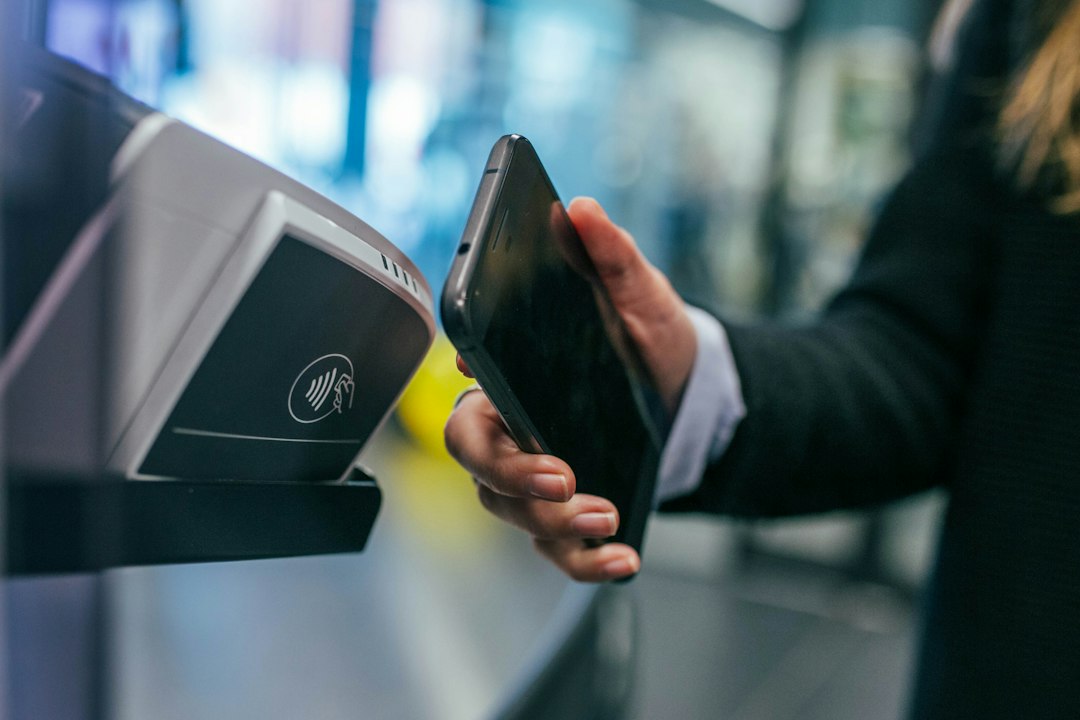
How to Check Your Card with NFC:
- Turn on NFC in your phone’s quick settings tray.
- Download and launch the official nol Pay mobile application from the Google Play Store or Apple App Store.
- On the homepage, tap Check Card Info (or Read Card).
- Rest your physical card against your phone’s internal NFC sensor:
- On iPhones: Hold the card horizontally against the top edge near the camera module.
- On Android (Samsung, Xiaomi, Pixel): Rest the card against the exact center of the rear glass panel.
- Hold the card completely flat for 2 seconds until your phone vibrates.
- The nol card balance app displays your real-time available funds, past travel transactions, and parking charges instantly.
What to Do If Your Phone Cannot Read the Card
- Remove thick phone cases, metal kickstands, or magnetic ring-holders (MagSafe), as they attenuate high-frequency radio signals.
- Keep the card steady. Sliding the card during the read process corrupts data transmission. (If background battery savers interrupt your wireless hardware, apply our tested tweaks to optimize Android battery performance).
Using the S’hail App to Manage Your nol Card
S’hail is another official RTA app. Alongside planning journeys on Dubai Metro, buses and other transport services, it supports nol card management and top-ups. RTA’s current instructions say you can select a saved nol Tag ID or scan/enter the card details, then follow the payment steps. For an NFC top-up, tap the card again after payment to activate the balance immediately; if you enter the Tag ID manually, the usual 45-minute to 4-hour wait and activation process may apply. You can also view RTA’s official S’hail step-by-step PDF guide, which includes app screens for checking nol card information by Tag ID or NFC. Download it from the Google Play Store or Apple App Store, or read about it on the official RTA S’hail page.
Method 3: Top Up Your nol Card and Activate the Balance
When executing a nol card balance recharge, many commuters encounter the frustrating “Pending Balance Trap”.
When you top up a physical nol card through the RTA website or a bank app using its Tag ID, the amount may first appear as pending balance. RTA currently says these channels normally require a wait of 45 minutes to 4 hours, followed by activation through an approved reader or the nol Pay app. If you top up through nol Pay using NFC, RTA says the balance can activate immediately after the second tap.
How to Activate a Pending Top-Up
- nol Pay NFC: Use the app’s top-up flow to scan your card, complete payment, then tap the card again when prompted. RTA says the balance activates immediately after this second tap when the NFC top-up flow is completed successfully.
- Use an approved activation device: After the required waiting period, tap your card at a Metro gate, parking meter, or bus/Metro solar top-up machine. RTA lists these as activation devices for pending top-ups made through channels that require activation.
- Do not use an ordinary bus fare validator to activate pending credit: RTA says normal bus validators cannot activate pending top-ups. A separate bus solar top-up machine can activate eligible pending balances, so distinguish that machine from the regular tap-in validator. Activate the balance before boarding if you are unsure.
Method 4: Transfer the Balance to Another nol Card
If your card has reached its 5-year expiration mark, sustained physical damage, or cracked its RFID antenna, execute a nol card balance transfer to recover your money.
Option A: Ask for Help at a Metro Ticket Office
- Visit any staffed ticket booth along the Red or Green Dubai Metro lines.
- Present your old, damaged, or expired card alongside your replacement card.
- Hand over your physical Emirates ID for verification.
- Ask the RTA agent which refund or balance-transfer option applies to your card. Do not assume that every card type can be transferred immediately or without a service fee; RTA’s rules differ by refund route and card status.
Option B: Check Available Options Through Your RTA Account
If your card is registered to your Emirates ID profile on the RTA Smart Portal:
- Log into your account using your credentials or via your verified identity profile (if you encounter authentication issues, follow our fix for UAE PASS face verification failed errors).
- Select Manage My Nol Cards.
- Select your expired card and click Transfer Balance.
- Enter the 10-digit Tag ID of your new card to finalize the transfer.
Method 5: Request a Refund for Your nol Card Balance
If you are permanently exiting the UAE or have excess balance you no longer need, request a nol card balance refund.
- Registered nol cards: Submit a refund request through the official RTA website or an available RTA service channel.
- Unregistered nol cards: RTA advises customers to visit a Smart Kiosk to request a refund.
- Balance transfer: RTA may provide an option to transfer the remaining balance to another eligible registered or personal nol card, subject to its rules.
- Before applying: Check the current refund requirements, available payment methods, and any applicable fees directly with RTA.
Where to Request a Refund
- Go to any RTA Customer Happiness Center (such as Al Barsha, Deira, or Al Kifaf) or visit a major Metro interchange.
- Hand in your physical card and your Emirates ID (or passport for tourists).
- Follow the refund instructions shown by RTA for your card type. RTA lists cash refunds through ticket office machines for eligible cards with a remaining balance of AED 100 or below, subject to a stated AED 5 service fee. Other refund requests are processed through the channels and eligibility rules shown by RTA.
Check Your nol Balance at a Metro Station
If you do not have mobile data, cannot access the app, or want to check your card in person, use an RTA Ticket Vending Machine (TVM) or ask at a staffed Metro ticket office. Place or tap your card on the machine’s card reader and follow the on-screen instructions. The machine can display card information and balance-related details supported by that terminal. This is the practical offline option; a phone’s NFC read in nol Pay should not be described as a guaranteed no-internet service.
Frequently Asked Questions
Which Tag ID should I enter for my nol card?
It depends on the card. RTA specifies a 10-digit Tag ID for anonymous cards and a 16-digit Tag ID for some new cards. Registered and Personal cards may be selected from your RTA account. Follow the identifier format shown on the official service page.
Can I use my Dubai Nol card in Abu Dhabi or Sharjah?
nol is a payment card for RTA-operated transport and services. Do not assume it works on every bus route between emirates or on local buses operated by another emirate. Check the operator and payment method for the specific route before travelling; Abu Dhabi and Sharjah local transport systems use their own payment arrangements.
Does my Nol card expire?
Yes. RTA lists Silver and Gold cards as valid for five years, with a further two-year period after expiry during which the expired card can remain usable but cannot be topped up. Personal (Blue) cards are valid for five years. Check your own card status in the RTA account or nol Pay app and follow RTA’s replacement or refund process when required. Remaining-balance options depend on the card type and its status.
More Helpful Guides
You may also find these TrickExprt guides useful:
Official nol & RTA Resources
For the latest balance-check, card-management, top-up and refund instructions, use these official sources:
- RTA – Direct nol Card Balance Checker
- RTA – Manage and Top Up a nol Card
- RTA – nol Card Guide, Activation and Refunds
- RTA – Official nol Pay App
- nol Pay – Google Play
- nol Pay – Apple App Store
- RTA – Official S’hail App Information
- S’hail – Google Play
- S’hail – Apple App Store
- RTA Contact Centre – 800 90 90 (lost, damaged or faulty card and unresolved service issues)
Before You Travel
Check your current nol balance before starting your journey. If you top up by entering a Tag ID through a channel that requires activation, RTA says the update normally takes 45 minutes to 4 hours; activate it through an approved method before boarding. NFC top-ups completed in nol Pay or S’hail require the second card tap after payment to load the balance. For help with a lost, damaged or unresponsive card, contact RTA on 800 90 90 or use its official contact channels.
For card-specific questions, check RTA’s current service instructions before paying or travelling. App menus and supported card types can change.