 TrickExprt Android Apps, Games, Software & Tech Guides
Last updated: 20 November 2026
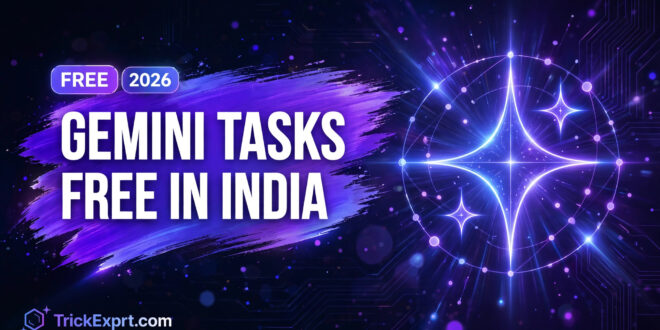
Quick answer: Yes — Gemini Tasks free in India is now available. On 17 November 2026, Google made Tasks free in India and five other countries, with no Google AI Pro subscription needed. Open the Gemini app, flip the toggle above the prompt box from Chat to Task, describe the job in plain words, and Gemini works on it in the background. The catch: it is a staged rollout, so the toggle may not have reached your account yet — and phone calls, Google Pay checkout and starting tasks by email are still US-only.
What Is Gemini Tasks, and What Changed on 17 November 2026?
Gemini Tasks is the agent mode inside the Gemini app. Instead of answering one question in a chat, it takes a whole job — plan a trip, watch a price, sort your inbox, build a morning briefing from your Gmail and Calendar — works through it in the background across 60+ connected apps, and reports back when it is done. On a Gemini Tasks free account, all of that runs without a Google AI Pro subscription.
Until this week, Gemini Tasks free access did not exist — Tasks was a paid feature. It was called Gemini Spark and needed a Google AI Pro or Ultra plan. On 17 November 2026, Josh Woodward — Google’s VP for Labs, the Gemini app and AI Studio — announced on the Google Keyword blog that Tasks is “rolling out free of charge for hundreds of millions of people across the U.S., Japan, Korea, Canada, Australia, and India, using our new Gemini 4 Hydrogen model.”
That is why your feed is suddenly full of news about Gemini Tasks free in India. GadgetsNow and Digital Trends both covered it within a day, and a wave of fresh AI-news sites followed. Most of those pages are news summaries of the announcement. This guide is different: it is the India-only, step-by-step version — what works here, what does not, and the exact limits on a free account.
Who Can Use Gemini Tasks Free in India?
Google’s help page sets three requirements for Gemini Tasks free in India, and all three must be true:
- You must be 18 or over. Tasks is not available to under-18 accounts.
- You must sign in with a personal Google Account. Work and school accounts are not supported yet. If your phone’s Gemini app is signed in with an office or college account, switch to your personal account first.
- Gemini Apps History (Activity) must be on. If you turned History off for privacy, Tasks will not work until you turn it back on. Check it in the Gemini app under your profile picture, then Gemini Apps Activity.
There is one more condition Google does not put in a bullet list: the rollout is staged. Free access does not mean every eligible account in India has the feature on the same day. If the Task toggle is missing on your phone, it usually means the rollout has not reached you yet — not that you did something wrong. Do not buy a Pro plan just to get it; the free rollout is permanent, not a time-limited promo.
Outside the six free countries, Tasks still needs Google AI Pro or Ultra — and it is not offered at all in the European Economic Area, the UK, Switzerland or Nigeria.
How to Use Gemini Tasks Free on Android (Step by Step)
Step 1: Update the Gemini app. Open the Google Play Store, search for Gemini, and tap Update if one is available. Tasks runs on the new Gemini 4 Hydrogen model, so an old app version may not show the toggle at all. If you have not installed Gemini yet, see our guide on downloading the Gemini AI app free.
Step 2: Open Gemini and look for the Chat / Task toggle. On Android, the toggle sits above the prompt box. On the web (https://gemini.google.com/) it is below the input box. Tap Task.
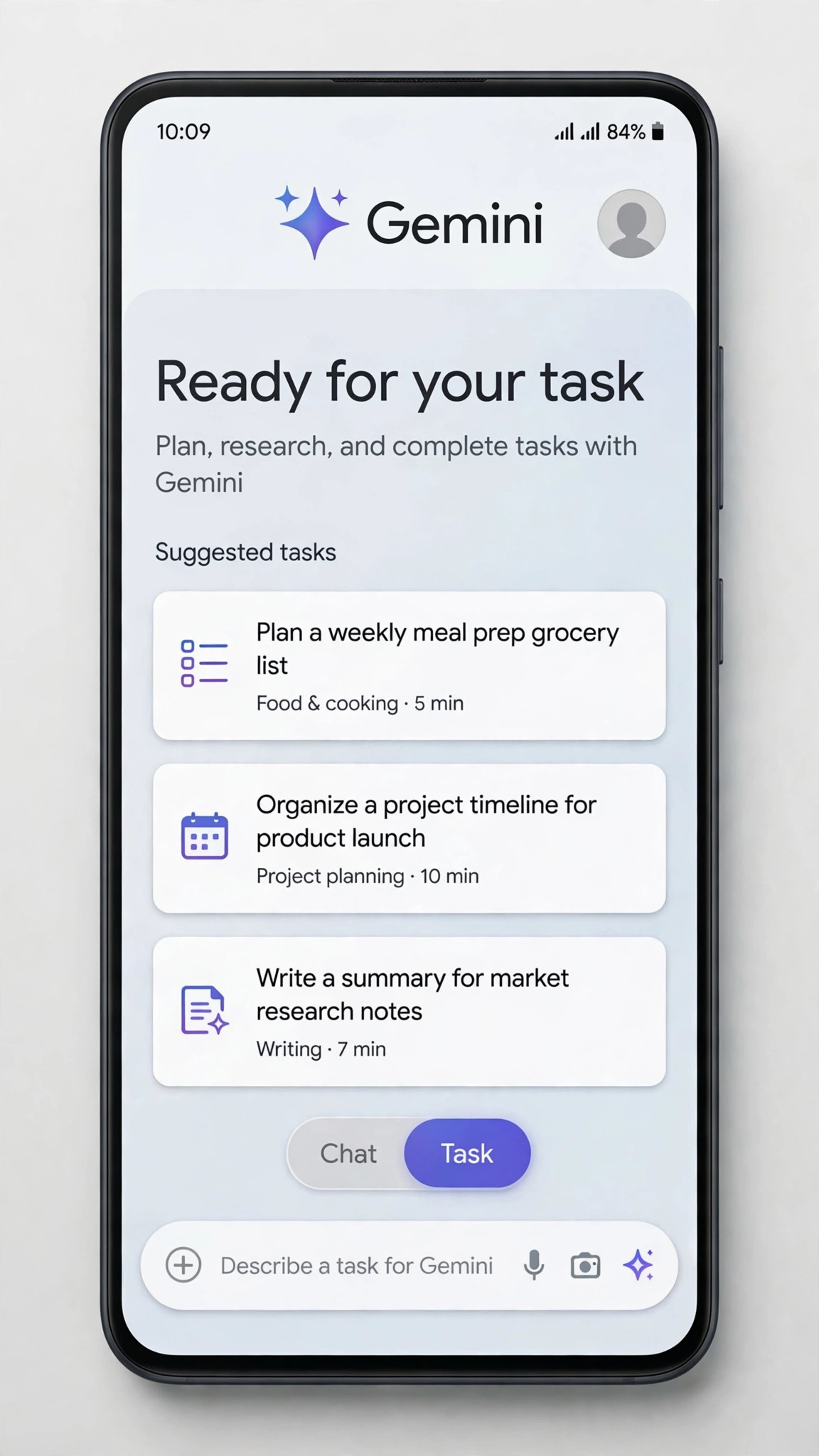
Step 3: Describe the job in plain words. Be specific about what you want, when you want it, and what Gemini should not do. For example: “Every morning at 7 AM, check my Gmail and Calendar and give me a short briefing: unread important emails, today’s meetings, and the weather in Mumbai.” Or: “Find the cheapest round-trip flight from Delhi to Dubai in the second week of December under ₹25,000 and tell me when the price drops.”
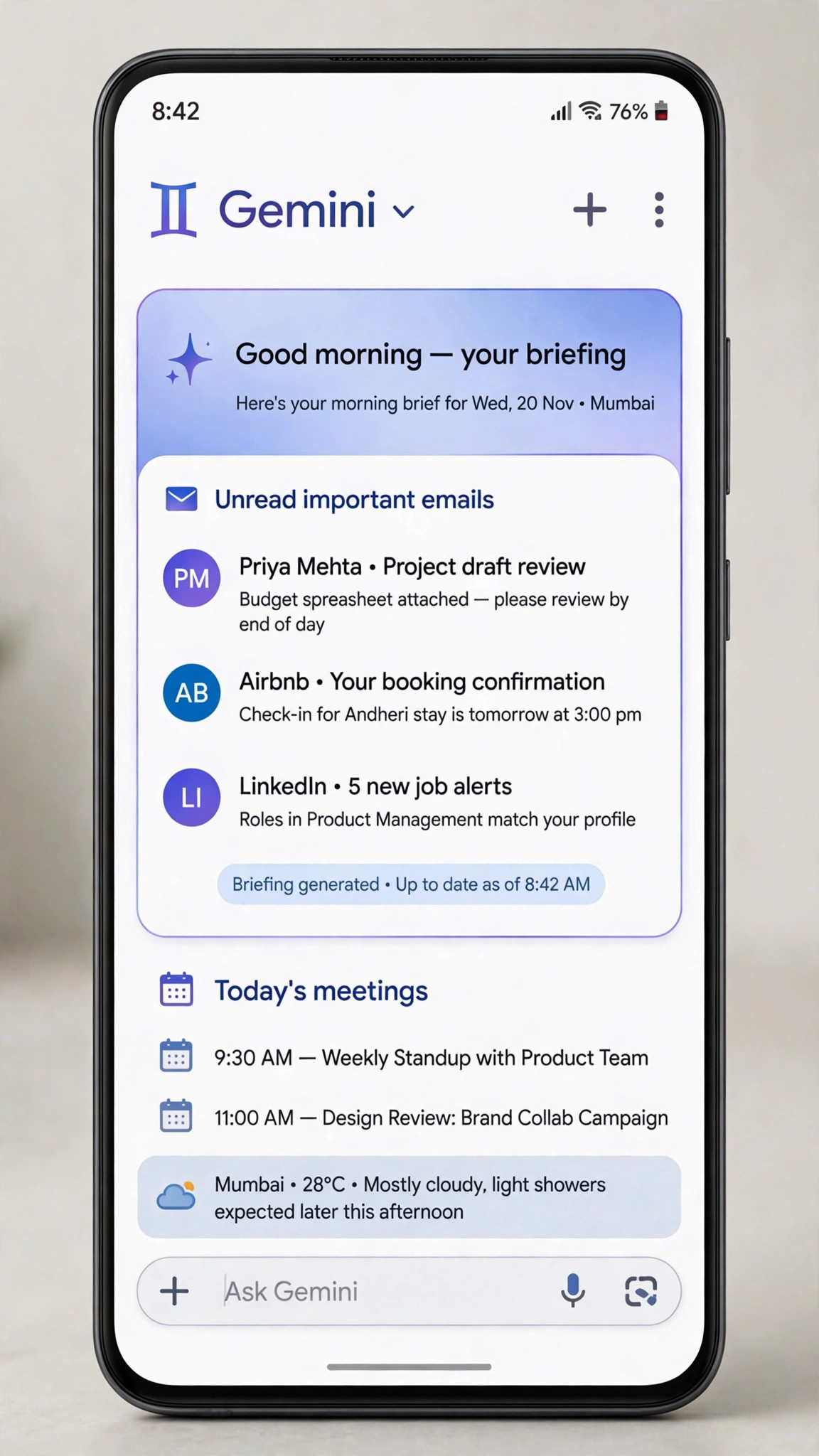
Step 4: Tap Submit — then let it work. Gemini works on the task in the background. You do not have to keep the app open or watch it. It checks back in the same task thread when it needs your input or when the job is done.
Step 5: Stop or change a task any time. If a task goes in the wrong direction, tap Stop in the Gemini text box. To change direction mid-task, just add instructions in the same thread.
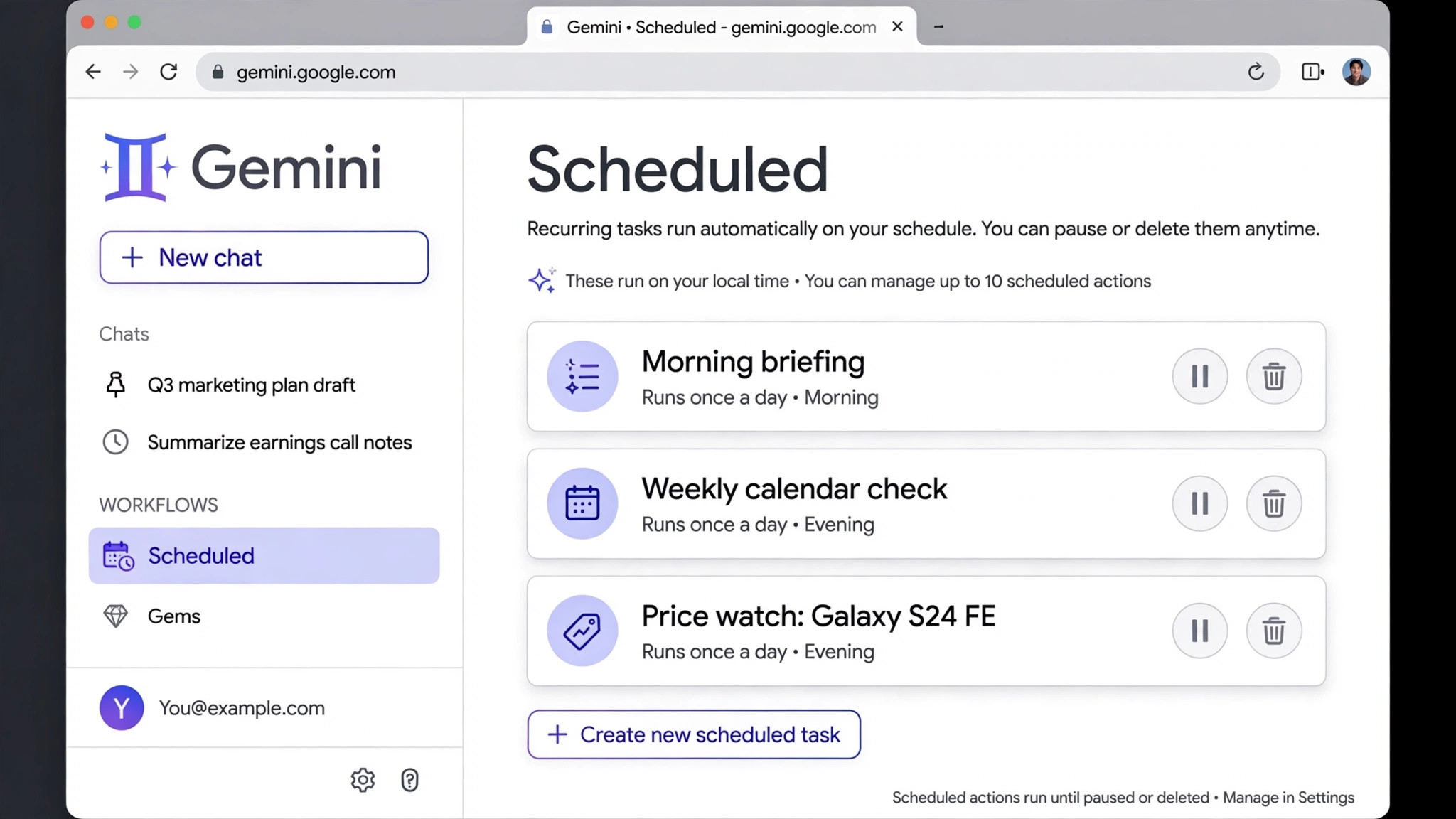
Step 6: Manage schedules from the sidebar. On the web, open Scheduled in the sidebar to see your recurring tasks, pause one, or delete it.
7 Things Gemini Tasks Can Do in India
These are the jobs that work with Gemini Tasks free in India today, with examples that actually fit India:
- A morning briefing from your Gmail and Calendar. “Every morning, summarise my unread important emails and today’s meetings.” Gemini reads across Gmail and Calendar and gives you one short briefing instead of two apps to check.
- Trip planning, end to end. “Plan a 3-day Udaipur trip for two under ₹30,000, with hotel options near the lake and a day-wise itinerary.” It can research, compare and package the result as a document or spreadsheet.
- Price watching. “Watch the price of the Samsung Galaxy S24 FE on Amazon India and tell me when it drops below ₹35,000.” It checks and reports back instead of you opening the app every day.
- Research turned into a file. “Research the best budget laptops under ₹50,000 for video editing in India and make a comparison sheet.” Tasks can deliver research as a PDF or a spreadsheet — this is the kind of job Chat mode cannot finish in the background.
- Sorting your inbox. “Sort my inbox: label all bank statements, and make a list of every subscription email from this month.” It works through Gmail in the background.
- Recurring reminders with real work behind them. “Every Sunday evening, check my calendar for next week and list anything that clashes.” On a free account, a schedule can run at most once a day, in a general window — overnight, daytime or evening — not at an exact minute.
- Planning with Maps and YouTube. “Find three highly rated vegetarian restaurants near Connaught Place that are open after 10 PM, with directions.” It can pull from Maps and YouTube alongside your other apps.
What Gemini Tasks Can NOT Do in India Yet
This is the part most news summaries skip — and the part that causes the most confusion. The new headline features from Google’s announcement are US-only for now, and Google has given no date for India:
| Feature | In India? | What Google says |
|---|---|---|
| Core Task mode (plans, research, Workspace apps, schedules) | Yes — free | Rolling out from 17 Nov 2026 |
| Phone calls to businesses (e.g. call a restaurant to book a table) | No — US-only | Also needs a Pixel 10 or Pixel 11, a US SIM and a paid Google AI plan; not available in Indiana, Louisiana, Minnesota, Montana or Nebraska either |
| Starting a task by email or text | No — US-only | Emailing [email protected] or texting needs a US number |
| Agent payments / checkout with Google Pay | No — US-only | US shoppers can set a spending cap of up to $1,000; shopping tasks expire within 14 days |
| Schedules at an exact time | No — Pro only | Free schedules run once a day in a general window; exact times need Pro or Ultra |
| Email / news triggers (start a task when a matching email arrives) | No — Pro only | Pro and Ultra only |
So if a video or article promises that Gemini will call a shop in India for you, or pay for something on your behalf, that is not true yet. Indian users get the research, planning and app-based tasks first.
Gemini Tasks Free vs Pro: The Limits That Actually Matter
Free does not mean unlimited. Google measures usage by computing work — how complex the task is, which models and features it uses, and how long the conversation runs. It does not publish an exact number of free tasks. Here is what is published:
| Free (no plan) | Google AI Plus ($4.99/mo) | Google AI Pro ($19.99/mo) | |
|---|---|---|---|
| Tasks in India | Yes | Yes | Yes |
| Usage limit | Standard | 2x standard | 4x standard |
| Tasks running at once | 15 | 15 | 15 |
| Active schedules | 10 | 10 | 50 |
| Schedule frequency | Up to once a day | Up to once a day | Hourly to yearly, exact times |
| Email / news triggers | No | No | Yes |
Three limits to remember on a free account:
- 15 tasks at a time. If 15 tasks are already running, a new or scheduled task will not start until one finishes.
- 10 active schedules, each at most once a day. A schedule cannot run twice a day on a free account.
- Limits refresh every 5 hours until you reach a weekly cap. Google does not say how many tasks the standard limit covers, and it warns that if capacity changes, free users may be limited before paying users.
For most people, Gemini Tasks free is enough. Pro is worth it only if you need 50 schedules, exact-time scheduling, email triggers, or much heavier daily use.
Task Toggle Not Showing? Try These 5 Fixes
If the Chat / Task toggle is missing on your Gemini Tasks free account, work through these in order:
- Update the Gemini app from the Play Store, then restart the phone. A stale app version is the most common cause — and if apps are misbehaving after an update, see our guide on fixing Android apps that keep crashing.
- Check your account. Make sure you are signed in with a personal Google Account, not a work or school one. In the Gemini app, tap your profile picture to see which account is active.
- Turn Gemini History on. Go to your profile picture, then Gemini Apps Activity, and switch History on. Tasks will not work with History off.
- Check your age and region. Your account must be 18+, and the free rollout covers India — but if your account region is set elsewhere, the feature follows the account, not the SIM.
- Wait for the rollout. If everything above is correct and the toggle is still missing, your account simply has not received it yet. Check again in a day or two. Google has not published a date by which every account gets it.
Use It Safely: 3 Things to Know Before Your First Task
Tasks is experimental — supervise it. Google itself describes Tasks as experimental and advises close supervision. Read the result before you act on it, especially for money, travel bookings or anything with a deadline.
Gemini asks before it spends or submits. It asks for your confirmation before purchases, financial transactions and form submissions. Never approve a payment you did not ask for, and keep any spending cap lower than you think you need.
It can see your accounts — that is the point, and the risk. Tasks works because it can read your Gmail, Calendar, Drive and Docs. That access is what makes a morning briefing possible. If a task does not need an app, do not connect it. Review what you asked Gemini to do before you submit it.
FAQ
Is Gemini Tasks really free in India?
Yes. Since 17 November 2026, Gemini Tasks free in India is available for users 18+ with a personal Google Account and History on, in India, the US, Canada, Australia, Japan and South Korea. It was previously called Gemini Spark and needed a paid Pro or Ultra plan.
Do I need Gemini Advanced or Google AI Pro to use Tasks?
No. Core Task mode is free in India. Pro ($19.99/month) only adds higher usage limits, 50 schedules, exact-time scheduling and email/news triggers.
Does Gemini Tasks work on iPhone and the web too?
Yes. It works in the Gemini mobile apps, the Gemini app on Mac, and at gemini.google.com. The steps in this guide are for Android; on the web, the Chat / Task toggle is below the input box.
Why can’t Gemini Tasks call a business for me in India?
Business calling is US-only for now. It also needs a Pixel 10 or Pixel 11, a US SIM and a paid Google AI plan. Google has announced no date for India.
Can Gemini Tasks pay for things for me?
Not in India. Agent checkout with Google Pay is US-only, and even in the US it needs your confirmation and a payment method saved in Google Wallet.
How many tasks can I run for free?
Google does not publish a number. The published limits are 15 tasks at a time and 10 active schedules (once a day each), with compute-based usage limits that refresh every 5 hours up to a weekly cap.
Bottom Line
Gemini Tasks free in India is a real change, not a rumour: announced by Google on 17 November 2026, running on Gemini 4 Hydrogen, and free for any adult with a personal account and History on. The smart way to use it is to start with one real job — a morning briefing or a price watch — and check the result before you trust it with anything important. And if the toggle has not appeared on your phone yet, wait for the rollout instead of paying for Pro: the free tier is the same feature, with limits you will probably never hit.