TrickExprt Android Apps, Games, Software & Tech Guides
If the JazzCash app is not opening, rejects your PIN, does not receive an OTP or shows an error during a transfer, first identify which part has failed. A login problem is different from a pending payment. Treating every error as an app outage can lead to repeated attempts or duplicate transactions.
This guide walks through safe checks for common JazzCash problems. It also explains what to do if money has been deducted but the recipient has not received it, and how to contact JazzCash through official channels.
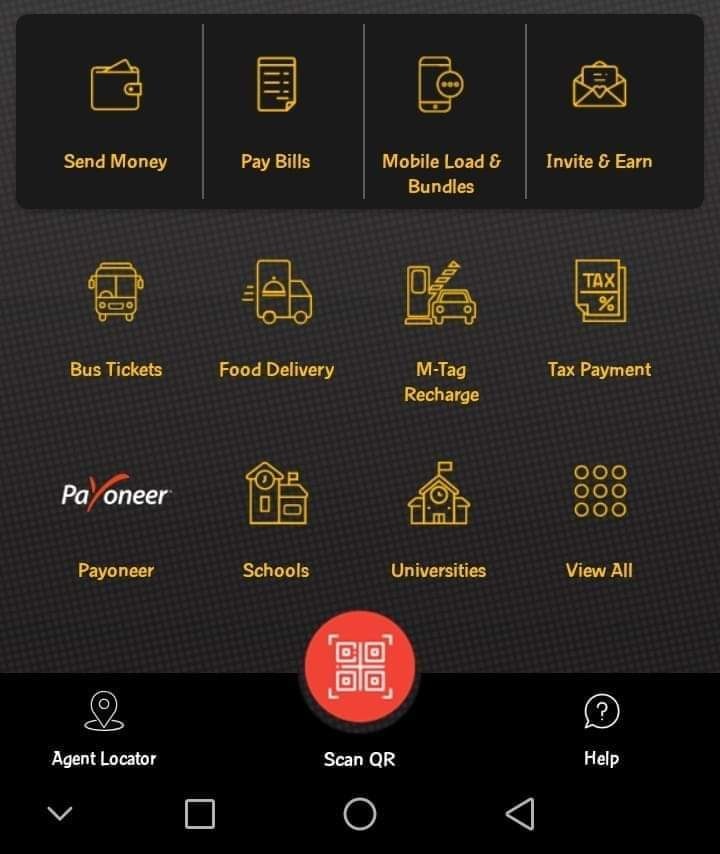
First: identify the JazzCash problem
| What you see | What to check first |
|---|---|
| App will not open or keeps closing | Internet, app update, storage and phone restart |
| PIN or login rejected | Registered number, correct app and account access |
| OTP not arriving | SIM signal, SMS reception and registered SIM |
| Transfer stuck or pending | Transaction history and reference number |
| Money deducted but receiver not credited | Do not retry; record transaction details and contact support |
9 safe ways to fix JazzCash app problems
1. Check your internet connection
Switch between Wi-Fi and mobile data to see whether the problem is network-related. Open another trusted website or app. If other services also fail, restart your router or reconnect mobile data before testing JazzCash again.
2. Check whether JazzCash has a temporary service issue
Some errors can originate from a temporary service disruption rather than your phone. Check official JazzCash communication channels and wait briefly before repeating a sensitive transaction. User reports on social media can help you notice a possible wider issue, but they do not confirm a nationwide outage.
Use the JazzCash USSD menu if the app is unavailable
If you are eligible to use JazzCash USSD, dial *786# from your registered mobile connection and follow the on-screen menu. JazzCash officially supports some account and payment services through USSD as well as its app, but the options available can depend on your network and account. This is an alternative access route, not a way to bypass account verification or a confirmed fix for every outage. Before making a transfer, check the recipient and amount carefully, and never share your MPIN.
3. Update the app from the official app store
Open Google Play or Apple’s App Store, find the official JazzCash app and install an available update. You can reach it through JazzCash’s official app download page, or use the verified store listings: JazzCash on Google Play and JazzCash on Apple App Store. Check that the developer is JazzCash / Pakistan Mobile Communications before installing. Avoid APK files or download links sent through WhatsApp or unknown websites because unofficial apps can put your account credentials at risk.
4. Restart your phone
Close JazzCash, restart your phone and open the app again. This can clear a temporary background-process issue. Make sure your phone’s date and time are set automatically because incorrect device time can sometimes interfere with secure app connections.
5. Check the registered SIM and OTP reception
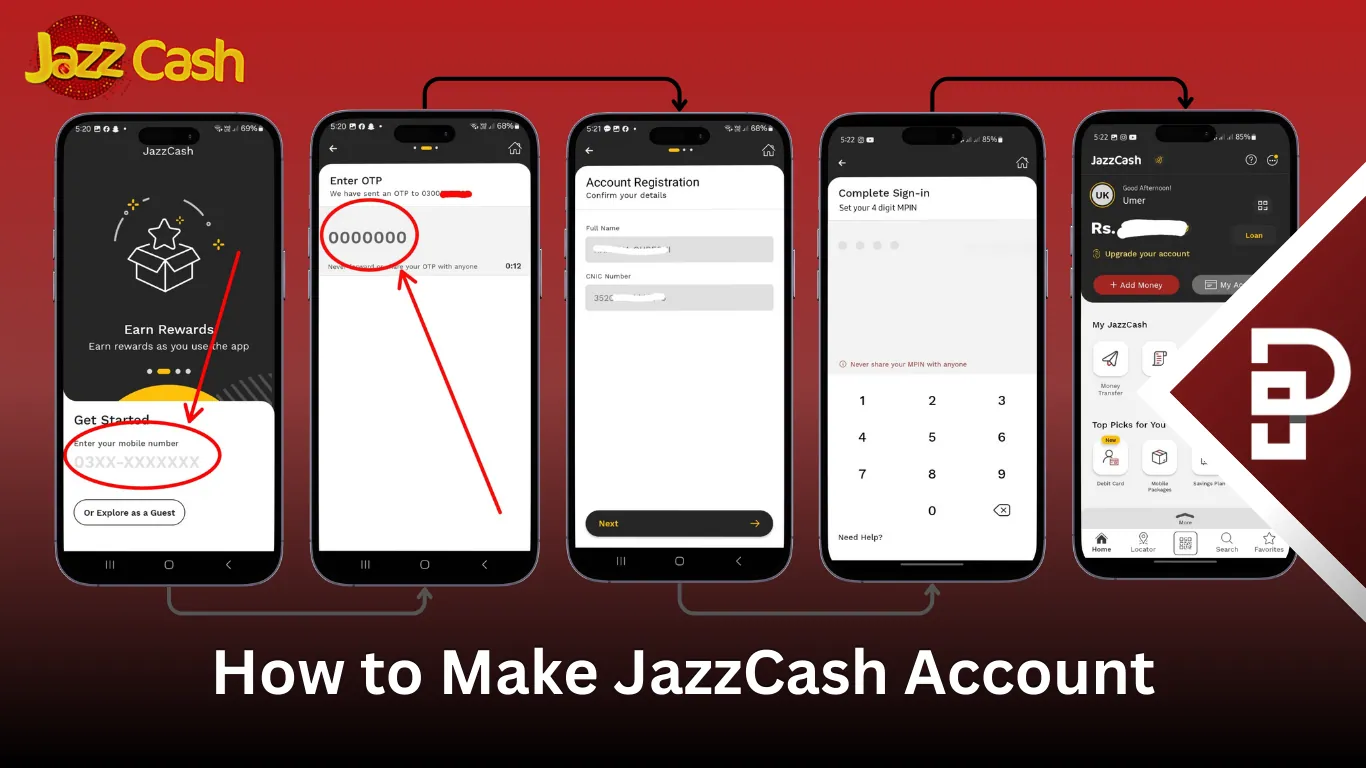
Make sure the mobile number linked to your JazzCash account is active, inserted in the phone and able to receive normal SMS messages. On a dual-SIM phone, check that the registered SIM is enabled, has signal and is selected as the default SIM for SMS where your phone offers that setting. The registered number must receive the OTP; mobile data on the other SIM does not change which number receives it. If automatic OTP detection fails, read the SMS and enter the code manually if the app allows it. Do not assume the registered SIM must always be in SIM 1—slot requirements can vary by device and app version. Never share an OTP with anyone, even if they claim to be from JazzCash.
6. Check app permissions and storage
Review the app’s permissions in your phone settings and make sure the device has free storage. On Android, you can clear the app cache from Settings > Apps > JazzCash > Storage, if that option is available. Avoid clearing app data or reinstalling until you understand the login and account recovery steps. For more detail, see our guide to fixing Android apps that keep crashing and our steps for freeing up Android storage safely.
Check device security settings if JazzCash shows a security warning
Do not assume every crash is caused by Developer Options or a rooted phone. If JazzCash itself displays a device-security or debugging warning, temporarily turn off USB debugging in Developer Options, close screen-overlay or remote-control apps, then restart the app. Menu names differ by Android version. Do not root the phone, install a modified app or use a tool that claims to bypass a financial app’s security checks. If the warning remains, contact JazzCash through its official support page.
7. If your PIN is rejected, stop repeated attempts
Re-enter the PIN carefully once you have checked the registered number and app. If the app continues to reject it, use the official account recovery or support route shown by JazzCash. Repeated guessing may trigger security restrictions. Never give your PIN to a caller or support agent.
CNIC or biometric verification: If you can open the app but cannot complete registration, raise limits or use certain transactions, the issue may be account verification rather than an app crash. Check that your CNIC details are current and follow the verification steps shown in the official app. If verification is pending, unsuccessful or your CNIC has expired, ask JazzCash support what action is required; do not send CNIC photos or biometric information to unofficial WhatsApp numbers.
8. Check transaction history before trying a payment again
If the app freezes during a transfer, do not immediately send the same amount again. Open transaction history when access returns and look for the transaction status, amount, recipient and reference number. A screen error does not prove that the payment failed. Save a screenshot and wait for the status to update or ask official support to trace it. JazzCash’s official money-transfer guidance says that if a failed-transfer amount is not reversed within 24 hours or the issue persists, customers should contact support.
9. Reinstall only after safer checks
If the app still crashes after updating and restarting, reinstall it from the official app store. Before doing so, make sure you can access the registered number and know the official recovery process. Never install a modified app that promises faster transfers, bonus balance or account unlocking.
JazzCash money deducted but recipient did not receive it
This situation needs careful handling. Do not repeat the transfer until you confirm its status. Follow these steps:
- Open transaction history and locate the payment.
- Record the date, time, amount, recipient number or account and transaction reference.
- Ask the recipient to check their own account history, not just SMS notifications.
- Take screenshots of the status and any error message.
- Contact JazzCash through an official channel and request a transaction trace.
- Keep the complaint or reference number until the issue is resolved.
Do not post your full CNIC, account details, PIN or OTP in public comments. Share sensitive information only through the verified official support process when required.
How to contact JazzCash support
JazzCash lists these customer support channels on its official contact page:
- 4444 — from a Jazz number.
- 021-111-124-444 — UAN (confirm the current number on the official contact page before calling).
- 0325-4444786 — official WhatsApp contact.
- complaints@jazzcash.com.pk — complaints and queries.
JazzCash states that it will never ask for your PIN, OTP or password. If a complaint remains unresolved, the official contact page also provides escalation information for the State Bank of Pakistan’s Sunwai Portal and Banking Mohtasib Pakistan. Check the latest details at JazzCash Contact Us.
Final advice
Start with the exact error: app loading, login, OTP or transaction. Check the transaction record before sending money again, and use only JazzCash’s official support channels. Protecting your PIN and OTP is just as important as fixing the app.
Editorial note: App menus and support processes may change. This guide provides general troubleshooting, not access to or verification of an individual wallet account.